Useful Apps 67
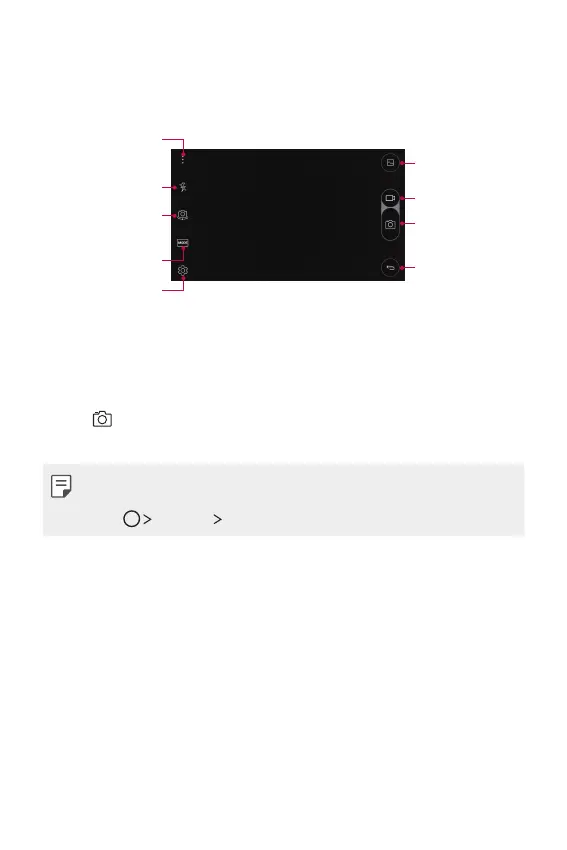
Auto mode
You can take photos or record videos by selecting a variety of
shooting modes and options.
Hide/display options
Turn the flash on
or off.
Select a shooting
mode.
Change camera
options.
Switch between
front and rear
cameras.
Start the Gallery.
Record videos.
Take photos.
Back to the
previous screen.
Taking a photo
1
Select a shooting mode, and tap the subject to focus the camera
on.
2
Tap to take a photo.
Alternatively, press a volume key.
• When the screen is turned off or locked, start the camera by
pressing the volume down (-) key twice. To activate this function,
tap
Settings General and turn on Shortcut key.



 To Next Page