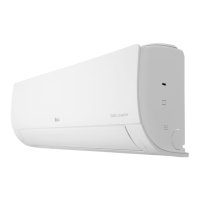
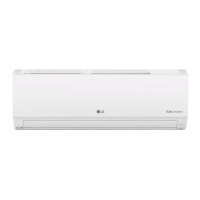
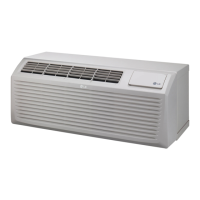
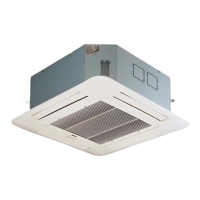
This document is the owner's manual for an LG air conditioner, providing detailed information on its function, operation, maintenance, and troubleshooting.
Function Description
The LG air conditioner is designed to provide cooling, heating, dehumidification, and air circulation for indoor spaces. It incorporates various functions to enhance user comfort and air quality, including:
- Cooling Mode: Reduces the room temperature.
- Heating Mode: Increases the room temperature.
- Dehumidification Mode: Reduces humidity in the air.
- Fan Mode: Circulates air without cooling or heating.
- Auto Operation (AI) Mode: Automatically adjusts operation based on the desired temperature and ambient conditions.
- Sleep Function: Optimizes comfort during sleep by gradually adjusting temperature and fan speed.
- Simple Timer Function: Allows setting a specific time for the air conditioner to turn on or off.
- Energy Display Function: Shows the current and cumulative energy consumption.
- Light Off Function: Turns off the display screen for undisturbed sleep.
- Comfort Air Function: Directs airflow to avoid blowing directly on occupants.
- Energy Saving Function: Optimizes operation to reduce energy consumption.
- Watt Control Function: Allows users to control power input in steps (20%, 40%, 60%) to manage energy usage.
- Special Functions: Includes features like Ionizer for improved indoor air quality, noise reduction, skin moisturization by generating ion clusters, lower indoor humidity, maintaining minimum room temperature to prevent freezing, mosquito repellent, moisture removal, and creating a comfortable sleeping environment.
- Air Purification Function: Utilizes an ionizer and plasma technology to sterilize airborne bacteria and remove microscopic contaminants, supplying clean and fresh air.
- Silent Function: Reduces operational noise.
- Low Heating Function: Maintains a minimum room temperature to prevent freezing in unoccupied rooms.
- Mosquito Away Function: Generates a high-frequency wave to repel mosquitoes.
- Auto Clean Function: Reduces moisture inside the indoor unit to prevent mold and odors.
Important Technical Specifications
The manual lists several models with their respective weights, dimensions (W x H x D), current, and voltage specifications. For example:
- E06SV4 NWAT: 7.7 kg, 756 x 256 x 184 mm, 2.8 A, 220-240V~50Hz
- E06SV4 UWAT: 20.9 kg, 717 x 495 x 230 mm, 2.8 A, 220-240V~50Hz
- T10EV4 NWAT: 7.7 kg, 756 x 256 x 184 mm, 5.2 A, 220-240V~50Hz
- T10EV4 UWAT: 22.2 kg, 717 x 495 x 230 mm, 5.2 A, 220-240V~50Hz
- T13EV4 NJAT: 8.7 kg, 837 x 308 x 189 mm, 5.9 A, 220-240V~50Hz
- T13EV4 UJAT: 23.0 kg, 717 x 495 x 230 mm, 5.9 A, 220-240V~50Hz
- S24EV4 NWAT: 11.2 kg, 998 x 345 x 210 mm, 8.5 A, 220-240V~50Hz
- S24EV4 UWAT: 42.5 kg, 870 x 650 x 330 mm, 8.5 A, 220-240V~50Hz
These specifications indicate a range of models suitable for different room sizes and power requirements, all operating on a 220-240V~50Hz power supply. The refrigerant used is flammable, requiring careful handling and installation.
Usage Features
The air conditioner offers a user-friendly experience with various operational features:
- Wireless Remote Control: The primary interface for controlling the unit. It features buttons for mode selection (Cooling, Heating, Dehumidification, Fan), temperature adjustment, fan speed, swing, timer, and special functions. The display screen on the remote shows current settings and operational status.
- On/Off Timer: Allows users to set specific times for the unit to turn on or off automatically.
- Setting Current Time: The remote control can display the current time, which is essential for timer functions.
- Restarting the Air Conditioner Automatically: After a power failure, the unit can restore previous settings.
- Disabling Auto Restart: The auto restart function can be disabled if desired.
- Jet Mode Function: Provides rapid cooling or heating.
- Fan Speed Adjustment: Users can select from High, Medium-High, Medium, Medium-Low, Low, and Natural Wind fan speeds.
- Air Flow Direction Adjustment: Allows vertical and horizontal adjustment of airflow.
- LG ThinQ Application: Enables smart control of the air conditioner via a smartphone application, offering features like remote control, smart diagnosis, and scheduling.
- Audible Diagnosis: The unit can provide audible feedback for certain issues, which can be diagnosed via the LG ThinQ application.
Maintenance Features
Regular maintenance is crucial for the air conditioner's performance and longevity. The manual outlines the following maintenance tasks:
- Air Filter Cleaning: The air filter should be cleaned with a vacuum or hand wash every two weeks.
- Triple Filter Cleaning: Clean with a vacuum or brush every three months.
- Micro Dust Filter Cleaning: Clean with a vacuum or brush every six months.
- Allergy Filter Cleaning: Clean with a vacuum or brush every six months.
- Ionizer (Optional) Cleaning: Use a dry cotton bud to remove any dust every six months.
- Indoor Unit Cleaning: The indoor unit surface should be cleaned regularly using a soft, dry cloth. A professional should clean the condensate drain pan and pipe once a year.
- Outdoor Unit Cleaning: A professional should clean the fan and verify that all fan assembly is firmly tightened once a year. The electric components should also be cleaned once a year.
- General Cleaning: Before cleaning, disconnect the power supply and wait until the fan stops. Do not use volatile substances like gasoline or paint thinner.
- Battery Replacement: Replace remote control batteries when they are depleted.
- Professional Servicing: For complex issues or annual checks, it is recommended to contact an authorized service center.
The manual emphasizes that failure to perform regular maintenance can lead to reduced performance, damage, or discoloration of the unit. It also provides detailed instructions for cleaning different types of filters and reassembling them.

 Need help?
 General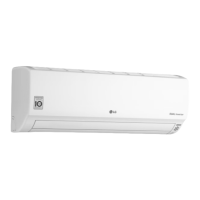

 To Next Page