EasyManua.ls Logo

LG T05EV5 - User Manual

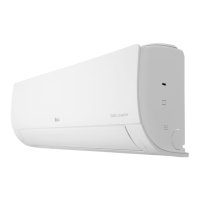
LG T05EV5
84 pages
Print Icon
To Next Page IconTo Next Page
Loading...
www.lg.com
OWNER’S MANUAL
AIR CONDITIONER
Copyright © 2022 LG Electronics Inc. All Rights Reserved
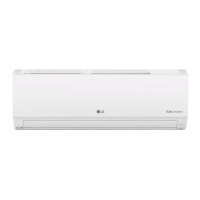
TYPE: WALL MOUNTED
MFL70205414
Rev.01_113022
EN ENGLISH ID
BAHASA INDONESIA
T05EV5 T09EV5 T12EV5 T18EV5
Read this owner's manual thoroughly before operating the
appliance and keep it handy for reference at all times.
MODEL:

Table of Contents

Questions and Answers

  • N
    Nicole HarmonAug 18, 2025
    What to do if my LG T05EV5 does not work?
    • S
      Scott ComptonAug 19, 2025
      First, verify that the LG Air Conditioner is properly plugged into the outlet and that the power isolators are switched on. If it still doesn't work, check the fuse and replace it if it has exploded, or check if the circuit breaker has tripped. If there was a power failure, wait 3 minutes after the power is restored before turning the air conditioner back on. Also, ensure that the batteries in the remote controller are correctly inserted or replace them to ensure proper operation. Finally, make sure the air conditioner wasn't turned off automatically by a preset timer; if so, turn it back on.
  • N
    Nicholas OrtegaAug 21, 2025
    Why is my LG T05EV5 Air Conditioner not emitting cool air?
    • A
      Aaron OwensAug 21, 2025
      If your LG Air Conditioner isn't emitting cool air, start by ensuring that curtains, blinds, or furniture aren't blocking the front of the unit, which can disrupt air circulation. Next, clean the air filter, ideally every two weeks. If the room temperature is excessively high, select the Jet Mode for quicker cooling. Also, check for any open ventilation points that might be letting cold air escape. Ensure that the set temperature on the unit is lower than the current room temperature. Avoid using heat-generating appliances nearby, and confirm that the air conditioner isn't set to Fan Mode, which only circulates air without cooling.
  • T
    Tamara HallAug 23, 2025
    Why does my LG Air Conditioner keep stopping during operation?
    • R
      Robert PerezAug 23, 2025
      If your LG Air Conditioner stops during operation, it might be due to the Timer Function timing out; check the timer settings. Alternatively, if a power failure occurred during operation, wait for the power to return. If you have enabled the Auto Restart function, the unit will resume its last operation several minutes after power is restored.
  • V
    vickigallegosAug 26, 2025
    Why won't my LG appliance connect to Wi-Fi?
    • R
      Richard LiAug 26, 2025
      If your LG appliance and smartphone are failing to connect to the Wi-Fi network, first ensure that you're using the correct Wi-Fi password. If you are unsure, find the Wi-Fi network connected to your smartphone and remove it, then register your appliance on LG ThinQ. Turn off mobile data on your smartphone and use the Wi-Fi network for registration. The wireless network name (SSID) should only contain English letters and numbers, without special characters. Confirm that your router frequency is set to 2.4 GHz, as this is the only frequency supported. Finally, reduce the distance between the appliance and the router to ensure a strong signal.
  • H
    Haley HoltAug 28, 2025
    Why is my LG T05EV5 making noise?
    • J
      jamiesheaAug 28, 2025
      If you notice noise or vibration from your LG Air Conditioner, a clicking sound when the unit starts or stops is normal due to the movement of the reversing valve. Similarly, creaking sounds from the plastic parts of the indoor unit are normal as they expand or shrink with temperature changes. A flowing or blowing sound indicates the flow of refrigerant through the air conditioner, which is also normal.
  • D
    Debra MeyerAug 30, 2025
    Why is my LG T05EV5 Air Conditioner leaking water outside?
    • R
      Ruben PowellAug 30, 2025
      If water is leaking from the outdoor unit of your LG Air Conditioner during heating operations, it's likely due to condensed water dropping from the heat exchanger. To resolve this, a drain hose needs to be installed under the base pan. Contact the installer for assistance.
  • M
    Michael ThomasSep 1, 2025
    Why is my LG T05EV5 Air Conditioner not emitting warm air?
    • W
      Wayne HoffmanSep 1, 2025
      If your LG Air Conditioner isn't emitting warm air, especially when Heating Mode starts, it's normal for the vane to be almost closed initially. Wait until the unit generates enough warm air to blow through the indoor unit. Also, the outdoor unit may be in Defrosting Mode to remove ice/frost buildup, which typically lasts about 15 minutes. Keep in mind that if the outside temperature is too low, the heating effect may be insufficient.
  • E
    Erica ChavezSep 3, 2025
    How to adjust fan speed on LG T05EV5?
    • K
      Kristin BrownSep 4, 2025
      If the fan speed on your LG Air Conditioner cannot be adjusted, it may be because you've selected Jet Mode or Auto Operation Mode. In these modes, fan speed adjustments are often disabled. Switch to an operation mode that allows you to manually adjust the fan speed.
  • S
    Shane ParkerSep 6, 2025
    Why can't I adjust the temperature on my LG T05EV5?
    • M
      Mark HallSep 6, 2025
      If the temperature on your LG Air Conditioner cannot be adjusted, it might be because you have selected Fan Mode or Jet Mode. In these modes, temperature adjustments are typically disabled. Choose an operation mode that allows temperature adjustments.
  • J
    Joseph WebsterSep 8, 2025
    What to do if my LG T05EV5 does not work normally?
    • S
      Sara SwansonSep 9, 2025
      If your LG Air Conditioner is not working normally and you notice a burning smell, strange sounds, water leaks (even when humidity is low), a damaged or excessively hot power cable, or if the unit displays an error code, immediately turn off the air conditioner, switch off the power supply, and contact the service center for assistance. Also, do the same if a switch, circuit breaker, or fuse is not operating properly.

Summary

SAFETY INSTRUCTIONS

Important Safety Guidelines

Guidelines to prevent risks and damage from unsafe operation.

Household Safety Precautions

Appliance not for unsupervised use by children. Supervision is required.

Installation Safety Precautions

Precautions for stable installation and qualified service.

Operation Safety Precautions

Use specified parts, keep children away from outdoor unit, dispose batteries safely.

General Operation Safety

Cut off power for noise/smoke, avoid flammable substances, ventilate properly.

Maintenance Safety Precautions

Do not spray water directly, disconnect power before cleaning.

Technical Safety Requirements

Installation/repairs by authorized persons, refrigerant handling qualifications.

Technical Safety & Grounding

Proper grounding, special disposal for refrigerant, replace damaged cord.

CAUTIONARY GUIDELINES

Installation Precautions

Avoid direct sea wind, install drain hose, handle with care during unpacking/installation.

Operation Precautions

Remove batteries from remote if unused for long periods.

Maintenance Precautions

Never touch metal parts when removing filter, use sturdy stool, avoid strong cleaning agents.

OPERATION

Energy Saving Tips

Suggestions for energy saving like blocking sunlight, closing doors/windows.

Unit Parts and Functions

Identifies indoor and outdoor unit components like air filter, intake, outlet.

Wireless Remote Control Operation

Inserting batteries and operating the remote control.

Remote Control Holder Installation

How to install the optional holder for the remote control.

Setting the Current Time

Steps to set the current time on the indoor unit.

Indoor Unit Operation

How to operate the unit using the On/Off button on the indoor unit.

Temperature Unit Conversion

How to switch between Celsius and Fahrenheit temperature units.

Remote Control Functions Overview

Detailed explanation of buttons and their functions on the remote control.

Remote Control Functions Details

More buttons and functions on the remote control.

Special Functions via Remote

Explains various special functions available via the remote control.

Auto Restart Function

Explains the auto-restart function and how to disable/enable it.

Operating Modes Selection

How to select different operating modes (Cooling, Heating, Fan, etc.).

Auto Operation Mode

How the unit automatically adjusts settings based on room temperature.

Auto Changeover and Dehumidification

How the unit switches modes and removes moisture from the air.

Heating and Fan Modes

How to operate the unit in heating and fan-only modes.

Jet Mode for Quick Comfort

How to quickly cool or heat the room.

Fan Speed Adjustment

How to adjust the fan speed and available speed levels.

Air Flow Direction Control

How to adjust the vertical and horizontal air flow direction.

On;Off Timer Settings

How to set the timer for automatic ON and OFF operations.

Canceling Timer Settings

How to cancel set ON, OFF, or all timer settings.

Sleep and Simple Timer Functions

How to set the unit to turn off automatically for sleep or simple timing.

Energy Usage Display

How to display current and cumulative energy usage.

Light Off and Comfort Air

How to adjust display brightness and deflect air for comfort.

Energy Saving Modes

How to minimize power consumption for comfort and limit power input.

Special Functions Overview

Overview of various special functions available via the remote.

Canceling Special Functions

How to cancel selected special functions.

Air Purification and Silent Operation

How the unit cleans air and reduces outdoor unit noise.

Ion Care and Jet Dry Functions

How ion clusters moisturize skin and maximize dehumidification.

Low Heating and Mosquito Away

How to maintain temperature and fan away mosquitos.

Auto Clean and Comfort Sleep

How the unit removes moisture and operates for sleep comfort.

SMART FUNCTIONS

LG ThinQ Application Setup

How to use the LG ThinQ app with the appliance.

Smart Diagnosis Feature

How to diagnose problems using the smart diagnosis feature.

Preparing for ThinQ Connection

Checks and steps before connecting the appliance to Wi-Fi.

Installing the ThinQ Application

How to download and install the LG ThinQ app from app stores.

ThinQ Troubleshooting Methods

How to use LG ThinQ and audible diagnosis for troubleshooting.

MAINTENANCE

Safety Before Maintenance

Safety warning to disconnect power before cleaning or maintenance.

General Maintenance Procedures

How to dry the unit when not in use and regular cleaning for optimal performance.

Maintenance Schedule and Notes

Table detailing cleaning intervals and important notes for filters and components.

Cleaning the Air Filter (Types 1 & 2)

Step-by-step guide to cleaning the air filter for both indoor unit types.

Cleaning Optional Filters

How to clean optional filters like Micro Dust, Triple, and Allergy.

TROUBLESHOOTING

Self-Diagnosis and Initial Checks

How self-diagnosis works and checks before calling service.

Common Cooling and Fan Issues

Troubleshooting for unit not cooling, fan speed, or temperature adjustment problems.

Operation Stoppage Issues

Reasons for the unit stopping unexpectedly and solutions.

Unit Operating After Turn Off

Explains why the indoor unit may continue operating after shutdown.

Mist, Leaks, Noise, and Odor Issues

Troubleshooting for mist, leaks, noise, and odors from the unit.

Heating Performance Issues

Troubleshooting for issues when the unit does not provide heat.

Wi-Fi Connectivity Troubleshooting

Troubleshooting steps for appliance and smartphone Wi-Fi connection issues.

SPECIFICATION

Model Specifications Table

Table listing model, weight, dimensions, current, and voltage.

LG T05EV5 Specifications

General IconGeneral
BrandLG
ModelT05EV5
CategoryAir Conditioner
LanguageEnglish

Related product manuals