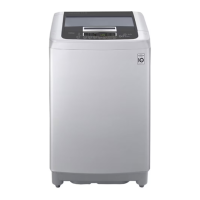
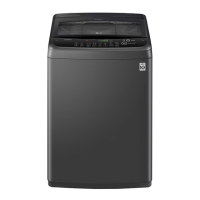
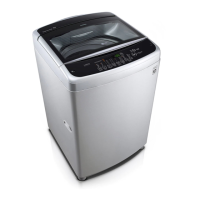
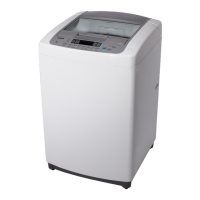
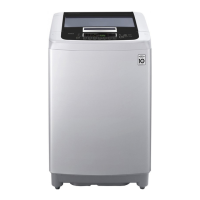
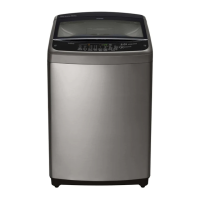
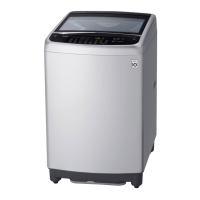
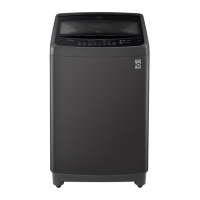
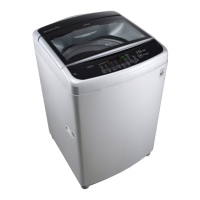
This document is the owner's manual for an LG Washing Machine, model T2108VSPW. It provides comprehensive information on safety, installation, operation, smart functions, maintenance, and troubleshooting.
Function Description
The LG Washing Machine is designed for household use to wash clothes. It features various wash programs to cater to different fabric types and soil levels, including Normal, Wool, Duvet, Quick Wash, Extra Clean, and Rinse+Spin. The appliance also includes a Tub Clean function for internal maintenance and Smart Diagnosis for troubleshooting.
Important Technical Specifications
- Maximum Capacity: 8.0 kg of dry clothes for some cycles.
- Power Supply: 230 V~, 60 Hz.
- Product Weight: Approx. 30 kg.
- Dimensions (W x D x H): 540 mm x 560 mm x 1155 mm.
- Inlet Water Pressure: Must be between 50 kPa and 800 kPa (0.5 - 8.0 kgf/cm²). A decompression device is required if pressure exceeds 800 kPa.
- Drain Hose Length: Should not exceed 300 cm.
- Drain Hose Height: Should not be placed more than 6 cm above the threshold. Maximum drain height is 1.2 m.
- Electrical Connection: Must be connected to an earthed socket in accordance with current wiring regulations. The power outlet should be within 1.5 meters of either side of the appliance.
Usage Features
Control Panel Features:
The control panel includes a POWER button (1) to turn the appliance on/off, a START/PAUSE button (2) to start or pause a cycle, a Program button (3) to select wash programs, and Extra Options and Functions (4) for customization. A Cycle Status Indicator (5) shows the current stage of the wash, and a Display (6) shows settings, remaining time, options, and status messages.
Operating the Appliance:
- Sort Laundry and Load Items: Sort by fabric type, soil level, color, and item size.
- Add Detergent, Fabric Softener, and/or Bleach: Use the detergent dispenser drawer. Liquid detergent can be poured directly into the drum for immediate wash cycles.
- Turn on the Appliance: Press the POWER button.
- Choose Desired Wash Cycle: Press the Program button repeatedly.
- Begin Cycle: Press the START/PAUSE button. The appliance will briefly agitate to measure laundry weight.
- End of Cycle: A melody will sound. Remove clothing promptly to reduce wrinkling.
Preparing Laundry:
- Sorting Clothes: Sort by fabric type, washing temperature, soil level (Heavy, Normal, Light), and color (Whites, Lights, Darks). Separate lint-producing fabrics from lint-collecting fabrics.
- Checking Fabric Care Label: Follow symbols for wash/fabric type (Normal Wash, Cotton, Mixed Fabrics, Easy Care, Synthetic, Mixed Fabrics, Special Delicate Wash, Delicates, Hand Wash Only, Wool, Silk, Do not wash).
- Loading Laundry: Combine large and small items. Do not wash heavily soiled items with lightly soiled ones. Do not overload. Make sure pockets are empty.
Adding Detergents, Softeners, and Bleaches:
- Detergent Dosage: Select detergent based on fabric type, color, soil level, and water temperature. Avoid excessive suds.
- Adding Detergents: Add the measured amount into the detergent compartment. Use more for hard water, large items, greasy soils, or lower water temperature.
- Adding Fabric Softeners: Dilute with water. Add to the fabric softener compartment. Overfilling can cause early dispensing and stained clothes.
- Adding Liquid Bleaches: Pour into the bleach dispenser. Do not pour undiluted bleach directly onto laundry.
Customizing a Washing Programme:
- Water Level: The appliance automatically detects water level, but it can be manually adjusted using the Water Level option, especially for bulky but lightweight loads to prevent linting and unbalanced errors.
- Process: Manually set wash, rinse, and spin options using the Process button.
Child Lock:
- This function disables controls to prevent accidental changes or operation by children. Activate by pressing and holding Water Level and Program buttons simultaneously for 3 seconds. All buttons except POWER are locked when Child Lock is active.
Manual Washing:
- Allows selection of Rinse and Spin, Spin only, Rinse only, or Wash only cycles manually.
Maintenance Features
Cleaning after Every Wash:
- What to Clean: Use warm or hot water washes periodically. Turn off water taps and unplug the power cord after use. Wipe the door and drum interior to remove moisture. Clean around the bleach dispenser to flush residual bleach.
- Dispenser Drawer: Remove and clean the dispenser drawer and inserts once or twice a month to prevent detergent buildup.
- Exterior: Wipe spills immediately with a damp cloth, then a dry cloth. Avoid pressing on the surface or display with sharp objects.
Cleaning the Appliance Periodically:
- Tub Clean: A special function to clean the drum by soaking, washing, rinsing, and spinning. Run once a month, or more often if needed, to reduce residue buildup.
- Cleaning the Water Inlet Filter: Regularly clean the water inlet filter to remove lime or small objects. Turn off water taps, unscrew the inlet hose, remove the filter with pliers, and clean with a brush.
- Cleaning the Lint Filter: An important part for efficient washing. Clean the lint filter regularly (after at least 2-3 washes). Push down release tabs, open the lid, remove lint, wash the filter, close the lid, and insert the filter back into the drum until it clicks. Do not operate the appliance without the lint filter.
Troubleshooting
The manual provides a detailed troubleshooting guide for various error messages and noises, including:
- Error Messages: dE (DOOR ERROR), IE (INLET ERROR), dE (WATER OUTLET ERROR), UE (UNBALANCE ERROR), FE (OVERFLOW ERROR), PE (PRESSURE SENSOR ERROR), LE (MOTOR LOCKED ERROR).
- Noises: Rattling and clanking noise, Thumping sound, Vibrating noise.
- Operation Issues: Appliance will not operate, Detergent not dispensed completely or at all.
- Performance Issues: Incomplete or no dispensing of detergent, Poor stain removal, Staining, Wrinkling, Musty or mildewy odor in the appliance.
Solutions typically involve checking door closure, water supply, hose connections, drain hose condition, load balance, detergent usage, and filter cleanliness. For persistent issues, contacting LG Electronics service center is recommended.

 Need help?

 To Next Page
 General