EasyManua.ls Logo

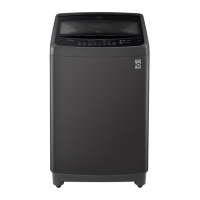
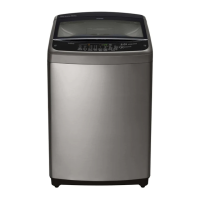
LG T2511VSA - User Manual

LG T2511VSA
40 pages
Print Icon
To Next Page IconTo Next Page
Loading...
www.lg.com
Copyright © 2019-2020 LG Electronics Inc. All Rights Reserved
WASHING MACHINE
Before beginning installation, read these instructions carefully.
This will simplify installation and ensure that the product is
installed correctly and safely. Leave these instructions near the
product after installation for future reference.
OWNER’S MANUAL

Questions and Answers

  • T
    Terry CooperAug 17, 2025
    Why my LG T2511VSA won't start?
    • D
      deborah86Aug 18, 2025
      There are several reasons why your LG washer might not start. First, ensure the control panel isn't powered off due to inactivity by pressing the POWER button. Check that the washing machine is securely plugged into a working outlet and that both hot and cold water taps are fully turned on. Make sure the cycle was set correctly, the door is closed completely, and then press the START/PAUSE button. Also, check your house circuit breakers/fuses and reset if necessary. If none of these work, press the POWER button to reset the control, reselect the desired cycle, and press START/PAUSE again. Ensure adequate water pressure and, if the machine has been exposed to freezing temperatures, allow it to warm up before use. Finally, the drum may stop temporarily during heating cycles.
  • S
    Samuel ThomasAug 20, 2025
    What to do if my LG T2511VSA is leaking water?
    • J
      Jessica RomanAug 20, 2025
      If your LG washer is leaking water, first check the supply hoses for leaks, cracks, and loose connections at both the tap and the washing machine; tighten them if necessary. Inspect the house drain pipes for clogs, especially if water backs up during draining. Ensure the drain hose is properly installed and secured to prevent it from coming out. If a large item is above the drum, stop the machine and adjust the load so it doesn't exceed the drum's top edge.
  • A
    Alyssa VegaAug 22, 2025
    Why is my LG Washer not filling with water properly?
    • T
      Timothy KennedyAug 22, 2025
      If your LG washer isn't filling properly, check that the inlet filters on the fill valves are not clogged. Ensure that the supply hoses are not kinked or clogged and that both hot and cold water taps are fully turned on. Verify that the hot and cold supply hoses are connected correctly and that the drain hose is not kinked.
  • J
    Jason RiveraAug 25, 2025
    How to connect my LG T2511VSA to Wi-Fi?
    • R
      rjacksonAug 26, 2025
      To connect your LG washer to Wi-Fi, ensure the Wi-Fi password you're using is correct. If needed, remove the Wi-Fi network from your smartphone and re-register your appliance on LG SmartThinQ. Turn off mobile data on your smartphone and use the Wi-Fi network for registration. The wireless network name (SSID) should use only English letters and numbers, without special characters. Only a 2.4 GHz router frequency is supported, so set your wireless router accordingly. If the distance between the appliance and the router is too far, move the router closer to the appliance.
  • G
    Gary BrownAug 27, 2025
    How to reduce vibrating noise of my LG Washer?
    • J
      Jennifer ThompsonAug 27, 2025
      To reduce vibrating noise from your LG washer, start by removing any packaging materials. If the wash load is unevenly distributed, pause the cycle, and redistribute it after the door unlocks. Ensure all leveling feet are firmly and evenly on the floor, referring to the Installation section for guidance. Also, make sure the floor is solid and doesn't flex; consult the Installation Place Requirements section.
  • M
    matthew32Aug 30, 2025
    How to prevent wrinkles in my LG Washer?
    • S
      Sarah PonceAug 30, 2025
      To prevent wrinkles when using your LG washer, promptly remove items as soon as the cycle completes. Avoid overloading the washing machine; while it can be fully loaded, the drum should not be tightly packed, and the door should close easily. Also, ensure the hot and cold water supply hoses are connected correctly, as a hot water rinse can set wrinkles.
  • R
    Richard JenningsSep 1, 2025
    Why does my LG Washer make a thumping sound?
    • A
      Amanda YoungSep 1, 2025
      A thumping sound in your LG washer is often normal with heavy wash loads. However, if the sound continues, the washing machine is likely out of balance. Stop the machine and redistribute the wash load, or pause the cycle and redistribute the load after the door unlocks.
  • D
    David BarnesSep 3, 2025
    Why LG Washer cycle time is longer than usual?
    • E
      Elizabeth AguirreSep 4, 2025
      If your LG washer cycle time is longer than usual, it could be due to a small load, so add more items to help balance the loads. If you're mixing heavy and light items, try to wash articles of similar weight for even weight distribution during spinning. Also, if the load is out of balance, manually redistribute the items if they've become tangled.
  • K
    Kevin LeeSep 6, 2025
    How to improve stain removal in my LG T2511VSA?
    • E
      Elizabeth GonzalezSep 7, 2025
      To improve stain removal in your LG washer, select appropriate options for heavier soils and tougher stains; consider using the Soak feature to boost cleaning power. Note that previously set stains may be difficult to remove and may require hand washing or pretreating.
  • T
    Timothy BurtonSep 9, 2025
    How to fix rattling noise in LG T2511VSA?
    • E
      Elizabeth ThomasSep 9, 2025
      If your LG washer is making a rattling or clanking noise, stop the washing machine and check the drum for foreign objects like keys, coins, or safety pins. If the noise persists after restarting, further service may be required.

LG T2511VSA Specifications

General IconGeneral
BrandLG
ModelT2511VSA
CategoryWasher
LanguageEnglish

Related product manuals