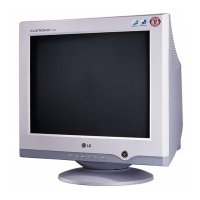
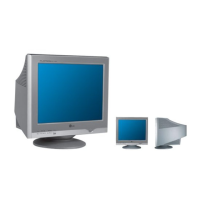
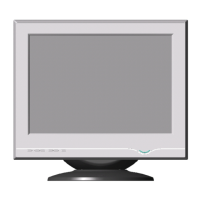
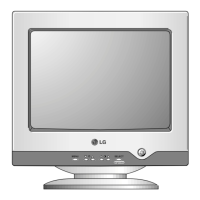
The LG T710B/T710S is a user's guide for a monitor, providing comprehensive information on its features, usage, maintenance, and technical specifications. This document emphasizes the importance of reading the "Important Precautions" section before using the product and keeping the User's Guide (CD) in an accessible place for future reference. It also notes that the label attached to the back cover contains information relevant to service.
Function Description:
The LG T710B/T710S monitor is designed for visual display, offering various controls for image adjustment and user convenience. It features a front panel with several buttons for controlling power, display modes, and on-screen display (OSD) settings. The monitor supports both tilt and swivel adjustments for ergonomic positioning. It can be connected to a computer via a signal cable and a power cord, with specific instructions provided for different types of connections (attached and detached signal cable types). The monitor is equipped with a Digital Data Channel (DDC 2B) for plug-and-play functionality, allowing for automatic configuration with compatible systems.
Important Technical Specifications:
- Picture Tube: 17 inches (16.0 inches viewable) with a 90-degree deflection. The dot pitch is 0.20mm/0.24mm(Ph/Pp), and it features AGARAS (Anti-Glare Anti-Reflective Anti-Static) coating.
- Sync Input:
- Horizontal Frequency: 30 - 71kHz (Automatic)
- Vertical Frequency: 50 - 160Hz (Automatic)
- Input Form: Separate TTL, Positive/Negative
- Signal Input: 15 pin D-Sub Connector
- Video Input:
- Input Form: Separate, RGB Analog, 0.7Vp-p/75 ohm, Positive
- Resolution: Max VESA 1280 x 1024 @ 60Hz, Recommend VESA 1024 x 768 @ 85Hz
- Power Consumption:
- Normal: 73W
- Stand-by/Suspend: ≤ 15W
- DPMS Off: ≤ 5W
- Dimensions & Weight (with tilt/swivel stand):
- Width: 40.0 cm / 15.75 inches
- Height: 40.1 cm / 15.79 inches
- Depth: 41.1 cm / 16.18 inches
- Net Weight: 15.4 kg (33.95 lbs)
- Power Input: AC 100-240V~ 50/60Hz 2.0A
- Environmental Conditions:
- Operating Temperature: 0°C to 40°C, Humidity: 10 % to 90 % non-Condensing
- Storage Temperature: -20°C to 60°C, Humidity: 5 % to 90 % non-Condensing
- Tilt/Swivel Stand: Attached ( ), Detached ( )
- Signal cable: Attached ( ), Detached ( )
- Power cord: Wall-out type or PC-outlet type
The monitor supports various preset modes (resolution) including:
- VESA 640 x 480 (37.50 kHz, 75 Hz)
- VESA 800 x 600 (46.88 kHz, 75 Hz)
- VESA 800 x 600 (53.674 kHz, 85 Hz)
- VESA 1024 x 768 (68.677 kHz, 85 Hz)
Usage Features:
The monitor offers a user-friendly interface with intuitive controls.
- Front Panel Controls:
- Power Button: Turns the monitor on or off.
- Power (DPMS) Indicator: Lights up green when operating normally. In DPM (Energy Saving) mode, it changes to amber.
- MENU (or OSD) Button: Enters or exits the on-screen display.
- ▲/▼/◄/► Buttons: Used to choose or adjust items in the on-screen display.
- SELECT (or SET) Button: Enters a selection in the on-screen display.
- Direct Access Function:
- Brightness Button: Brings up Contrast adjustment.
- Contrast Button: Brings up Brightness adjustment.
- On-Screen Display (OSD) Control Adjustment: The OSD provides extensive options for adjusting image size, position, and operating parameters. Users can navigate through menus to adjust settings like Brightness, Contrast, V Position, H Position, V Size, H Size, Tilt, Side Pincushion, S Pincushion Balance, Parallelogram, Trapezoid, H Corner, Top Corner, Bottom Corner, Preset Color Temperatures (6500K, 9300K), Temp (R/G/B User Color), Video Level, Language, OSD Time, Degauss, Recall, Reset, Moire (H Moire, V Moire), Convergence, and Purity.
- Connecting the Monitor: Detailed instructions are provided for connecting the signal cable and power cord, including how to attach the tilt/swivel stand and secure the connections. For Apple Macintosh users, a separate plug adapter is needed to change the 15 pin high density (3 row) D-Sub VGA connector to the supplied cable to a 15 pin 2 row connector.
- Ergonomic Adjustments: The tilt/swivel stand allows users to adjust the monitor's angle for optimal viewing comfort.
Maintenance Features:
The manual outlines several important precautions and maintenance tips to ensure the longevity and proper functioning of the monitor.
- On Safety:
- Use the power cord supplied with the unit and ensure it is certified by national standards.
- The power supply cord is a main disconnect device; ensure the socket-outlet is easily accessible.
- Operate the monitor only from a power source indicated in the specifications.
- Overloaded AC outlets and extension cords are dangerous.
- Hands must be dry when holding the power plug.
- Do not damage the power cord by disassembling, bending, pulling, or heating it.
- Make sure to completely insert the power plug.
- Do not open the monitor.
- There are no user-serviceable components inside.
- There are Dangerous High Voltages inside, even when the power is OFF.
- Contact your dealer if the monitor is not operating properly.
- To avoid personal injury, do not place the monitor on a sloping shelf unless properly secured, use only a stand recommended by the manufacturer, and do not try to roll a stand with small casters across thresholds or deep pile carpets.
- On Installation:
- Always turn the monitor OFF if you leave the room for more than a short period of time.
- Never leave the monitor ON when leaving the house.
- Keep children from dropping or pushing objects into the monitor's cabinet openings.
- Do not add accessories that have not been designed for this monitor.
- During a lightning storm or when the monitor is to be left unattended for an extended period of time, unplug it from the wall outlet.
- Do not bring magnetic devices such as magnets or motors near the picture tube.
- Do not allow anything to rest upon or roll over the power cord.
- Do not use this monitor near water, such as in a bathtub, washbowl, kitchen sink, laundry tub, in a wet basement, or near a swimming pool.
- Monitors are provided with ventilation openings; ensure these are not blocked.
- Block the bottom ventilation slots by placing the monitor on a bed, sofa, rug, etc.
- Place the monitor in a built-in enclosure unless proper ventilation is provided.
- Cover the openings with cloth or other material.
- Place the monitor near or over a radiator or heat source.
- Do not install the monitor in a dusty area.
- On Cleaning:
- Unplug the monitor before cleaning the face of the monitor screen.
- Use a slightly damp (not wet) cloth. Do not use an aerosol directly on the monitor screen because overspray may cause electrical shock.
- On Repacking:
- Do not throw away the carton and packing materials. They make an ideal container in which to transport the unit.
- Troubleshooting: The manual includes a comprehensive troubleshooting section to help users diagnose and resolve common issues such as no image, flickering screen, incorrect screen color, after-image, waves on the screen, and installation problems. It provides solutions like checking power connections, adjusting brightness/contrast, verifying signal cable connections, and degaussing the monitor. For more complex issues, it advises consulting the dealer or an experienced radio/TV technician.
The LG T710B/T710S monitor is designed for reliable performance and user convenience, with clear instructions for setup, operation, and maintenance to ensure a satisfactory user experience.

 Need help?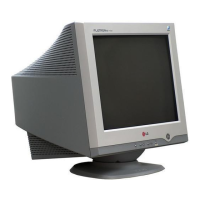

 To Next Page
 General