EasyManua.ls Logo

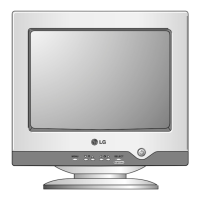
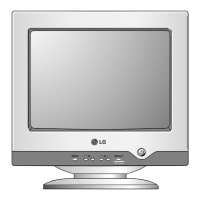
LG T710SH - User Manual

LG T710SH
18 pages
Print Icon
To Next Page IconTo Next Page
Loading...
Make sure to read the Important Precautions before using the product.
Keep the User's Guide(CD) in an accessible place for furture reference.
See the label attached on the back cover and quote this information to your
dealer when you require service.
Users Guide
T710BH/T710SH

Other manuals for LG T710SH

Questions and Answers

Summary

Important Precautions

On Safety

Covers electrical safety, power cord usage, and handling precautions for safe operation.

To Avoid Personal Injury

Instructions to prevent personal harm, including securing the monitor and stand correctly.

To Prevent Fire or Hazards

Guidelines to prevent fire and electrical hazards, focusing on ventilation and proper usage.

On Installation

Proper installation guidelines, including placement and ventilation to prevent hazards.

On Cleaning

Instructions for safely cleaning the monitor screen and its components.

On Repacking

Advice on retaining and using packing materials for safe transport or shipping.

Connecting the Monitor

Connecting the Tilt;Swivel stand

Step-by-step guide to attaching the tilt/swivel stand securely to the monitor base.

Using the Computer

Instructions for connecting the signal cable and power cord to the computer and outlet.

Control Panel Functions

Front Panel Controls

Overview and description of the monitor's physical control buttons and indicators.

Direct Access Function

Explains direct access functions like brightness/contrast and control locking/unlocking.

BrightView Modes

Details the BrightView function and its different display modes (Text, Photo, Movie, Normal).

On Screen Display (OSD) Control Adjustment

Screen Adjustment

Guide to making image adjustments using the On Screen Display system.

Brightness and Contrast Adjustment

How to adjust screen brightness and contrast using the OSD.

Position Adjustment

Instructions for adjusting the vertical and horizontal position of the screen image.

Size Adjustment

Guide to adjusting the vertical and horizontal size of the screen display.

Shape Adjustment

How to correct image rotation, bowing, skew, and geometric distortion.

Color Customization

Steps to customize screen color using presets, temperature, and RGB levels.

Screen Status Customization

Adjusting video level, language, and OSD time for user environment.

Clarity and Stability Adjustment

Using functions like Degauss, Recall, Reset, Moire, Convergence, and Purity.

Troubleshooting

No Image Issues

Solutions for problems like no image, flickering, or frequency messages.

Screen Flickering and Magnetic Interference

Addresses screen flickering caused by frequency or magnetic sources.

Color and Image Quality Problems

Solutions for discoloration, unstable color, black dots, and blurring.

After-Image and Wave Issues

Tackles after-images and screen waves, including driver installation.

Specifications

Picture Tube and Sync Input Details

Technical specifications for the picture tube, deflection, and sync inputs.

Video Input and Connectivity

Details on video input, plug & play, power, dimensions, and environmental conditions.

Preset Modes and Resolution

Lists supported display modes, resolutions, and their corresponding frequencies.

LG T710SH Specifications

General IconGeneral
BrandLG
ModelT710SH
CategoryMonitor
LanguageEnglish

Related product manuals