EasyManua.ls Logo

LG TSP500-A.AUS - User Manual

LG TSP500-A.AUS
73 pages
Print Icon
To Next Page IconTo Next Page
Loading...
www.lg.com
OWNER’S MANUAL
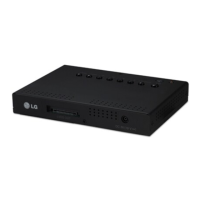
AD BOX FOR
TRANSPARENT DISPLAY
TSP500
Please read this manual carefully before operating your set and retain it
for future reference.
AD BOX FOR TRANSPARENT DISPLAY MODELS
ENG
ENGLISH

Questions and Answers

  • K
    Kyle PearsonSep 9, 2025
    How to resolve horizontal noise or blurred characters on LG Digital Signage?
    • P
      Patricia SmithSep 9, 2025
      If you are experiencing horizontal noise or blurred characters with a D-Sub analog signal, press the "AUTO" button on the remote control to automatically select an optimal screen status. If the issue persists, use the Phase OSD menu.
  • A
    amezaAug 25, 2025
    Why does the 'Out of range' message appear on my LG TSP500-A.AUS?
    • L
      Larry HumphreyAug 25, 2025
      The 'Out of range' message appears because the signal from your PC (video card) is outside the monitor's supported vertical or horizontal frequency range. Adjust the frequency range according to the Specifications in this manual. The maximum resolution is RGB: 1920 x 1080 @ 60 Hz; HDMI/DVI: 1920 x 1080 @ 60 Hz.
  • R
    Robert ThomasAug 25, 2025
    What to do if there is no sound on my LG Monitor?
    • R
      Roger WoodsAug 26, 2025
      If there is no sound, check if the audio cable is connected properly. Also, adjust the volume and make sure the sound settings are properly configured.
  • B
    brianlindseySep 23, 2025
    What does it mean if black spots appear on the screen of my LG Monitor?
    • P
      Patricia CastilloSep 23, 2025
      If you notice black spots on the screen, this could be due to the unique characteristics of the LCD panel, where several pixels (red, green, white, or black) may appear. This is not a malfunction of the LCD.
  • E
    Elizabeth FritzSep 9, 2025
    What causes vertical, horizontal lines and meshes on LG Digital Signage?
    • P
      Pamela JohnsonSep 9, 2025
      Vertical, horizontal lines, and meshes that appear momentarily and shake are often caused by high-frequency electronic devices or strong electromagnetic sources. Try stopping the use of items such as wireless telephones, hair dryers, or electrical drills.
  • W
    William BurgessSep 14, 2025
    Why does the screen image look abnormal on my LG Digital Signage?
    • J
      Jacob GarciaSep 14, 2025
      If the screen image looks abnormal on your LG Digital Signage, press the "AUTO" button on the remote control to automatically select the optimal screen status that fits the current mode. Also, see if the video card resolution and frequency are supported by the product. If the proper input signal is not connected to the signal port, connect the signal cable that matches the source input signal. The issue may also be caused by high frequency electronic devices or strong electro-magnetic sources; try stopping the use of items such as wireless telephones, hair dryers, or electrical drills.
  • W
    william39Sep 4, 2025
    Why does my LG Digital Signage have no sound?
    • S
      Susan SolisSep 4, 2025
      If there is no sound, check if the audio cable is properly connected. Also, make sure to adjust the volume and verify that the sound settings are correctly configured.
  • N
    Nancy CarrSep 4, 2025
    What to do if LG Digital Signage power indicator is blinking?
    • S
      susan96Sep 4, 2025
      If the power indicator is blinking, and the product is in power saving mode, try moving the mouse or pressing any key. If that doesn't work, turn both the device and the connected equipment off and then back on.
  • M
    Melissa GreenSep 23, 2025
    Why does 'Unknown Product' message appear when LG Monitor is connected?
    • A
      Alec LeonardSep 23, 2025
      If an 'Unknown Product' message appears when your LG Monitor is connected, check if the plug&play function is supported by referring to the video card user manual.
  • L
    Laurie GuzmanAug 29, 2025
    Why is the screen color unstable or mono-colored on my LG TSP500-A.AUS?
    • N
      Nicholas LevineAug 29, 2025
      If the screen color is unstable or mono-colored, check the connection status of the signal cable. You can also try re-inserting the PC video card.

LG TSP500-A.AUS Specifications

General IconGeneral
BrandLG
ModelTSP500-A.AUS
CategoryMonitor
LanguageEnglish

Related product manuals