Need help?
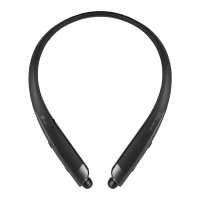
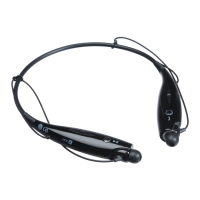
Do you have a question about the LG TONE Active HBS-850 and is the answer not in the manual?
Detailed steps for turning the LG TONE Active™ headset on and off.
Guides for the initial pairing of the headset with mobile devices and re-pairing procedures.
Overview of essential calling features like Voice Dialing and Last Number Redial.
How to manage multiple incoming and active calls using the headset controls.
Step-by-step instructions for answering, transferring, and ending calls on the headset.
Procedures for activating voice dialing and redialing the last number.
Methods for rejecting incoming calls and muting the microphone during conversations.
Instructions for adjusting volume levels and managing headset vibration settings.
How to play, pause, and navigate music tracks using the headset.
Overview of button functions for managing calls, redialing, and voice commands.
Solutions for issues like the device not powering on or failing to communicate.
Troubleshooting steps for pairing difficulties and low audio output.
 General
| Type | In-ear |
|---|---|
| Connectivity | Bluetooth |
| Wireless | Yes |
| Bluetooth Version | 4.1 |
| Charging Time | 2 hours |
| Water Resistance | Yes |
| Water Resistance Rating | IPX4 |
| Sweat Resistance | Yes |
| Noise Cancellation | Yes |
| Speaker Size | 10 mm |
| Frequency Response | 20 Hz - 20 kHz |
| Charging Port | Micro USB |
| Voice Assistant Support | Yes |
| Impedance | 16 ohms |
| Weight | 1.6 oz (45 g) |


 To Next Page