6
ENGLISH
Mobile Calling Functions
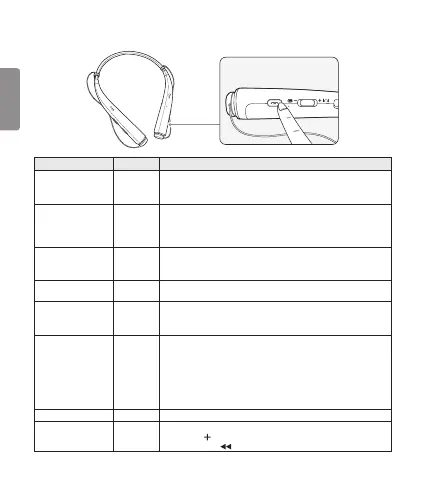
Function Status Description
Answering Call Ringing
Briey press the Call button.
NOTE: The HBS-780 will not vibrate if the Vibration function has
been turned off.
Making a Call Idle
If you make a call using a mobile phone, the call is automatically
connected to the HBS-780.
On some mobile phones, you should briey press the
Play/Pause button twice to switch calls.
Switching Calls Talking
Briey press the Play/Pause button twice during a call.
(Every time you press one of these buttons, the call switches to the
mobile phone or the HBS-780.)
Redial Idle
Press and hold the Call button for more than one second to place a
call to the last number you called.
Voice Dial Idle
Briey press the Call button.
If the mobile phone does not support the Voice Dial function, you can
use the Redial function.
Receiving a Call
While on the Phone
Talking
You can receive another call while on the phone by pressing and
holding the Call button for one second.
The existing call switches to a call waiting status. Press and hold the
Call button again for one second to switch back to the previous call.
Briey press the Call button to end the existing call; briey press it
again to end the second call. (Performance may differ depending on
the mobile phone settings.)
Rejecting a Call Ringing Press and hold the Call button for two seconds.
Enabling/Disabling
Mute
Talking
Simultaneously slide and hold the Volume jog switch into the
volume up ( ) direction, and slide and hold the Previous/Next jog
switch into the ( ) position for one second.









 To Next Page