73
■ 1170 Display Exploded View
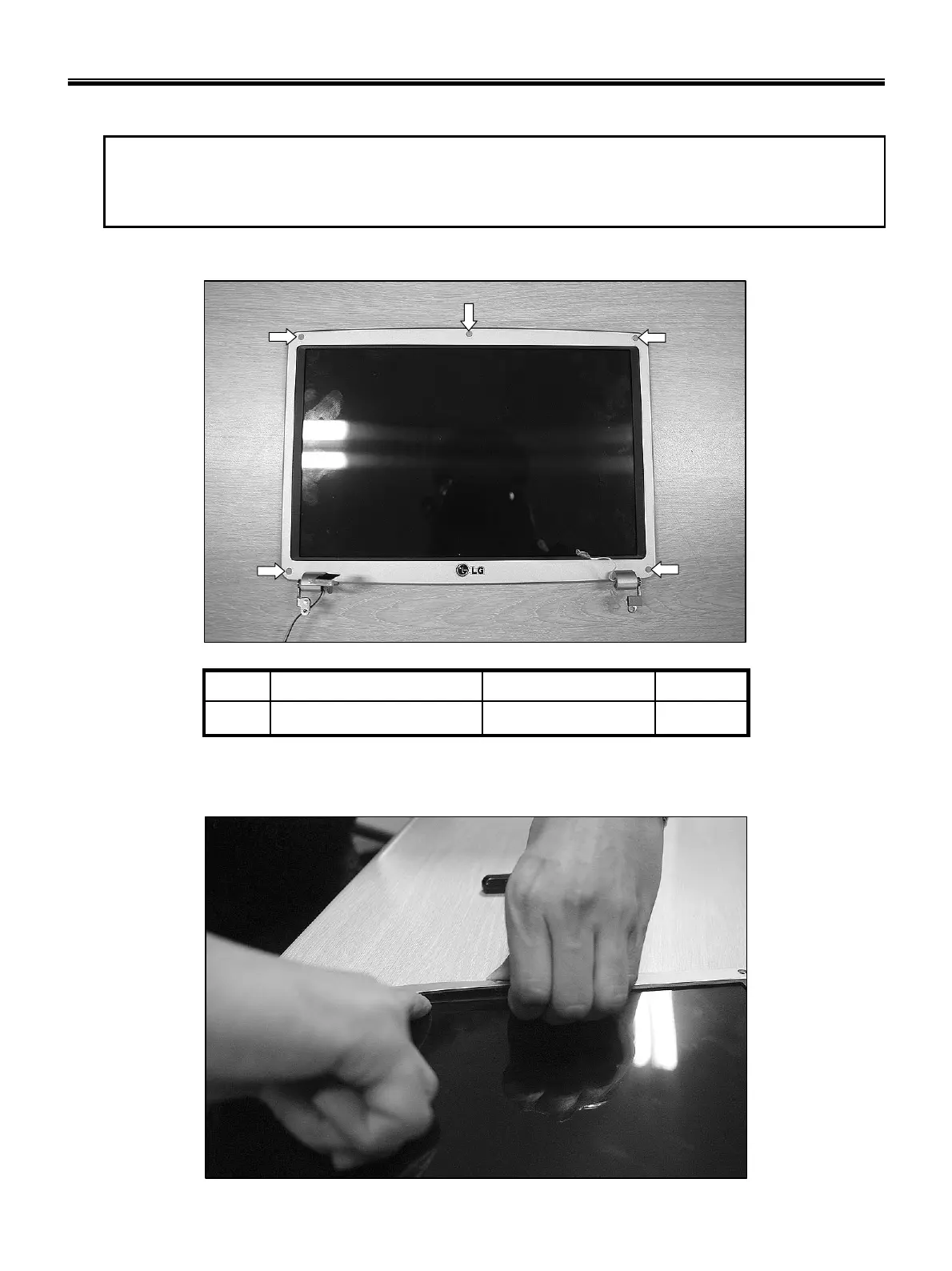
1. Using a knife, remove the rubbers that are covering screws, then remove 5 screws.
5M2.5xL3.51SZZBA4118A1
QtySpecificationFRU No.No.
※ Remove the following parts in order before replacing this part
a. Battery Pack(1010) b. Keyboard(1020) c. WLAN Card(1030) d. MDC Card(1040)
e. Micro DIMM(1050) f. Keydeck(1060) g. DMB Module(1070) h. Display Module(1080)
2. Disassemble the LCD Front.
Ch5. Removing and replacing a part



 To Next Page