EasyManua.ls Logo

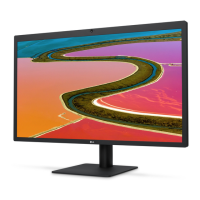
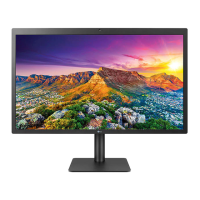
LG UltraFine 24MD4KLB-B - User Manual

LG UltraFine 24MD4KLB-B
31 pages
Print Icon
To Next Page IconTo Next Page
Loading...
Please read this manual carefully before operating your set and retain it for future reference.
24MD4KL
24MD4KLB
www.lg.com
Copyright © 2019 LG Electronics Inc. All Rights Reserved.
OWNER’S MANUAL
(For Mac)

Questions and Answers

  • A
    Alisha RivasJul 29, 2025
    How to adjust brightness on LG UltraFine 24MD4KLB-B Monitor if ALS is not working?
    • M
      Mackenzie LawrenceJul 29, 2025
      If the brightness cannot be adjusted and the Ambient Light Sensor (ALS) is not working on your LG Monitor, note that some Mac OS versions may not support the display ALS. The ambient light sensor operates in accordance with Mac OS. You can also manually adjust the monitor brightness using the menu or hot key of a host.
  • Z
    Zachary ChambersAug 5, 2025
    How to fix unstable and shaky screen display on my LG UltraFine 24MD4KLB-B Monitor?
    • R
      reyeschristopherAug 5, 2025
      To resolve an unstable or shaky screen display, or if images on your LG monitor leave shadow trails, try setting your monitor to the recommended (optimal) resolution. Additionally, update your Mac OS or driver to the latest version.
  • E
    Eric HallAug 12, 2025
    Why is the display color abnormal on my LG Monitor?
    • V
      vkingAug 13, 2025
      If the display color on your LG Monitor is abnormal, check whether the signal cable is properly connected. Try reconnecting the cable or reinserting the PC's graphics card.
  • C
    clarksarahAug 21, 2025
    How to prevent image retention on my LG UltraFine 24MD4KLB-B Monitor?
    • D
      Daniel GlassAug 21, 2025
      Displaying a still image for a prolonged time may cause damage to the screen, resulting in the retention of the image. To extend the lifetime of your LG monitor, use a screensaver.

Summary

LICENSE

IMPORTANT PRECAUTIONS

Precautions to the AC Adapter and Electrical Power

Safety guidelines for AC adapter and electrical power usage.

Precautions in installing the Product

Safety guidelines for product installation.

Precautions in Moving the Product

Safety guidelines for moving the monitor.

Precautions in Using;Cleaning the Product

Safety guidelines for using and cleaning the monitor.

OPEN SOURCE SOFTWARE NOTICE INFORMATION

ASSEMBLING AND PREPARING

Product Description

Front

Description of the front view of the monitor.

Back

Description of the back view of the monitor.

Input Connector

ID Label; Sub ID Label

Moving and Lifting the Monitor

Installing on a Table

Cautions When Connecting Power Cord

Adjusting the Stand Height

Adjusting the Angle

Using the Kensington Lock

Detaching the Stand

Attaching the VESA design cover

Installing the Wall Mount Bracket

MAKING CONNECTIONS

Connecting to a host

How to connect the monitor to a computer host via Thunderbolt.

USB-C connection

How to connect the monitor via USB-C.

Connecting to USB Device

TROUBLESHOOTING

Nothing is displayed on the screen.

Troubleshooting steps for a blank screen.

The screen retains an image.

Troubleshooting for image retention issues.

The display color is abnormal.

Troubleshooting for abnormal display colors.

Are there spots on the screen?

Explanation for pixel spots on the screen.

The brightness cannot be adjusted. The ALS(Ambient Light Sensor) does not work.

Troubleshooting ALS and brightness adjustment issues.

PRODUCT SPECIFICATION

Signal Timing

LG UltraFine 24MD4KLB-B Specifications

General IconGeneral
Screen Size23.7 inches
Resolution3840 x 2160 (4K UHD)
Panel TypeIPS
Brightness500 cd/m²
Refresh Rate60 Hz
Aspect Ratio16:9
HDCP SupportYes
Built-in SpeakersYes
VESA Mount100 x 100 mm
Power DeliveryUp to 85W
Contrast Ratio1200:1 (typical)
Color GamutDCI-P3 99%
ConnectivityThunderbolt 3 (USB-C)
Response Time14 ms
Viewing Angle178°
AdjustabilityTilt
Dimensions (W x H x D)21.2 x 14.1 x 8.3 inches

Related product manuals