EasyManua.ls Logo

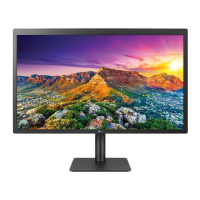
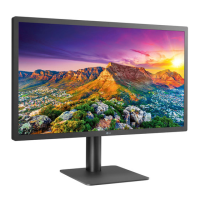
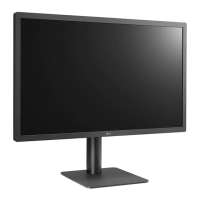
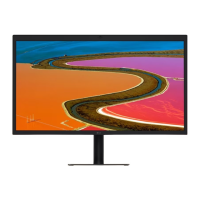
LG UltraFine 5K 27MD5KA - User Manual

LG UltraFine 5K 27MD5KA
28 pages
Print Icon
To Next Page IconTo Next Page
Loading...
www.lg.com
Please read this manual carefully before operating your set and retain it for future
reference.
OWNER’S MANUAL
27MD5KA
27MD5KB
LG UltraFine 5K
Monitor
(For Mac)

Questions and Answers

  • R
    Randy WilliamsJul 30, 2025
    What to do if nothing is displayed on my LG UltraFine 5K 27MD5KA screen?
    • M
      michele13Jul 30, 2025
      If nothing is displayed on your LG Monitor, first connect your monitor to your Mac to see if it turns on automatically, assuming your PC is working correctly. If that doesn't work, check to ensure the power cord is properly plugged into the power outlet.
  • V
    vincent94Aug 5, 2025
    Why can't I adjust the brightness on my LG Monitor and the ALS (Ambient Light Sensor) doesn't work?
    • B
      brooksrichardAug 5, 2025
      If you cannot adjust the brightness on your LG Monitor and the ALS isn't working, it may be because some Mac OS versions do not support the display ALS. The ambient light sensor operates in accordance with Mac OS. You can also manually adjust the monitor brightness using the menu or hot key on your host device.
  • J
    Jill StoutAug 14, 2025
    Why is the display color abnormal on my LG Monitor?
    • B
      Becky VangAug 14, 2025
      If the display color on your LG Monitor is abnormal, check whether the signal cable is properly connected. Try reconnecting the cable or reinserting the PC's graphics card.
  • W
    William JordanAug 21, 2025
    How to fix unstable and shaky screen display with shadow trails on LG Monitor?
    • C
      Chloe HinesAug 21, 2025
      To resolve an unstable or shaky screen display with shadow trails on your LG Monitor, first set your monitor to the recommended (optimal) resolution. If the issue persists, update your Mac OS or driver to the latest version.

Summary

Important Precautions

Precautions to the AC Adapter and Electrical Power

Safety guidelines for using the AC adapter and handling electrical power to prevent hazards.

Precautions in Installing the Product

Safety advice for product installation to prevent damage, injury, or fire hazards.

Precautions in Moving the Product

Safety instructions for safely moving the monitor to prevent damage or electric shock.

Precautions in Using;Cleaning the Product

Guidelines for safe product usage, cleaning, and avoiding potential damage or fire.

Assembling and Preparing

Moving and Lifting the Monitor

Comprehensive instructions and safety warnings for handling and transporting the monitor.

Making Connections

Connecting to a host

How to connect the monitor to a computer or host device using Thunderbolt 3 for display and data.

Troubleshooting

Nothing is displayed on the screen

Solutions for issues where the monitor screen remains blank or does not turn on.

Product Specification

LG UltraFine 5K 27MD5KA Specifications

General IconGeneral
Colorblack
Screen Typeled
Tiltableyes
Wall Mount100mm x 100mm
Touch Screenno
Webcamyes
OS Compatibilitymac
Screen Size27 inches
Panel Typeips
Aspect Ratio16:9
Resolution5120 x 2880 (5k)
Native Resolution5120 x 2880 (5k)
Refresh Rate60hz
Horizontal Viewing Angle178 degrees
Vertical Viewing Angle178 degrees
Response Time12 milliseconds
Brightness500 candela per square meter
Contrast Ratio1200:01
Pixel Pitch218 pixels per inch
Horizontal Scan Rate178 kilohertz
Built-In Speakersyes
Power Saving Mode1.2 watts
Power Consumption140 watts
Depth with Stand9.44 inches
Width with Stand24.63 inches
Net Weight without Stand14.11 pounds

Related product manuals