EasyManua.ls Logo

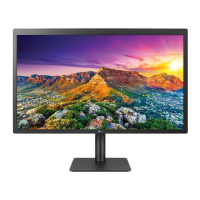
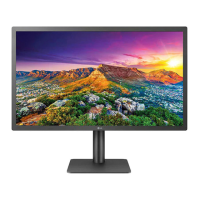
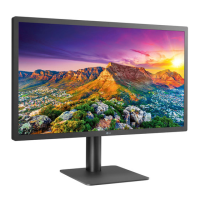
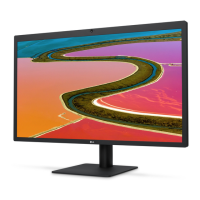
LG UltraFine 27MD5KA - User Manual

LG UltraFine 27MD5KA
27 pages
Print Icon
To Next Page IconTo Next Page
Loading...
www.lg.com
Please read this manual carefully before operating your set and retain it for future
reference.
OWNER’S MANUAL
27MD5KA
LG UltraFine 5K
Monitor
(For Mac)

Other manuals for LG UltraFine 27MD5KA

Questions and Answers

  • A
    Alicia RobinsonJul 29, 2025
    How to fix LG Monitor when nothing is displayed on the screen?
    • W
      wilsondonaldJul 29, 2025
      If nothing is displayed on your LG Monitor's screen, connect your monitor to your Mac to ensure the monitor turns on automatically if the PC is operating normally. Also, check if the power cord is correctly plugged into the power outlet.
  • E
    elizabeth24Aug 3, 2025
    Why the brightness cannot be adjusted on my LG UltraFine 27MD5KA?
    • J
      Joseph TylerAug 3, 2025
      If the brightness cannot be adjusted and the Ambient Light Sensor (ALS) does not work on your LG Monitor, note that some Mac OS versions may not support the display ALS, as the ambient light sensor operates in accordance with Mac OS. You can also manually adjust the monitor brightness using the menu or hot key of a host.
  • E
    Edwin HerreraAug 10, 2025
    Why is the display color abnormal on my LG UltraFine 27MD5KA Monitor?
    • T
      Teresa SmithAug 10, 2025
      If the display color on your LG Monitor is abnormal, first, ensure the signal cable is properly connected by reconnecting it or reinserting the PC's graphics card. Also, it's normal for pixilated spots (red, green, blue, white, or black) to appear on the screen; this doesn't indicate an error or affect the monitor's performance.
  • E
    etannerAug 16, 2025
    What to do if LG UltraFine 27MD5KA Monitor screen display is unstable and shaky?
    • M
      millerchristinaAug 16, 2025
      If your LG Monitor's screen display is unstable, shaky, or images leave shadow trails, try setting your monitor to the recommended (optimal) resolution. Additionally, update your Mac OS or driver to the latest version.
  • T
    Tina OconnellAug 22, 2025
    How to prevent image retention on LG Monitor?
    • D
      darrellwelchAug 22, 2025
      If your LG Monitor screen retains an image, it may be due to displaying a still image for a prolonged time, which can cause damage. To extend the monitor's lifetime, use a screensaver.

Summary

Safety Precautions: General Usage

Safety: Internal Hazards

Warning against opening the display due to high internal voltages and no user-serviceable parts.

Safety: Personal Injury

Precautions to prevent physical harm, like securing the unit and avoiding impacts.

Safety: Fire Hazards

Guidelines to prevent fire or electrical hazards, including unattended use and storms.

Safety: Installation Guidelines

Instructions and warnings for safe monitor installation, including ventilation and placement.

Safety: Power Cord and Adapter

Safety measures for the power cord, AC adapter, and electrical connections.

Connections: Setup

Connections: Host Setup

Instructions for connecting the monitor to a computer or host device.

Troubleshooting: Issues and Solutions

Troubleshooting: No Display

Steps to take if the monitor screen remains blank.

Troubleshooting: Image Retention

Solutions for image sticking or retention on the screen.

LG UltraFine 27MD5KA Specifications

General IconGeneral
Colorblack
Screen Typeled
Tiltableyes
Wall Mount100mm x 100mm
Touch Screenno
Webcamyes
OS Compatibilitymac
Screen Size27 inches
Panel Typeips
Aspect Ratio16:9
Resolution5120 x 2880 (5k)
Native Resolution5120 x 2880 (5k)
Refresh Rate60hz
Horizontal Viewing Angle178 degrees
Vertical Viewing Angle178 degrees
Response Time12 milliseconds
Brightness500 candela per square meter
Contrast Ratio1200:01
Pixel Pitch218 pixels per inch
Horizontal Scan Rate178 kilohertz
Built-In Speakersyes
Power Saving Mode1.2 watts
Power Consumption140 watts
Depth with Stand9.44 inches
Width with Stand24.63 inches
Net Weight without Stand14.11 pounds

Related product manuals