EasyManua.ls Logo

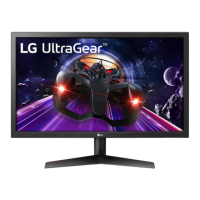
LG UltraGear 24GL600F-B.BFB - User Manual

LG UltraGear 24GL600F-B.BFB
34 pages
Print Icon
To Next Page IconTo Next Page
Loading...
* LG LED Monitor applies LCD screen with LED
backlights.
Please read this manual carefully before operating
your set and retain it for future reference.
24GL600F
24GN50W
24GN53A
www.lg.com
Copyright © 2018 LG Electronics Inc. All Rights Reserved.
OWNER’S MANUAL
(LED Monitor*)

Questions and Answers

  • A
    April SmithSep 12, 2025
    What to do if my LG UltraGear 24GL600F-B.BFB screen retains an image?
    • K
      katie66Sep 12, 2025
      If your LG Monitor screen retains an image, it's likely due to displaying a still image for an extended period. To prevent this and extend the monitor's lifespan, use a screensaver.
  • J
    Jesse CraigAug 22, 2025
    Why is my LG monitor screen display unstable and shaky, and why do images leave shadow trails?
    • K
      Kara MillerAug 23, 2025
      If your LG monitor's screen display is unstable, shaky, or images leave shadow trails, it might be due to the selected resolution. If the resolution is HDMI 1080i 60/50 Hz (interlaced), the screen may flicker. Try changing the resolution to 1080p or the recommended resolution.
  • K
    Kevin LaraAug 25, 2025
    How to fix no sound from the headphone port on my LG UltraGear 24GL600F-B.BFB?
    • J
      jeffreycarpenterAug 25, 2025
      If there is no sound from the headphone port on your LG monitor, first ensure that the headphone port connections are properly made. Try increasing the volume using the joystick. Also, set the audio output of your PC to the monitor you are using by going to Control Panel > Hardware and Sound > Sound and setting the Monitor as the default device (on Microsoft Windows).
  • K
    Kelly RoyAug 27, 2025
    How to get sound from the headphone port on my LG UltraGear 24GL600F-B.BFB Monitor?
    • M
      mcdonaldashleyAug 27, 2025
      If there is no sound from the headphone port on your LG Monitor, first ensure that the headphone port connections are made properly. Then, try increasing the volume using the joystick. Finally, set the audio output of the PC to the monitor you are using. On Microsoft Windows, go to Control Panel > Hardware and Sound > Sound and set the Monitor as the default device.
  • N
    Nicole KiddAug 29, 2025
    Why is nothing displayed on my LG UltraGear 24GL600F-B.BFB Monitor screen?
    • J
      Jessica ChavezAug 29, 2025
      There could be several reasons why your LG Monitor screen is blank: * Ensure the power cord is securely plugged into the outlet. * Verify the power cable connection and press the power button. * Confirm the correct input is enabled via Menu > Input. * If the monitor is in sleep mode, move the mouse or press a key. Also, check that your computer is on. * If the signal from the PC is outside the monitor's frequency range, refer to the Product Specification section of the manual to set the appropriate frequency. * Check and reconnect the signal cable between the PC and the monitor. * Install the display driver from the LG website and ensure your graphics card supports Plug and Play.
  • M
    maciasemilySep 1, 2025
    What to do if there is no sound from the headphone port on my LG Monitor?
    • J
      Jessica Nguyen PhDSep 1, 2025
      If you're not getting any sound from the headphone port on your LG Monitor: * Ensure that the headphone port connections are properly made. * Try increasing the volume using the joystick on the monitor. * Set the audio output of your PC to the monitor. In Microsoft Windows, go to Control Panel > Hardware and Sound > Sound and set the Monitor as the default device.
  • D
    Dustin ConwayNov 25, 2025
    What to do if nothing is displayed on my LG Monitor?
    • L
      Laura RangelNov 25, 2025
      If nothing is displayed on your LG Monitor, ensure the power cord is correctly plugged into the power outlet. Also, check the power cable connection and press the power button. Verify that the connected input is enabled in the monitor's settings (Settings > Input). If the monitor is in sleep mode, move the mouse or press any key on the keyboard. Confirm that your computer is turned on. If the signal cable between the PC and the monitor is missing or disconnected, check the cable and reconnect it. Be sure to install the display driver from the LG website. Make sure to check if the graphics card supports Plug and Play function. If the screen is not currently set to the recommended resolution because signals transferred from the PC (graphics card) are out of the recommended horizontal or vert...
  • J
    Jason RyanDec 1, 2025
    How to fix an LG UltraGear 24GL600F-B.BFB when nothing is displayed on the screen?
    • J
      Joseph WalterDec 1, 2025
      If nothing is displayed on your LG Monitor screen, there are several things to check: * Ensure the power cord is correctly plugged into the power outlet. * Verify the power cable connection and press the power button. * Confirm that the connected input is enabled by going to Menu > Input. * If the monitor is in sleep mode, move the mouse or press any key on the keyboard. Also, check if the computer is turned on. * If you see nothing, it could be due to signals from the PC (graphics card) being outside the monitor's recommended frequency range. Refer to the Product Specification section of the manual to set the appropriate frequency. * If the signal cable between the PC and the monitor is missing or disconnected, check the cable and reconnect it. * Make sure to install the di...
  • A
    Allen DudleySep 12, 2025
    How to fix unstable and shaky screen display on LG Monitor?
    • C
      cody38Sep 12, 2025
      If your LG Monitor's screen display is unstable, shaky, or images leave shadow trails, it may be due to the resolution being set to HDMI 1080i 60/50 Hz (interlaced). Change the resolution to 1080p or the recommended resolution to resolve this issue.
  • J
    Jeffrey WalterSep 7, 2025
    Why does the screen retain an image on my LG Monitor?
    • T
      Todd HornSep 7, 2025
      Displaying a still image for a prolonged time may cause damage to the screen, resulting in the retention of the image on your LG Monitor. To extend the lifetime of the monitor, use a screensaver.

LG UltraGear 24GL600F-B.BFB Specifications

General IconGeneral
Colorblack
Screen Typeled
Tiltableyes
Wall Mount100mm x 100mm
Touch Screenno
OS Compatibilitymac, windows
Screen Size24 inches
Panel Typetn
Aspect Ratio16:9
Resolution1920 x 1080
Native Resolution1920 x 1080
Refresh Rate144hz
Horizontal Viewing Angle170 degrees
Vertical Viewing Angle160 degrees
Response Time1 milliseconds
Brightness300 candela per square meter
Contrast Ratio1000:1
Synchronizationfreesync (amd adaptive sync)
HDRno
Built-In Speakersno
Display Port Inputs1
Headphones Outputyes
Power Saving Mode0.3 watts
Power Consumption30 watts
Depth with Stand7.11 inches
Height with Stand16.5 inches
Width with Stand21.9 inches
Depth without Stand2.4 inches
Height without Stand13.2 inches
Net Weight without Stand8.2 pounds

Related product manuals