EasyManua.ls Logo

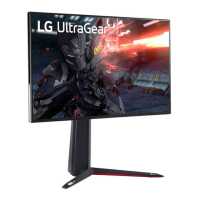
LG UltraGear 27GN65S - User Manual

LG UltraGear 27GN65S
56 pages
Print Icon
To Next Page IconTo Next Page
Loading...
* LG LED Monitor applies LCD screen with LED
backlights.
Please read this manual carefully before operating
your set and retain it for future reference.
24GN650/24GN650P
27GN650/27GN650P
27GN65S
32GN650
32GN63T
www.lg.com
Copyright © 2019 LG Electronics Inc. All Rights Reserved.
OWNER’S MANUAL
(LED Monitor*)

Other manuals for LG UltraGear 27GN65S

Questions and Answers

  • S
    Sarah MooreSep 3, 2025
    Why does my LG UltraGear 27GN65S screen retain an image?
    • S
      shawbrandonSep 3, 2025
      If your LG Monitor screen retains an image, it might be due to displaying a still image for a long time, which can damage the screen. To extend the monitor's life, use a screensaver.
  • W
    wtaylorSep 18, 2025
    How to unlock features on my LG Monitor?
    • L
      lisagarciaSep 18, 2025
      If some features are disabled on your LG Monitor, the OSD might be locked. To unlock it, go to Menu > General and set OSD Lock to Off.
  • T
    Tracey HowellSep 16, 2025
    Why is the display color abnormal on my LG UltraGear 27GN65S?
    • M
      Monica YoungSep 16, 2025
      If the display color on your LG monitor appears abnormal, first set the color to 24 bit (true color) or higher via Control Panel > Display > Menu > Color Quality in Windows. Next, check the signal cable connection, reconnecting it or reinserting the PC's graphics card. Note that some pixilated spots (red, green, blue, white, or black) are normal for LCD screens and not indicative of an error.
  • M
    Michael GilbertSep 14, 2025
    How to enable disabled features on LG UltraGear 27GN65S Monitor?
    • V
      Victor ThorntonSep 14, 2025
      If some features are disabled on your LG Monitor, the OSD might be locked. To unlock it, go to Menu > General and set OSD Lock to Off.
  • D
    Debbie WolfSep 12, 2025
    Why is my LG UltraGear 27GN65S screen unstable and shaky, leaving shadow trails?
    • J
      Jill CarrSep 12, 2025
      If the screen display of your LG Monitor is unstable and shaky, or if images displayed on the monitor leave shadow trails, and the selected resolution is HDMI 1080i 60/50 Hz (interlaced), the screen may be flickering. Try changing the resolution to 1080p or the recommended resolution.
  • D
    David JonesSep 12, 2025
    Why is the display color on my LG UltraGear 27GN65S Monitor abnormal, and how can I fix it?
    • J
      john19Sep 12, 2025
      If the display color on your LG Monitor is abnormal, try setting the color to 24 bit (true color) or higher. In Windows, this can be found under Control Panel > Display > Menu > Color Quality; note that the exact settings location may vary based on your operating system. Also, check if the signal cable is properly connected, and if not, reconnect the cable or reinsert the PC's graphics card. It is worth noting that pixilated spots (red, green, blue, white, or black) may appear on the screen. It is not an error, nor is it related to the monitor's performance.
  • J
    Joshua BeasleySep 9, 2025
    What to do if some features are disabled on LG Monitor?
    • C
      Calvin AllenSep 9, 2025
      If some features are disabled on your LG Monitor, the OSD might be locked. To unlock it, go to Menu > General and set OSD Lock to Off.
  • S
    Sarah AdamsSep 7, 2025
    How to fix unstable and shaky screen display with shadow trails on LG UltraGear 27GN65S Monitor?
    • M
      Michael BrownSep 7, 2025
      If your LG Monitor's screen display is unstable, shaky, or images leave shadow trails, and if the resolution is set to HDMI 1080i 60/50 Hz (interlaced), change the resolution to 1080p or the recommended resolution.
  • V
    Vincent RobertsSep 5, 2025
    What to do if LG Monitor screen display is unstable and shaky?
    • J
      Jeffrey SparksSep 5, 2025
      If the screen display on your LG monitor is unstable or shaky, or if images leave shadow trails, and the resolution is set to HDMI 1080i 60/50 Hz (interlaced), the screen may be flickering. Change the resolution to 1080p or the recommended resolution to resolve this issue.
  • M
    Maria FisherAug 20, 2025
    Why is nothing displayed on my LG UltraGear 27GN65S Monitor screen?
    • R
      Robert JohnsonAug 20, 2025
      If your LG Monitor screen is blank, try these steps: First, ensure the power cord is securely plugged into the outlet. Next, verify the power cable connection and press the power button. Also, confirm that the correct input is enabled by going to Menu > Input. If the monitor is in sleep mode, move the mouse or press a key. Check that your computer is turned on. If you see a message about the signal cable, inspect the cable between the PC and monitor, and reconnect it if necessary. Finally, install the display driver from LG's website and check that your graphics card supports Plug and Play.

LG UltraGear 27GN65S Specifications

General IconGeneral
Screen Size27 inches
Refresh Rate144Hz
Response Time1ms (GtG)
Panel TypeIPS
Brightness350 cd/m²
Contrast Ratio1000:1
HDRHDR10
VESA Mount100 x 100 mm
Aspect Ratio16:9
Color GamutsRGB 99%
Viewing Angle178°/178°
Resolution2560 x 1440
Connectivity2x HDMI, 1x DisplayPort
Adaptive SyncAMD FreeSync

Related product manuals