EasyManua.ls Logo

LG US36F - User Manual

LG US36F
37 pages
Print Icon
To Next Page IconTo Next Page
Loading...
www.lg.com
OWNER'S MANUAL
AIR
CONDITIONER
Read this owner's manual thoroughly before operating the appliance and keep
it handy for reference at all times.
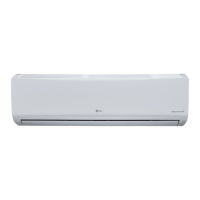
TYPE: WALL MOUNTED
Original instruction
EN English IT Italiano ES Español FR Français DE Deutsch
EL Ελληνικά PT Português NL Nederlands PL Polski HU Magyar
BG Български HR Hrvatski CZ Čeština ET Eesti MT Malti
RO Română SK Slovenčina SL Slovenščina LV Latviešu LT Lietuvių
GA Gaeilge SR srpski
MK Македонски SQ Shqip BS Bosanski
Copyright © 2018 - 2019 LG Electronics Inc. All Rights Reserved.
MFL67870337
Rev.01_031419

Other manuals for LG US36F

Questions and Answers

  • W
    williamsstephenAug 9, 2025
    Why is my LG US36F Air Conditioner not blowing cold air?
    • M
      Mary McdonaldAug 9, 2025
      If your LG Air Conditioner isn't emitting cool air, several factors could be at play. Ensure that curtains, blinds, or furniture aren't blocking the unit. A dirty air filter can also reduce cooling efficiency, so clean it every 2 weeks. In summer, it may take time to cool the air. In this case, select the Jet Mode to cool the indoor air quickly. Also, check for air escaping through ventilation points and make sure the set temperature is lower than the current room temperature. Avoid using heat sources nearby and ensure the unit isn't accidentally set to Fan Mode, which only circulates air without cooling.
  • S
    Stacy MeyerAug 15, 2025
    How to fix LG US36F that won't turn on?
    • T
      Timothy HarrisonAug 15, 2025
      If your LG Air Conditioner isn't working, start by checking if it's properly plugged into the outlet and if the power isolators are switched on. A blown fuse or tripped circuit breaker could also be the culprit, so replace the fuse or check the breaker. If there was a recent power failure, wait 3 minutes after power is restored before turning the unit back on. Also, verify that the voltage isn't too high or low by checking the circuit breaker. Ensure the unit hasn't been turned off automatically and that the batteries in the remote controller are correctly inserted and not depleted.
  • H
    heidi89Aug 21, 2025
    What to do if my LG appliance won't connect to Wi-Fi?
    • K
      Kelly LindseyAug 21, 2025
      If your LG appliance isn't connecting to Wi-Fi, the password may be incorrect. Remove the Wi-Fi network connected to your smartphone and register your appliance on LG SmartThinQ. Ensure mobile data is off on your smartphone while registering via Wi-Fi. The wireless network name (SSID) should only use English letters and numbers, avoiding special characters. Confirm that your router frequency is 2.4 GHz, as this is the only supported frequency. Finally, reduce the distance between the appliance and the router to improve signal strength.
  • K
    Krystal RiveraAug 27, 2025
    Why is my LG US36F not blowing hot air?
    • K
      Kimberly Riggs MDAug 27, 2025
      If your LG Air Conditioner isn't emitting warm air in Heating Mode, it could be normal if the vane is almost closed at the start. Wait until the unit generates enough warm air to blow through. Also, the outdoor unit may be in Defrosting Mode, which removes frost and takes about 15 minutes. The heating effect may not be sufficient if the outside temperature is too low.
  • R
    ramirezlawrenceSep 2, 2025
    Why does my LG US36F smell bad?
    • A
      Andrew HawkinsSep 2, 2025
      If your LG Air Conditioner's indoor unit is emitting an odor, it might be due to absorbed smells like cigarette smoke being discharged with the airflow. If the smell persists, try washing the filter.

Summary

SAFETY INSTRUCTIONS

Important Safety Instructions

Essential safety precautions for usage, installation, and operation.

Installation Safety Precautions

Details safety measures for correct installation of the air conditioner.

OPERATION

Wireless Remote Control

Explains how to insert batteries and install the remote control holder.

Using the Mode Function

Explains how to select different operating modes like Cooling, Heating, and Fan.

Cooling Mode

Instructions for operating the air conditioner in cooling mode.

Heating Mode

Instructions for operating the air conditioner in heating mode.

Using the Jet Mode Function

Details the function for quickly cooling or warming the room air.

Using the Fan Speed Function

Explains how to adjust the fan speed for optimal airflow.

Using the Air Flow Direction Function

Details how to adjust the vertical and horizontal air flow direction.

SMART FUNCTIONS

Using LG SmartThinQ Application

Guide to connecting and using the LG SmartThinQ mobile application.

MAINTENANCE

Clean the Air Filter

Step-by-step guide on how to clean the air filters for optimal performance.

TROUBLESHOOTING

LG US36F Specifications

General IconGeneral
TypeSplit System
RefrigerantR410A
Cooling Capacity36000 BTU/h
Power Supply1-phase
Dimensions (Outdoor Unit)900 x 790 x 340 mm
Weight (Indoor Unit)14 kg
Weight (Outdoor Unit)48 kg

Related product manuals