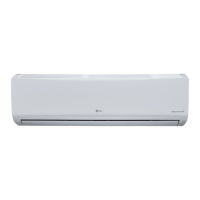
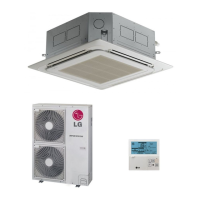
This document is an owner's manual for an LG wall-mounted inverter air conditioner. It provides instructions for operation, maintenance, and troubleshooting.
Function Description
The LG air conditioner is designed to cool, heat, and dehumidify indoor spaces, as well as provide air circulation and purification. It features various operating modes to suit different environmental conditions and user preferences.
Operating Modes:
- Cooling Operation: Cools the room to a desired temperature, adjustable between 18°C (64°F) and 30°C (86°F).
- Heating Operation: Heats the room to a desired temperature, adjustable between 16°C (60°F) and 30°C (86°F). (Not supported on cooling-only models).
- Dehumidifying Operation (Removing Humidity): Removes excess moisture from the air, particularly useful in high humidity or rainy seasons, to prevent mold. The room temperature and fan speed are automatically adjusted to maintain optimal humidity levels. Room temperature is not displayed or adjustable in this mode.
- Air Circulation Operation (Airing your room): Circulates indoor air without changing the room temperature. The cooling lamp lights up in this mode.
- Jet Cool/Heat Operation (Changing room temperature quickly): Rapidly cools or heats the indoor air. In jet cooling mode, strong air at 18°C is blown for 30 minutes. In jet heating mode, strong air at 30°C is blown for 30 minutes. This function is not available in Air Circulation, Auto, or Auto Changeover modes and may not be supported on all models.
- Jet Dry (Remove room moisture quickly): Removes a large amount of indoor moisture. The indoor fan may stop for a few minutes. This function cannot be used in Heating or Auto Changeover operations. Room temperature is automatically adjusted and not displayed or adjustable. Prolonged use may cause a feeling of coldness; switching to Dehumidifying operation is recommended if this occurs.
- Auto Clean Operation (Indoor air purification): Removes moisture generated inside the indoor unit during cooling and dehumidifying operations. When the power is turned off, the fan operates for 30 minutes to clean the inside of the indoor unit.
- Auto Operation (Artificial intelligence) (Cooling-only models): Automatically adjusts fan speed and temperature based on the room temperature. Users can select a desired operation code if the temperature is higher or lower than desired.
- Auto Changeover Operation: Automatically changes the operation mode to maintain the set temperature within ±2°C. The temperature range is 18°C (64°F) to 30°C (86°F). This function may not be supported on all models.
- Energy Saving Cooling Mode: Minimizes power consumption by increasing the set temperature to the optimal level for a more comfortable environment.
Additional Features:
- Timer Function: Allows users to set specific times for the air conditioner to turn on or off automatically, promoting energy saving and efficient use.
- Sleep Mode: Automatically turns off the air conditioner when the user goes to sleep. In Cooling and Dehumidifying modes, the temperature increases by 1°C after 30 minutes and by another 1°C after an additional 30 minutes, for a total increase of up to 2°C from the preset temperature, for comfortable sleep.
- Display Screen Brightness: Adjustable brightness for the indoor unit display.
- Air Flow Direction Adjustment: Allows vertical adjustment of the air flow direction. Horizontal adjustment may not be supported on all models. Arbitrary adjustment of the air deflector may cause product failure.
- Fan Speed Adjustment: Multiple fan speed settings including High, Medium, Low, and Natural Wind.
- Self-diagnosis Function: Built-in error detection system. If an error occurs, the indoor unit lamp blinks in 2-second intervals, indicating a need to contact service.
- Auto Restart: Restores previous settings after a power failure. This is a factory default setting and can be disabled/re-enabled by holding the On/Off button for 6 seconds.
Important Technical Specifications
The manual lists the following models:
Indoor Unit Models:
- USNQ126HSW3(P126SQ NHO)
- USNQ186MSW3(P186SQ NMO)
- USNQ246MSW3(P246SQ NMO)
Outdoor Unit Models:
- USUQ126HSW3(P126SQ UHO)
- USUQ186MSW3(P186SQ UMO)
- USUQ246MSW3(P246SQ UMO)
Remote Control Battery Type: AAA (1.5 V) batteries.
Usage Features
Remote Control:
- The air conditioner is primarily operated using a wireless remote control.
- Buttons for additional functions are located under a cover on the remote control.
- The remote control should be pointed towards the signal receiver at the bottom of the air conditioner for proper operation.
- The remote control holder can be installed in a safe, easily accessible place, away from direct sunlight.
General Usage Tips:
- Avoid excessive cooling indoors to prevent health issues and high electricity consumption.
- Block sunlight with blinds or curtains during operation.
- Keep doors and windows closed tightly when the air conditioner is running.
- Adjust air flow direction (vertical/horizontal) to circulate indoor air effectively.
- Use high fan speed for quick cooling or warming.
- Regularly open windows for ventilation to maintain indoor air quality.
- Clean the air filter every 2 weeks to prevent blockages and maintain efficiency.
- Ensure sufficient ventilation when using the air conditioner simultaneously with other heating appliances.
- Unplug the power plug if the air conditioner is not used for an extended period.
Maintenance Features
Regular cleaning and maintenance are crucial for optimal performance and to prevent breakdowns.
Cleaning Schedule and Methods:
- Air Filter: Clean every 2 weeks or more often if necessary.
- Turn off power and unplug the cord.
- Open the front cover (lift both sides slightly).
- Hold the knob of the air filter, lift it up, and remove it.
- Clean with a vacuum cleaner or warm water. If dirt is stubborn, wash in lukewarm water with detergent.
- Dry the filter in the shade.
- 3M Filter (Optional): Clean every 1 month.
- Turn off power and unplug the cord.
- Open the front cover and remove the air filter.
- Pull out the Multi protection filter.
- Use a vacuum cleaner to remove dirt. Do not wash with water as it can damage the filter.
- It is suggested to change the 3M Filter every 6 months.
- Indoor Unit Surface: Clean regularly with a soft, dry cloth. Do not use bleach or abrasives.
- Outdoor Unit: Clean regularly. Use steam to clean the heat exchanger coils and panel vents (consult with a technician).
Important Maintenance Precautions:
- Always turn off power and unplug the cord before performing any maintenance to avoid electric shock.
- Do not use water hotter than 40°C when cleaning filters to prevent deformation or discoloration.
- Do not use volatile substances (e.g., harsh detergents) on filters or product surfaces, as they can cause damage.
- Do not wash the 3M Filter with water.
- Ensure heat exchanger coils of the outdoor unit are cleaned regularly, as accumulated dirt can decrease operational efficiency and increase energy costs.

 Need help?
 General

 To Next Page