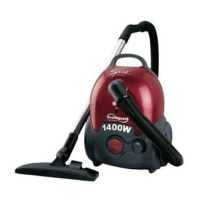
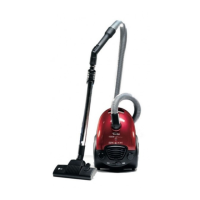
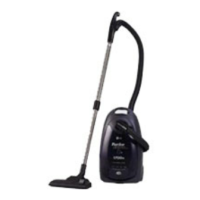
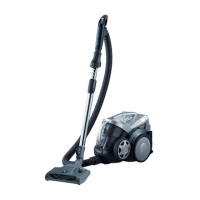
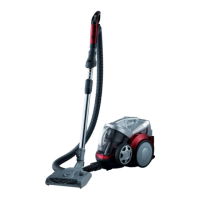
This document is a user manual for an LG vacuum cleaner, specifically models V-CP243NDN/NTN, V-CP243RDN/RTN, and V-CP243NDG/RTS. It provides essential information regarding safety, operation, and maintenance of the appliance.
The vacuum cleaner is designed for household cleaning tasks, offering various features to efficiently remove dust and debris from different surfaces. It operates by creating suction to draw in dirt, which is then collected in a dust bag. The appliance is equipped with a flexible hose, extension tubes, and multiple cleaning heads and accessory nozzles to cater to diverse cleaning needs.
Function Description
The primary function of this device is to vacuum and clean various surfaces within a home environment. It utilizes a motor to generate suction, effectively lifting dust, dirt, and small debris from floors, carpets, upholstery, and other objects. The collected material is stored in a removable dust bag, which needs to be replaced or emptied periodically.
Usage Features
The vacuum cleaner offers several features to enhance its usability and adaptability for different cleaning scenarios:
- Connecting the Flexible Hose: The flexible hose (2) is connected to the vacuum cleaner by pushing its head (1) into the attachment point. To detach, a button (3) on the head is pressed, and the hose is pulled upwards.
- Assembling the Tubes: Depending on the model, the vacuum cleaner uses either metal or plastic tubes (4) or a telescopic tube (5). Metal or plastic tubes are fitted together by twisting. The telescopic tube allows for length adjustment by pushing a spring latch (6) forward, extending the tube, and then releasing the latch to lock it in place.
- Cleaning Heads and Accessory Nozzles:
- 2-Position Head (7): This is the main cleaning head, featuring a pedal (8) to adjust its position based on the floor type. For hard floors (tiles, parquet), the pedal is pressed to lower the brush. For carpets or rugs, the pedal is pressed to lift the brush, allowing for easier gliding and effective cleaning.
- Crevice Tool (9): This narrow nozzle is ideal for reaching normally inaccessible places, such as cobwebs, tight corners, or along the sides of a sofa.
- Dusting Brush (10): Designed for cleaning delicate or uneven surfaces, this brush is suitable for vacuuming picture frames, furniture outlines, books, and other objects that might be scratched by a direct nozzle.
- Upholstery Nozzle (11): This tool is specifically for cleaning upholstery, mattresses, and similar fabric surfaces. It includes thread collectors to help pick up threads and fluff efficiently.
- Power On/Off: The vacuum cleaner is started and stopped by pressing the power button (13).
- Cord Rewind: After use, the supply cord can be automatically rewound by pressing the button (12).
- Power Level Adjustment: Some models are equipped with an electronic variable power control (13), allowing users to select the appropriate suction power for the task at hand.
- Manual Air Flow Regulator: The flexible hose handle (14) includes a manual air flow regulator (15) which can be used to briefly reduce the suction level, useful for cleaning delicate items or preventing excessive suction on certain surfaces.
- Storage (16): The appliance can be stored in a vertical position. A hook on the large cleaning head slides into a clip on the underside of the appliance for compact storage.
Maintenance Features
Regular maintenance ensures the vacuum cleaner operates efficiently and prolongs its lifespan:
- Changing the Dust Bag: The dust bag needs to be changed when the "bag full" indicator window (17) is completely colored red, even if the bag doesn't appear full. This indicates that the pores of the bag might be clogged.
- Turn off and unplug the appliance.
- Open the cover by pressing the hook (18) and lifting it until it snaps into place.
- If using a paper dust bag (19), grasp it by the handle, pull it out, and dispose of it. For a fabric dust bag (21), empty its contents and reinsert it.
- To fit a new paper bag, push its cardboard support into the bag mount (20) until it goes no further.
Note: A safety device prevents the cover from closing if the dust bag is not correctly fitted.
- Cleaning the Motor Filter: The motor filter (22) is located inside the appliance, between the dust bag and the motor. It should be cleaned each time the air outlet filter is changed. Remove the motor filter, tap it to dislodge dirt, and then replace it in the vacuum cleaner.
Troubleshooting
The manual also provides guidance for common issues:
- Appliance Not Working: Check if the appliance is correctly plugged in and if the electrical socket is functional.
- Reduced Suction Performance:
- Stop and unplug the appliance.
- Check if the tubes, flexible hose, or cleaning tool are blocked.
- Check if the dust bag is full and replace it if necessary.
The manual emphasizes several safety precautions:
- Children should not use the appliance unsupervised.
- Do not use the appliance if the supply cord is damaged or faulty.
- A damaged mains lead must be replaced by an approved LG Electronics Service Agent.
- Always switch off the vacuum cleaner before changing the dust bag or cleaning filters.
- Do not force the cover closed if no dust bag is inserted.
- Do not vacuum flammable, explosive, hot ash, embers, sharp objects, or liquids.
- The appliance complies with EC Directives: 73/23/EEC, 93/68/EEC (Low Voltage Directive), and 89/336EEC (EMC Directive).

 Need help?
 General

 To Next Page