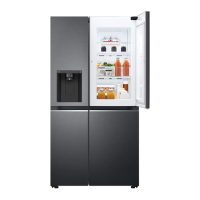
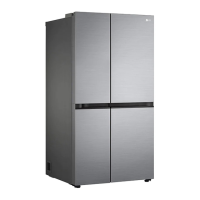
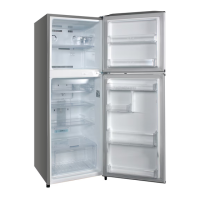
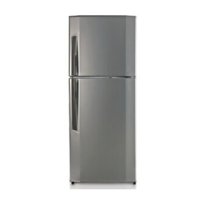
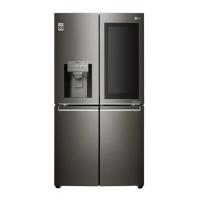
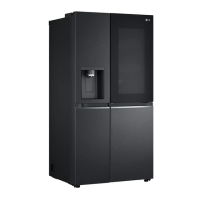
This document is an owner's manual for an LG Fridge & Freezer, covering various models including VT40***, VT40****, GT391, VT38P, VT38GPX, GT37GP, VT34PP, VT34PPM, VT34GPX, GT33PP, VT32PP, GT31PP, VT401, VT32PPDC, VT34P*, VT37P, VT45***, VT45****, VT48***, and VT48****. It provides essential information for installation, operation, maintenance, and troubleshooting.
Safety Instructions
The manual emphasizes safety with clear warnings and cautions. A WARNING indicates potential for serious injury or death if instructions are not followed, while CAUTION indicates potential for minor injury or product damage.
Technical Safety:
- This appliance is not intended for use by persons with reduced physical, sensory, or mental capabilities, or lack of experience and knowledge, unless supervised or instructed by a responsible person. Children should be supervised to ensure they do not play with the appliance.
- It is intended for household and similar applications, such as staff kitchen areas, farm houses, hotels, motels, bed and breakfast type environments, and catering.
- The appliance uses isobutane refrigerant (R600a), which is combustible. Care must be taken during transport and installation to avoid damaging the refrigerating circuit.
- Refrigerant and insulation blowing gas require special disposal procedures; consult a service agent.
- Do not damage the refrigerant circuit.
- If the power cord is damaged or the outlet socket is loose, it must be replaced by an authorized service center.
- Do not use multiple portable socket-outlets or power supplies at the rear of the appliance.
- Securely plug the power plug into the outlet, ensuring no moisture or dust.
- Never unplug by pulling the power cable; always grip the plug firmly.
- Keep ventilation openings clear of obstruction.
- Do not store explosive substances (e.g., aerosol cans with flammable propellant).
- Do not tilt the appliance when transporting.
- Ensure the supply cord is not trapped or damaged during positioning.
- Do not use mechanical devices or other means to accelerate defrosting.
- Do not use a hair dryer or candle to dry the interior or remove odors.
- Do not use electrical appliances inside food storage compartments unless recommended by the manufacturer.
- Avoid body parts getting stuck when moving the appliance.
- Disconnect the power cord before cleaning.
- Do not spray water or flammable substances (e.g., alcohol, thinner, benzene) on the interior or exterior.
- Do not clean with rough brushes, cloths, sponges, or metallic materials.
- Only qualified LG Electronics service personnel should disassemble or repair the appliance.
Risk of Fire and Flammable Materials:
- If a leak is detected, avoid naked flames, potential ignition sources, and ventilate the room. The room size must be at least 1 m² for every 8 g of R600a refrigerant.
- The amount of refrigerant is on the identification plate.
- Refrigerant leaks can ignite or cause an explosion.
Installation Safety:
- Transport by two or more people.
- Install on a firm and level floor.
- Avoid damp, dusty, outdoor, or freezing conditions, and direct sunlight or heat sources.
- Be careful not to expose the rear of the appliance during installation.
- Install where the power plug is easily accessible.
- Prevent the door from falling during assembly/disassembly.
- Avoid pinching, crushing, or damaging the power cable.
- Do not point the power plug up or lean the appliance against it.
- Do not modify or extend the power cable.
- Ensure the outlet is properly grounded; inquire at an LG customer information center for details.
- The appliance is equipped with an equipment-grounding conductor and plug; it must be plugged into an appropriate, grounded outlet.
- Never start a damaged appliance.
- Dispose of packaging materials away from children to prevent suffocation.
- Do not plug into a multi-socket adapter without a power cable.
- Connect to a dedicated, separately fused power line.
- Do not use ungrounded multi-socket outlets.
Operation Safety:
- Do not use for purposes other than domestic household food storage (e.g., medical, experimental, shipping).
- If water penetrates electrical parts, disconnect power and contact LG.
- Unplug during severe thunderstorms or prolonged non-use.
- Do not touch the power plug or controls with wet hands.
- Do not bend the power cable excessively or place heavy objects on it.
- Unplug immediately and contact LG if strange sounds, odors, or smoke are detected.
- Do not place hands or metallic objects near the cold air outlet, cover, or heat-releasing grille.
- Do not apply excessive force or impact to the back cover.
- Be careful of children when opening/closing the door.
- Prevent children from getting trapped inside.
- Do not put animals inside.
- Do not place heavy/fragile objects, liquid-filled containers, combustible/flammable substances (candles, lamps), or heating devices (stoves, heaters) on the appliance.
- Do not place electronic appliances (heater, mobile phone) inside.
- In case of gas leakage (isobutane, propane, natural gas), do not touch the appliance or power plug, and ventilate immediately.
- Do not use or store flammable/combustible substances (ether, benzene, alcohol, chemical, LPG, combustible spray, insecticide, air freshener, cosmetics) near the appliance.
- The appliance incorporates an earth connection for functional purposes.
- Connect to potable water supply only (if applicable).
- Fill with potable water only (for icemaker/dispenser).
Caution:
- To reduce the risk of minor injury, malfunction, or damage, follow basic precautions.
Installation Caution:
- Check for transit damage after unpacking.
- Wait 3-4 hours before plugging in to ensure refrigerant circuit efficiency.
- Move carefully on sensitive floors to avoid damage.
Operation Caution:
- Do not touch frozen food or metal parts in the freezer with wet hands to avoid frostbite.
- Do not place glass containers, bottles, or cans (especially carbonated drinks) in the freezer or ice bin, as contents may expand and break containers.
- Do not touch broken tempered glass on the door or shelves.
- Do not hang from doors, storage room, or shelves, or climb into the appliance.
- Do not store excessive water bottles or side dish containers on door baskets.
- Do not open/close the door with excessive force.
- If the door hinge is damaged, stop using and contact an authorized service center.
- Prevent animals from nibbling on the power cable or water hose.
- Never eat frozen foods immediately from the freezer to avoid frost blisters. If this occurs, hold under cold running water; do not pull away.
- Ensure hands or feet do not get stuck when opening/closing the door or door-in-door.
Maintenance Caution:
- The appliance has maintenance-free LED interior lighting. Do not remove covers or lamps; contact LG.
- Do not clean glass shelves or covers with warm water when cold, as they may shatter.
- Do not insert shelves upside down; they may fall.
- If ice forms in the freezer, contact LG. Do not use sharp objects, sprays, electric heating devices (fan heaters, hair dryers, steam cleaners), or other heat sources for defrosting, as plastic parts may deform.
- Dispose of ice in the ice bin during extended power outages.
Installation
Dimensions and Clearances:
- Allow over 50 mm clearance between the back of the appliance and the wall.
- Dimensions (mm):
- A: 700 (VT40***, VT40****, GT391, VT38P, VT38GPX, GT37GP, VT34PP, VT34PPM, VT34GPX, GT33PP, VT32PP, GT31PP, VT401, VT32PPDC, VT34P*, VT37P, VT45***, VT45****, VT48***, VT48****)
- B: 1845, 1760, 1720, 1720, 1640
- C: 725, 680, 680, 710, 710
- D: 5, 5, 5, 5, 5
- E: 720, 675, 675, 705, 705
- F: -
- G: 1354, 1309, 1309, 1254, 1254
- H: 1212, 1212, 1212, 1031, 1031
- The specific dimensions vary by model.
Ambient Temperature:
- The appliance is designed for specific ambient temperature ranges based on climate class, which can be found on the rating label.
- Climate Classes:
- SN (Extended Temperate): +10 to +32 °C
- N (Temperate): +16 to +32 °C
- ST (Subtropical): +16 to +38 °C / +18 to +38 °C (for Argentina)
- T (Tropical): +10 to +43 °C (Australia, India, Kenya) / +16 to +43 °C / +18 to +43 °C
- Appliances rated SN to T are intended for use between 10 °C and 43 °C.
Levelling the Appliance:
- Adjust the levelling leg clockwise to raise or counter-clockwise to lower.
- Check that doors close easily.
- Note: Levelling may be difficult on uneven or weak floors. The refrigerator is heavy and requires a rigid, solid surface. Timber flooring may cause issues if it flexes excessively.
Turning on the Power (Earthing Instructions):
- Applicable in countries requiring an earth connection.
- Install an earth wire to prevent electric shock.
- Connect the earth wire to the screw on the back of the appliance and the wall outlet.
- Do not connect the earth wire to gas pipe, water pipe, water tap, telephone earth wire, or lightning rod.
- In humid/wet locations, an earth wire and circuit breaker are legally required. Ensure proper installation and earthing by a qualified technician.
Connecting the Appliance:
- Connect the power plug to an outlet socket. Do not share outlets with other appliances.
- Wait 3-4 hours after connecting before placing food inside to allow the appliance to cool completely.
- To turn off, disconnect the power plug.
Moving the Appliance for Relocation:
- Remove all food.
- Fix the power plug (using a hook or tape).
- Tape shelves and door handles to prevent them from falling.
- Move carefully with more than two people, keeping the appliance upright.
- Use cardboard, floor mat, or carpet to prevent floor scratches.
- Do not move in zigzags.
- After relocation, connect the power plug and switch it on.
Operation
Notes for Operation:
- Clean the interior and exterior with warm water and mild washing-up liquid before first use.
- Frost may form if the door is not closed completely or if humidity is high.
- Ensure sufficient space between food items for proper door closure.
- Long periods of door opening can increase internal temperature.
- If left empty for long periods, switch off, defrost, clean, dry, and leave the door open to prevent mold.
- A permissible temperature rise after defrosting is normal; wrap stored food in layers to minimize impact.
Door Open Alarm (on some models):
- Sounds if the door is left open or not completely closed.
- Contact LG if the alarm continues after closing all doors.
Failure Detection:
- The appliance can automatically detect problems and display an error code.
- If an error code appears, do not turn off the power; contact LG immediately and report the code.
Suggestion for Energy Saving:
- Keep all inner parts (door bins, drawers, shelves) in their original locations.
- Ensure sufficient space between stored foods for even cold air circulation.
- Store hot food only after it has cooled.
- Set freezer temperature lower than the food's indicated temperature when storing.
- Do not set the appliance temperature lower than needed.
- Keep food at least 3 cm away from the fridge compartment temperature sensor.
Storing Foods Effectively:
- Set the refrigerator to the correct temperature for the food.
- Store frozen/refrigerated food in sealed containers.
- Check expiration dates and storage instructions.
- Do not store easily perishable food for long periods at low temperatures.
- Do not place unfrozen food in direct contact with frozen food.
- Do not store excessive amounts of fresh food.
- When freezing food over several days, store up to 2/3 of the maximum freezing capacity.
- Freeze food in portion-sized quantities for faster freezing and easier thawing.
- Place refrigerated/frozen food in compartments immediately after purchase.
- Store raw meat and fish in suitable containers to prevent contact with or dripping onto other food.
- Refrigerated foods can be stored on top of the vegetable drawer.
- Avoid refreezing completely thawed food, as it lowers taste and nutrition. Consume thawed food quickly.
- Cool hot food before storing to prevent internal temperature increase and negative effects on other stored foods.
- Do not overfill the appliance, as cold air circulation will be impeded.
- Do not set excessively low temperatures that may freeze food.
- If chill compartments exist, do not store high-moisture vegetables/fruits, as they may freeze.
- Follow food manufacturer's instructions for frozen food storage duration.
- Mark storage date, duration, and food name on packaging.
Maximum Freezing Capacity:
- Set freezer temperature to the coldest setting.
Express Freeze function (up to 21 hours) will maximize freezing capacity. Activate it when placing fresh products in the freezer.- For quick freezing, store food in the center of the upper compartment (or left of lower compartment for Control Panel 2, Type B models).
- For better air circulation, insert all inner parts (baskets, drawers, shelves).
Two Star Compartment:
- Two-star (**) baskets/drawers can store ice and food from -12 °C to -18 °C for short periods.
- Suitable for pre-frozen food, ice cream, and ice cubes.
- Not suitable for freezing fresh food.
Product Features (Interior)
The appearance and components may differ by model.
- Control Panel*1: Sets fridge temperature.
- Water Dispenser*1: Dispenses water.
- Freezer Shelf: Stores frozen foods (meat, fish, ice cream).
- Moving Icemaker*1: Manually produces and stores ice. Can be slid along the shelf.
- Freezer Temperature Controller*1: Regulates airflow to the freezer compartment.
- Ice Tray*1: Manually produces ice.
- Freezer Door Basket: Stores small packages of frozen food. Not for long-term storage of ice cream or food.
- Automatic Icemaker*1: Automatically produces and stores ice.
- Air filter*1: Reduces odors in the fridge compartment. Do not disassemble; contact LG for replacement.
- Fresh Room*1: Stores food at a colder temperature than the regular fridge area.
- Pull Out Tray: (No specific description provided in the excerpt).
- Fridge Temperature Control Panel*1: Sets fridge temperature.
- Door Cooling*1: Provides cold air to keep the fridge door basket cool.
- Fridge Shelf: Stores refrigerated and fresh foods. Foods with higher moisture content should be stored at the front. Shelf height is adjustable.
- Bottom Shelf: Stores refrigerated and fresh foods. Do not store items at the front to prevent them from falling and causing injury/damage.
- Fridge Drawer: Stores fruits and vegetables.
- Water Tank*1: Stores water for the dispenser.
- Fridge Door Basket*1: Stores small packages of refrigerated foods, drinks, and sauce containers.
- Movable Egg Tray: Stores eggs. Can be moved but not used as an ice bin or placed on the shelf above the vegetable drawer.
Control Panel
The actual control panel may differ by model.
Control Panel 1: On the Freezer Door*1
- Freezer (1): Press repeatedly to select -23 °C to -15 °C. Default: -18 °C.
- Convertible (2): Press for 3 seconds to enable. Left LED lights up. Press Fridge button repeatedly to select 1 °C to 7 °C for the freezer. Press for 3 seconds again to disable (LED off).
- Note:
Express Freeze and Freezer buttons are inactive in Convertible mode.
- Fridge (3): Press repeatedly to select 1 °C to 7 °C. Default: 3 °C.
- Express Freeze (4): Quickly freezes large amounts of ice or frozen foods. Enabled/disabled by pressing for 3 seconds. Automatically terminates after a period.
- Wi-Fi (5): Connects the appliance to a home Wi-Fi network.
- Ice On/Off (6): Turns the icemaker on/off.
Control Panel 2: Inside the Fridge*1 (Type A)
- Freezer (1): Press repeatedly to select between
Cold and Coldest. Default: 6.
- Convertible (2): Press for 3 seconds to enable. Left LED lights up. Press Fridge button repeatedly to select between
Cold and Coldest for the freezer. Press for 3 seconds again to disable (LED off).
- Fridge (3): Press repeatedly to select between
Cold and Coldest. Default: 6.
- Express Freeze (4): Quickly freezes large amounts of ice or frozen foods. Enabled/disabled by pressing for 3 seconds. Automatically terminates after a period.
- Wi-Fi (5): Connects the appliance to a home Wi-Fi network.
- Ice On/Off (6): Turns the icemaker on/off.
Control Panel 2: Inside the Fridge*1 (Type B)
- Fridge: Turn dial to select between
Cold and Coldest. Default: 6.
- Express Freeze: Quickly freezes large amounts of ice or frozen foods. Enabled/disabled by pressing for 3 seconds. Automatically terminates after a period.
Control Panel 3: Inside the Freezer*1
- Turn dial to select between
Min and Max.
Notes on Temperature Settings:
- Actual inner temperature varies based on food status; the setting is a target.
- For optimal food preservation, increasing or decreasing 1 °C (or one level) from the default temperature is recommended for each compartment.
- Control panels turn off automatically for energy saving.
- Touching the control panel during cleaning may activate buttons.
Water Dispenser (on some models):
- Dispense water by pressing the paddle.
- Caution: Keep children away from the dispenser.
- Note: If the cup rim is small, water may splash. Wipe the dispenser outlet frequently. Lint from cloth may adhere to the outlet.
Filling the Water Tank:
- Open the cap, fill with potable water only (not beverages or hot water), and close the cap.
- Caution: Do not apply excessive force when removing/assembling the tank.
- Note: Wash the tank before filling. If water doesn't come out, fill the tank.
Cleaning the Water Tank:
- Remove the tank cover.
- Empty the water tank.
- Hold the tank with both hands and pull it up.
- Remove the water valve by turning it clockwise.
- Clean the tank and valve in running water. Wipe the inside/outside of the tank and fridge door.
- Mount the tank in reverse order.
- Note: Clean water tanks if unused for 48 hours.
Icemaker (on some models):
Using the Moving Icemaker:
- Pull out the ice tray, fill with potable water up to the marked line.
- Push the tray back.
- Hold the lever and turn clockwise to release ice cubes.
- Pull out the ice basket by its handle.
- Warning: Fill with potable water only.
- Caution: Do not spill water when pushing the tray. Do not twist the tray with force. Frequent door opening/closing may slow freezing. Do not fill the ice basket with water.
- Note: The icemaker can be removed for more freezer space. Overfilled trays may cause ice cubes to stick. Pouring water on the tray can help remove ice.
Automatic Icemaker (on some models):
- Caution: First ice/water may contain particles/odor. If discolored ice, check water supply/tank; contact LG if problem persists. Do not use ice/water until corrected.
- Do not touch the automatic icemaker with hands or tools.
- Do not remove the cover.
- Dispose of ice in the basket during vacation or extended power outage.
- Note: Icemaker produces ice normally after ~48 hours of initial installation. Production stops when the basket is full. Ice dropping is normal. If ice cubes clump, empty the basket and allow fresh ice to be made.
Turning the Automatic Icemaker On or Off:
- Press the
Ice On/Off button on the control panel.
- Caution: Do not keep power on to the icemaker if the water line is not connected, as it can damage the icemaker.
Normal Sounds You May Hear:
- Icemaker water valve buzzes when filling. It will buzz even if not hooked up to water if
Ice On/Off is On.
- You will hear ice dropping and water running as the icemaker refills.
Preparing for Vacation:
- If ambient temperature drops below freezing, have a qualified technician drain the water supply system to prevent property damage.
- Set
Ice On/Off to Off and shut off the water supply.
Maintenance
General Cleaning Tips:
- Manual defrosting, maintenance, or cleaning with food in the freezer can raise food temperature and reduce storage life.
- Regularly clean surfaces that come into contact with food.
- When cleaning, do not use rough brushes, toothpaste, or flammable materials (alcohol, thinner, bleach, benzene, flammable liquid, abrasive, etc.) on the interior or exterior, as they can cause discoloration or damage.
- Check power cable for damage after cleaning.
Cleaning the Interior:
- Remove all stored foods before removing shelves or drawers to prevent injury/damage.
- Detach shelves and drawers, clean with water and mild detergent, and dry thoroughly before replacing.
- Regularly wipe door gaskets with a wet soft towel.
- Clean door basket spills and stains to maintain storage ability.
- Never clean shelves or containers in the dishwasher, as heat may deform them.
- The automatic defrosting system prevents ice buildup; manual defrosting is not needed.
Cleaning the Exterior:
- Unplug the power cord before vacuuming outside air vents to avoid static discharge.
- Regularly clean rear and side ventilation covers for reliable and economical operation.
- Keep exterior air vents clean to prevent fire or damage.
- For the exterior, use a clean sponge or soft cloth with mild detergent in warm water. Avoid abrasive/harsh cleaners. Dry thoroughly.
- For stainless steel doors, use a dedicated cloth and wipe in the direction of the grain to reduce staining and tarnishing.
Smart Functions
LG ThinQ Application (on Wi-Fi models):
- Allows communication with the appliance via smartphone.
- Smart Diagnosis: Helps diagnose problems.
- Settings: Allows setting various options.
- Note: If router, ISP, or password changes, delete and re-register the appliance. The application is subject to change. Functions may vary by model.
Installing LG ThinQ Application and Connecting an LG Appliance:
Models with QR Code:
- Scan the QR code on the product using a smartphone camera or QR code reader app.
Models without QR Code:
- Search for and install the LG ThinQ application from Google Play Store or Apple App Store.
- Run the app, sign in or create an LG account.
- Touch the add (+) button to connect the appliance. Follow in-app instructions.
- Note: Check the Wi-Fi indicator on the control panel to verify connection.
Troubleshooting LG ThinQ Connection Issues:
- The appliance supports only 2.4 GHz Wi-Fi networks.
- LG ThinQ is not responsible for network connection problems or faults.
- Surrounding wireless environment can slow down service.
- Weak signal strength if too far from the router.
- If connection issues persist, the router may be too far; consider a Wi-Fi repeater.
- Network connection may not work properly depending on the ISP.
- Wi-Fi connection may be interrupted due to home network environment.
- If the appliance cannot connect due to wireless signal transmission, unplug for a minute and try again.
- If firewall is enabled on the router, disable it or add an exception.
- Wireless network name (SSID) should be English letters and numbers only (no special characters).
- Smartphone UI may vary by OS/manufacturer.
- If router security protocol is WEP, change to WPA2.
- To disable Wi-Fi, press and hold the Wi-Fi button for 3 seconds (indicator turns off).
- To reconnect or add another user, press and hold the Wi-Fi button for 3 seconds to temporarily turn it off, then use the LG ThinQ app.
Open Source Software Notice Information:
- Source code under GPL, LGPL, MPL, and other open source licenses is available at https://opensource.lge.com.
- LG Electronics will also provide source code on CD-ROM for a charge. This offer is valid for three years after the last shipment of the product.
Smart Diagnosis (on some models):
- Helps diagnose and solve problems.
- Note: May not operate due to external factors (Wi-Fi unavailability, disconnection, app store policy). Feature may change without notice.
Using LG ThinQ to Diagnose Issues:
- If experiencing a problem with a Wi-Fi equipped appliance, it can transmit troubleshooting data to a smartphone via the LG ThinQ application.
- Launch the app, select
Smart Diagnosis, and follow instructions.
Using Audible Diagnosis to Diagnose Issues (on some models):
Control Panel 1: On the Freezer Door*1
- Open the fridge door.
- Close and open the fridge door 5 times within 8 seconds.
- Note: If not done within 8 seconds, the time resets.
- If the buzzer sounds 4 times, open the freezer door and hold the phone near the speaker hole.
- After data transfer, diagnosis will be displayed in the app.
- Note: Do not move the phone while tones are transmitted.
Control Panel 2: Inside the Fridge*1
- Open the fridge door.
- Close and open the fridge door 5 times within 8 seconds.
- Note: If not done within 8 seconds, the time resets.
- Open both fridge and freezer doors, and hold the phone on the upper right speaker hole.
- After data transfer, diagnosis will be displayed in the app.
Troubleshooting
Cooling:
- No refrigeration/freezing: Check power, plug, fuse/circuit breaker. Is temperature set to warmest? Is appliance in direct sunlight or near heat source? Did you store hot food without cooling? Too much food? Doors closed properly? Enough space around appliance?
- Poor refrigeration/freezing: Same as above.
- Bad smell: Store strong-smelling foods in sealed containers. Check for spoiled vegetables/fruit in the drawer; remove and clean.
Condensation & Frost:
- Condensation inside/on vegetable drawer cover: Did you store hot food without cooling? Did you leave the door open (condensation will disappear, but wipe with dry cloth)? Do you open/close the door too frequently (condensation from temperature difference; wipe dampness)? Did you put warm/moist food inside without sealing (store in covered/sealed container)?
Water:
- Water does not come out: Water dispenser tank empty (non-plumbed models only)? Is water tank installed properly (insert until concave surface is shown, both sides seated)?
Parts & Features:
- Inside lamp does not turn on: Lamp failure. Close and re-open door. If still off, contact LG. Do not remove lamp.
Noises:
- Noisy/abnormal sounds: Is appliance on weak/uneven floor (install on solid, flat area)? Does rear touch wall (adjust for clearance)? Are objects scattered behind (remove)? Is there an object on top (remove)?
Wi-Fi:
- Appliance/smartphone not connected to Wi-Fi: Incorrect Wi-Fi password (re-register appliance on LG ThinQ)? Mobile data on (turn off)? Incorrect wireless network name (SSID should be English letters/numbers)? Router frequency not 2.4 GHz (set to 2.4 GHz)? Distance between appliance and router too far (move router closer)?
Appendix
Product Information:
- The volume and annual energy consumption, printed on the label on the front of the appliance, are determined according to national standards.

 Need help?
 General

 To Next Page