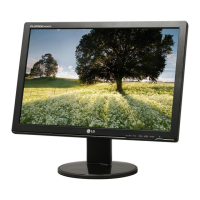
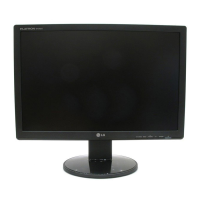
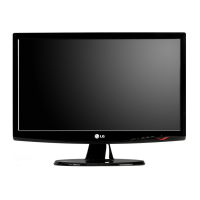
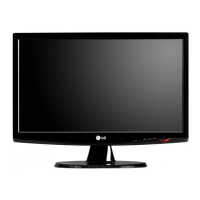
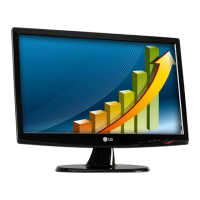
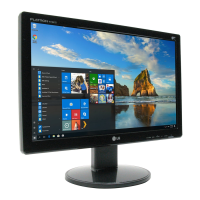
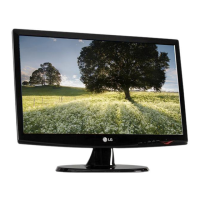
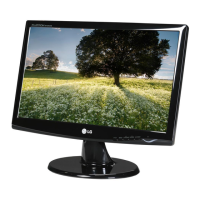
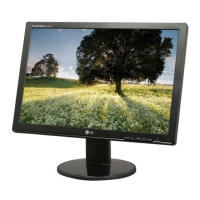
This document is a user's guide for several LG monitor models: W1942T, W2042T, W2242T, W1942TB, W1942TQ, W2042TQ, and W2242TQ. It provides essential information for safe installation, operation, troubleshooting, and maintenance of these displays.
Function Description:
These devices are Flat Panel Active Matrix-TFT LCD monitors designed for use with computers. They serve as visual output devices, displaying images and text from a connected computer system. The monitors support both analog (D-Sub) and digital (DVI-D) input signals, allowing compatibility with a wide range of graphics cards. They feature an On Screen Display (OSD) control system for adjusting various display parameters, including image size, position, color, and clarity. Specific models offer different screen sizes (19, 20.1, or 22 inches) and corresponding optimal resolutions. The monitors also include an f-ENGINE feature for optimizing image conditions based on content type (movie, internet, user-defined, normal, or demo).
Important Technical Specifications:
- Display Type: Flat Panel Active Matrix-TFT LCD with Anti-Glare coating.
- Screen Sizes:
- W1942T/W1942TB/W1942TQ: 19 inches (48.14 cm) viewable, 0.285 x 0.285 mm pixel pitch.
- W2042T/W2042TQ: 20.1 inches (51.11 cm) viewable, 0.258 x 0.258 mm pixel pitch.
- W2242T/W2242TQ: 22 inches (55.868 cm) viewable, 0.282 x 0.282 mm pixel pitch.
- Sync Input (Horizontal Frequency):
- Analog: 28 - 83 kHz (Automatic)
- Digital: 28 - 83 kHz (Automatic)
- Sync Input (Vertical Frequency): 56 - 75 Hz (Automatic)
- Input Form: Separate TTL, Positive/Negative, SOG (Sync On Green), Digital (HDCP).
- Video Input:
- 15 pin D-Sub Connector (Analog)
- DVI-D Connector (Digital)
- Input Form (Signal): RGB Analog (0.7 Vp-p/ 75 ohm), Digital.
- Recommended Resolution:
- 19-inch models: VESA 1440 x 900 @ 60 Hz (Analog/Digital).
- 20.1/22-inch models: VESA 1680 x 1050 @ 60 Hz (Analog/Digital).
- Plug&Play: DDC 2B compliant.
- Power Consumption (Typical):
- 19-inch models: 36W (On Mode), ≤ 1W (Sleep Mode), ≤ 1W (Off Mode).
- 20.1/22-inch models: 40W (On Mode), ≤ 1W (Sleep Mode), ≤ 1W (Off Mode).
- Dimensions & Weight (With Stand):
- W1942T series: 44.84 cm (W) x 38.33 cm (H) x 19.84 cm (D), 4.1 kg (Net).
- W2042T series: 47.39 cm (W) x 39.04 cm (H) x 19.84 cm (D), 4.5 kg (Net).
- W2242T series: 51.57 cm (W) x 41.80 cm (H) x 20.94 cm (D), 4.65 kg (Net).
- Tilt Range: -5° to 20°.
- Power Input: AC 100-240V~ 50/60Hz (0.8A for 19-inch, 1.0A for 20.1/22-inch).
- Operating Conditions: 10°C to 35°C, 10% to 80% non-Condensing humidity.
- Storage Conditions: -20°C to 60°C, 5% to 90% non-Condensing humidity.
- Stand Base: Attached (default) or Detached (optional).
- Power Cord: Wall-outlet type or PC-outlet type.
Usage Features:
- Stand Assembly: The monitor stand is designed for easy assembly with a "click" mechanism and a base lock for stability. Disassembly involves turning a lock and pushing a button.
- Ergonomic Tilt: The display panel can be tilted from -5° to 20° for comfortable viewing. A forward tilt angle not exceeding 5 degrees is recommended for ergonomics.
- Computer Connection: Supports connection to a computer via DVI cable (digital) or D-Sub cable (analog). Mac users may require a separate plug adapter for D-Sub connection.
- Front Panel Controls:
- 4:3 in Wide: Adjusts image size to 4:3 aspect ratio, automatically optimizing based on input signal.
- MENU Button: Enters/exits the On Screen Display (OSD). Can lock/unlock OSD controls by holding for several seconds.
- Buttons (▲▼): Navigates OSD menus and adjusts settings.
- f-ENGINE Button: Activates the f-ENGINE feature for image optimization (Movie, Internet, User, Normal, Demo modes).
- SOURCE Button: Switches between D-Sub and DVI inputs when two computers are connected.
- AUTO/SET Button: Enters OSD selections and performs auto image adjustment (optimal settings for current resolution, especially for analog mode).
- Power Button: Turns the display on/off.
- Power Indicator: Blue for normal operation, amber for sleep mode.
- On Screen Display (OSD): Comprehensive menu system for adjusting:
- PICTURE: Brightness, Contrast, Gamma.
- COLOR: Preset color temperatures (sRGB, 6500K, 9300K), and individual Red, Green, Blue levels.
- TRACKING: Horizontal/Vertical position, Clock, Phase, Sharpness (for clarity and stability).
- SETUP: Language, OSD Position, White Balance (for analog signals), Power Indicator (on/off), Factory Reset.
- f-ENGINE: Image presets (Movie, Internet, User, Normal, Demo) for optimized viewing based on content. User mode allows manual adjustment of brightness, ACE (Adaptive Clarity Enhancer), and RCM (Real Color Management).
- Wall Mount Compatibility: Supports VESA-compliant wall mount plates (sold separately).
- Kensington Security Slot: Allows connection of a locking cable for theft prevention.
Maintenance Features:
- Cleaning: Unplug the display before cleaning. Use a slightly damp (not wet) cloth. Avoid aerosol sprays directly on the screen to prevent electrical shock.
- Repacking: Retain original carton and packing materials for safe transport if the unit needs to be moved.
- Disposal: The product contains a fluorescent lamp with mercury and should not be disposed of with general household waste. Follow local authority regulations for disposal.
- Troubleshooting Guide: Provides solutions for common issues such as no image, incorrect display position, vertical bars/stripes, horizontal noise, incorrect screen color, blinking screen, and display driver problems.
- Display Driver Installation: Recommends installing the display driver from the provided CD or LG website for optimal performance and Plug&Play functionality.
- Optimal Resolution: Emphasizes using the recommended resolution (1440x900 for 19-inch, 1680x1050 for 20.1/22-inch) for best image quality, especially given the 16:10 aspect ratio. Using other resolutions may result in blurred images or cut-off displays.


 To Next Page
 General