17Installation
3
Installation
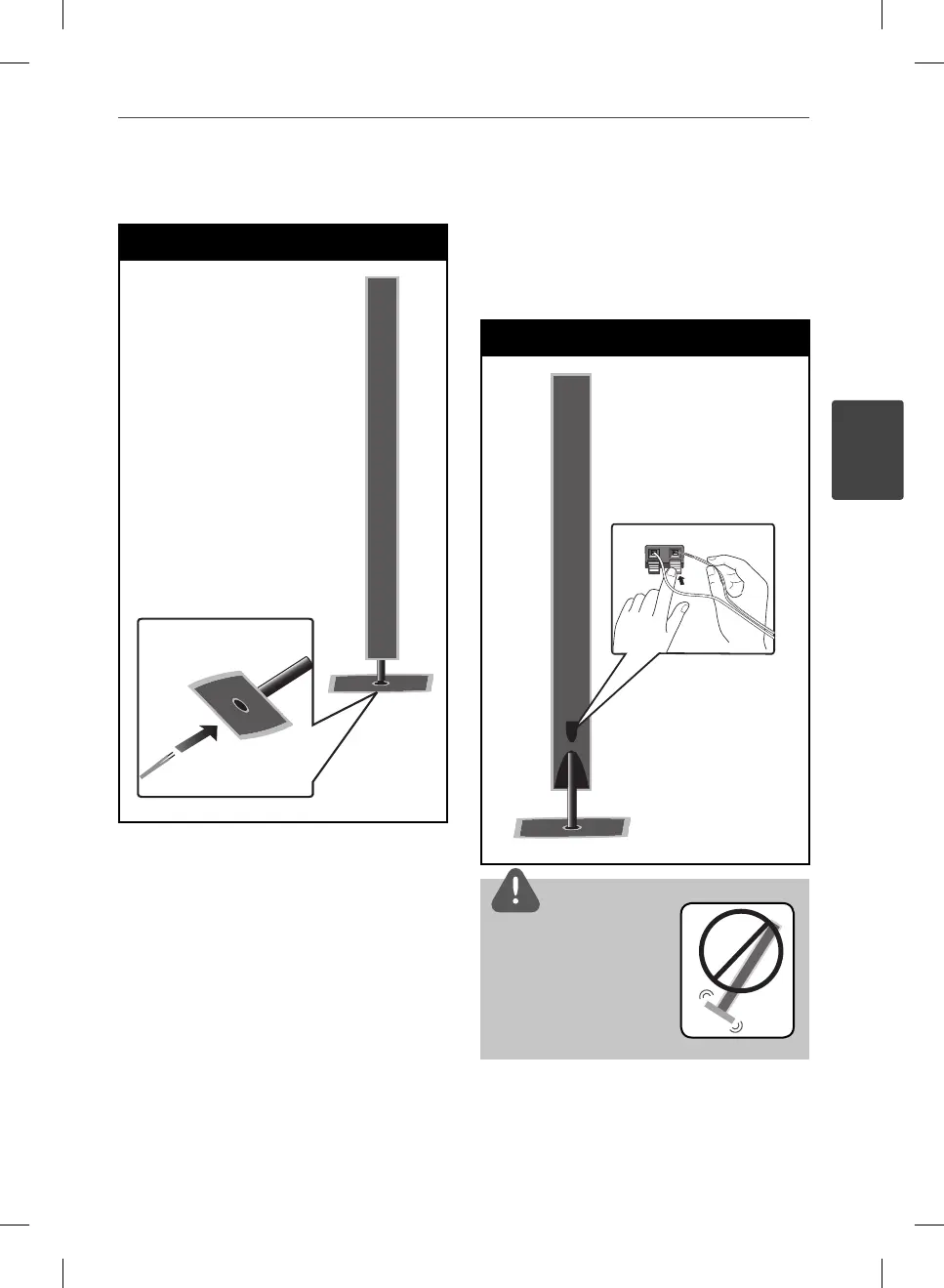
2. Insert a speaker wire from the bottom of
the base.
Step 2
3. Connect the speaker wire to the terminal
on the speaker.
Make sure the wire marked black goes in
to the terminal marked “–” (minus) and the
other wire goes in to the terminal marked
“+” (plus).
Step 3
CAUTION
Be careful that the speaker
should not fall down.
Otherwise it may result in the
speaker malfunctioning and
causing personal injury and/
or property damage.
HB965TXW-AD.BZAFLLK_ENG_0447.ind17 17HB965TXW-AD.BZAFLLK_ENG_0447.ind17 17 2010.3.9 6:14:57 PM2010.3.9 6:14:57 PM



 To Next Page