34 Installation
Installation
3
USB device
connection
This player can play movie, music and photo
les contained in the USB device.
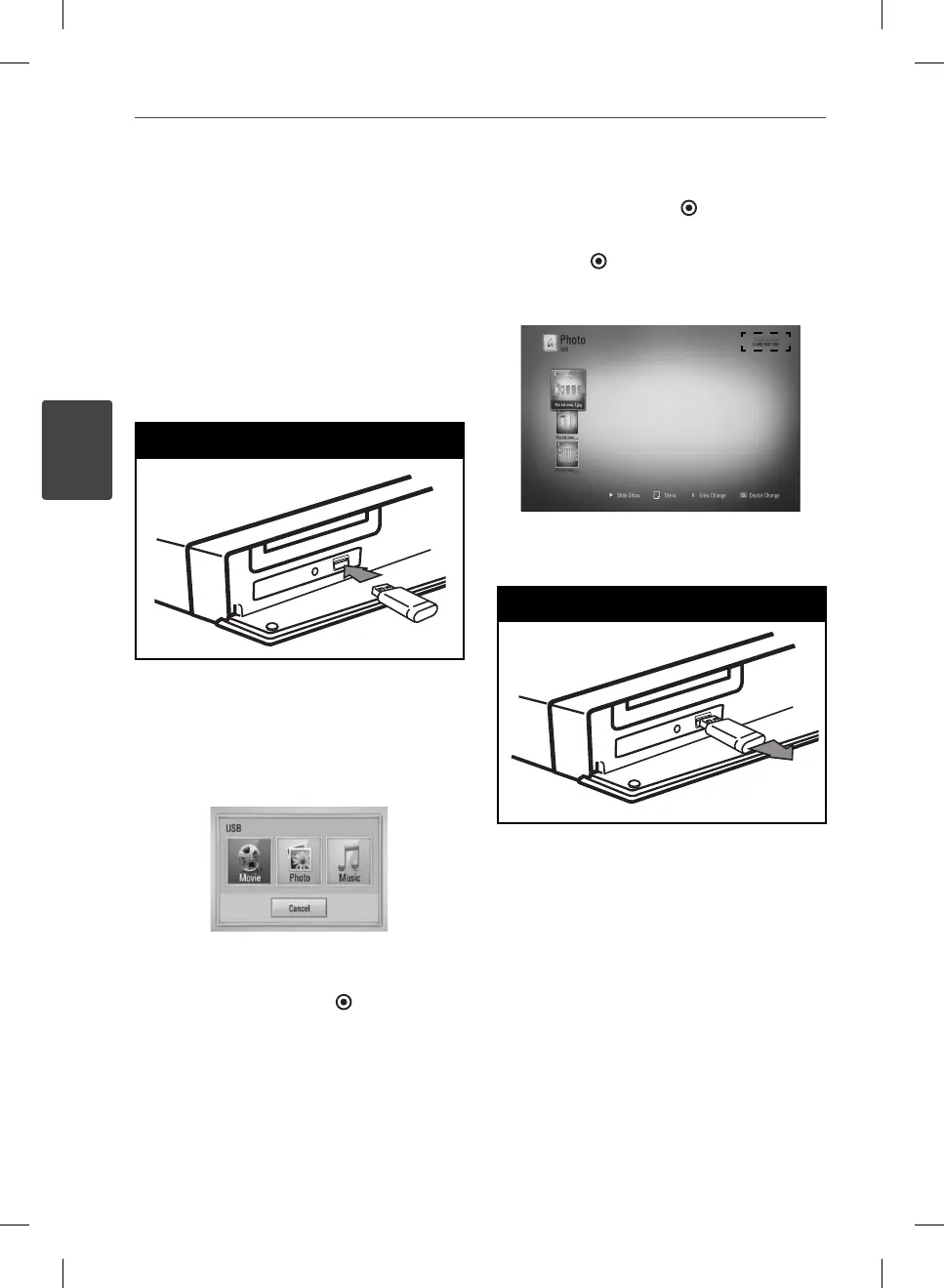
1. Insert a USB device to the USB port until it
ts into place.
USB Connection - 1
When you connect the USB device on
the HOME menu, the player plays a music
le contained in the USB storage device
automatically. If the USB storage device is
containing various types of les, a menu for
the le type selection will appear.
File loading may takes few minutes depending
on the number of content stored in the USB
storage device. Press ENTER ( ) while [Cancel]
is selected to stop loading.
2. Select [Movie], [Photo] or [Music] using
I
/
i
, and press ENTER (
).
3. Select a le using
U
/
u
/
I
/
i
, and press PLAY
or ENTER (
) to play the le.
You can check the space of the USB device
on the screen.
4. Select the other mode. And withdraw the
USB device carefully.
USB Connection - 2
HB965TXW-AD.BZAFLLK_ENG_0447.ind34 34HB965TXW-AD.BZAFLLK_ENG_0447.ind34 34 2010.3.9 6:15:5 PM2010.3.9 6:15:5 PM



 To Next Page