48 Operation
Operation
4
Using the search menu
BD
DVD
AVCHD
MOVIE
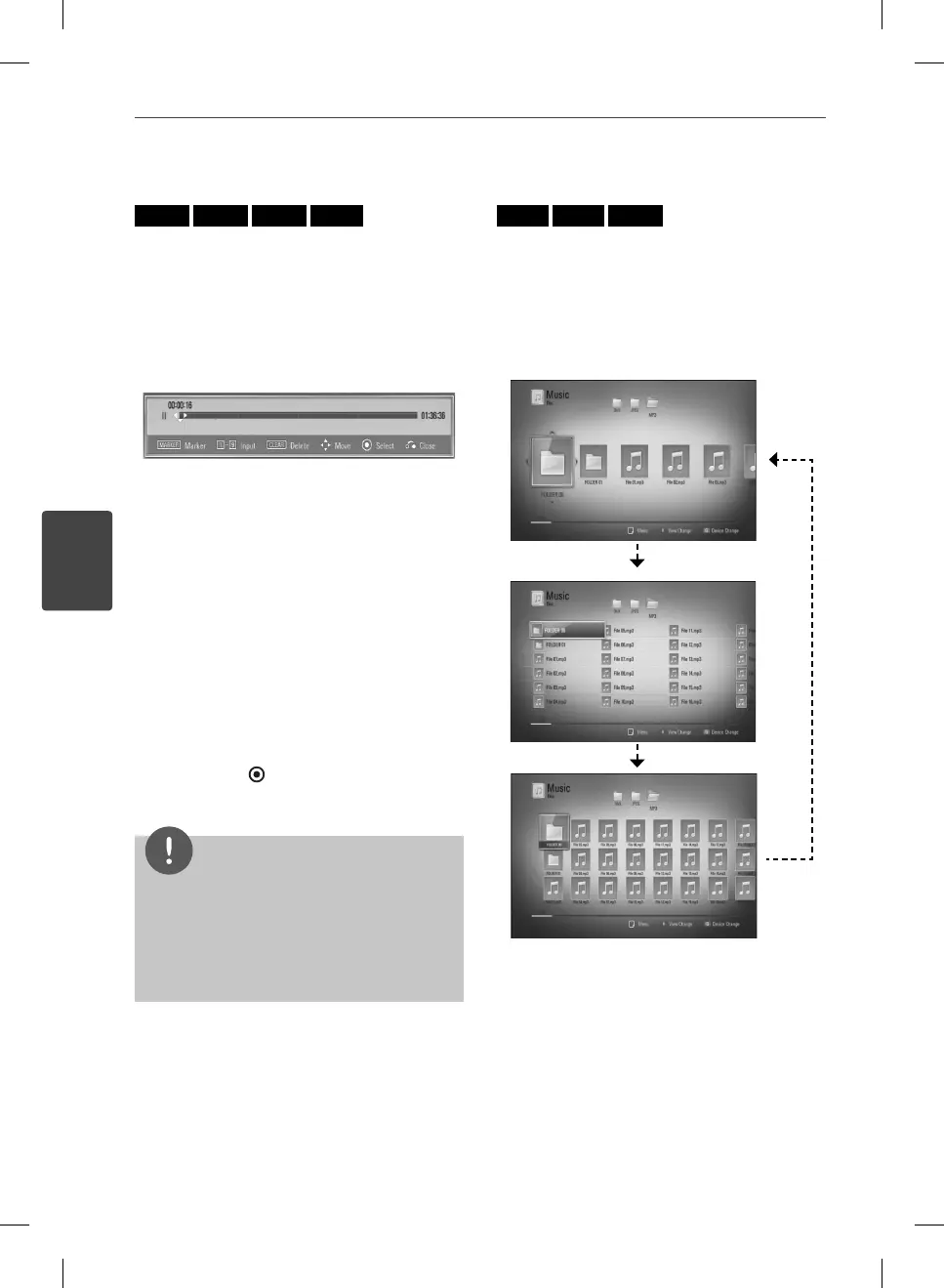
Using search menu, you can easy to nd the
point where you want to start playback.
To search a point
1. During playback, press SEARCH to display
the search menu.
2. Press
I
/
i
to skip the playback 15 seconds
forward or backward. You can select a
point that you want to skip by pressing and
holding
I
/
i
button.
To start playback from a marked
scene
1. Press SEARCH and the search menu appears
on the screen.
2. Press
u
to highlight a marker number. Use
I
/
i
to select a marked scene that you
want to start playback from.
3. Press ENTER (
) to start playback from the
marked scene.
NOTE
This function may not work depending on discs,
titles, server ability.
This function may not work on some [Home
Link] contents depending on the le type and
ability of the DLNA server.
•
•
Changing content list view
MOVIE
MUSIC
PHOTO
On the [Movie], [Music], [Photo] or [Home Link]
menu, you can change the content list view.
Method 1
Press red (R) colored button repeatedly.
HB965TXW-AD.BZAFLLK_ENG_0447.ind48 48HB965TXW-AD.BZAFLLK_ENG_0447.ind48 48 2010.3.9 6:15:11 PM2010.3.9 6:15:11 PM



 To Next Page