2 Connecting
Connecting 17
Connecting
2
Installing the player
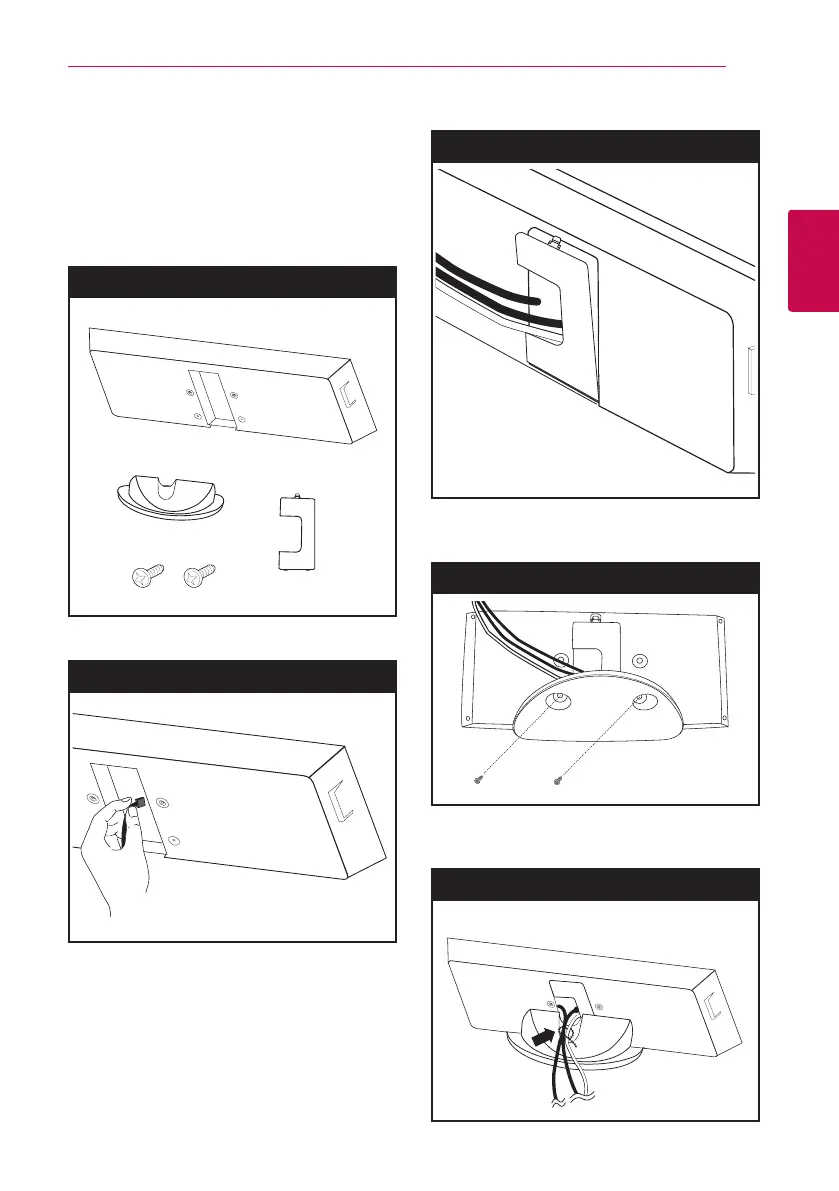
You can stand the player or mount on a wall.
Assembling the player with
stand
Preparation
1. Connect the cables.
Step 1
2. Assemble the rear cover as shown below.
Step 2
3. Attach the stand to the player. Then secure the
connection with the supplied screws.
Step 3
4. Arrange the cable with cable holder as shown
below.
Step 4



 To Next Page