EasyManua.ls Logo

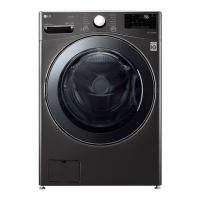
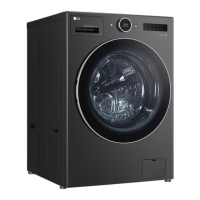
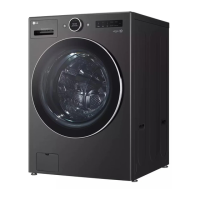
LG WM3555HVA - User Manual

LG WM3555HVA
180 pages
Print Icon
To Next Page IconTo Next Page
Loading...
OWNER'S MANUAL
WASHER AND DRYER
Read this owner's manual thoroughly before operating the
appliance and keep it handy for reference at all times.
ENGLISH
WM3555H*A
MFL71521479
Rev.00_101221
www.lg.com
Copyright © 2021 LG Electronics Inc. All Rights Reserved.
us_main.book.book Page 1 Tuesday, October 12, 2021 1:56 PM

Table of Contents

Questions and Answers

  • M
    Matthew SandersSep 23, 2025
    What does OE WATER OUTLET ERROR mean on my LG WM3555HVA Washer/Dryer, and how can I resolve it?
    • B
      Brenda MirandaSep 23, 2025
      If your LG Washer/Dryer displays an OE WATER OUTLET ERROR, it indicates a problem with the water outlet. Make sure that the drain hose is free of clogs or kinks and is not pinched behind or under the washer. Move the end of the drain hose so that it is lower than 96 inches (2.4 m).
  • R
    Richard LiAug 23, 2025
    How to troubleshoot Wi-Fi connection issues with my LG Washer/Dryer?
    • A
      Alexandra CraigAug 23, 2025
      Experiencing Wi-Fi connection problems with your LG Washer/Dryer? Here are a few things to try: * Ensure the Wi-Fi password was entered correctly. If not, delete the network and reconnect. * Turn off mobile data on your smartphone during the connection process. * The wireless network name (SSID) should be a combination of English letters and numbers. * Set the wireless router to 2.4 GHz and connect the appliance to the wireless router.
  • W
    Wendy JohnsonAug 25, 2025
    Why is water draining slowly from my LG WM3555HVA?
    • R
      rleeAug 26, 2025
      If water is draining slowly from your LG Washer/Dryer, check the drain hose for clogs, kinks, or pinches behind or under the washer. Also, make sure that the end of the drain hose is not more than 96 inches (2.4 m) above the bottom of the washer; if it is, lower it.
  • E
    Elijah Sanchez DDSAug 26, 2025
    How to fix the IE inlet error on my LG Washer/Dryer?
    • T
      Tara MclaughlinAug 26, 2025
      To fix the IE inlet error on your LG Washer/Dryer, ensure that the water supply faucets are fully open. Check the water inlet hoses for kinks, pinches, or crushing behind or under the washer. Clean the water inlet filters. Verify that the water supply pressure to the faucet or house is adequate by checking another faucet. Disconnect the water inlet hoses and flush out any dirt. Note that using leak-limiting hoses is not recommended as they can falsely trip and prevent filling.
  • C
    Carrie RobersonAug 27, 2025
    What does the OE water outlet error mean on my LG Washer/Dryer and how do I fix it?
    • J
      James OrtegaAug 27, 2025
      The OE water outlet error on your LG Washer/Dryer indicates a drainage issue. Ensure that the drain hose is free of clogs or kinks and is not pinched behind or under the washer. Also, verify that the end of the drain hose is not more than 96 inches (2.4 m) above the bottom of the washer and adjust if necessary.
  • D
    david70Sep 16, 2025
    What does PE PRESSURE SENSOR ERROR mean on my LG WM3555HVA Washer/Dryer, and how can I resolve it?
    • F
      Franklin PrinceSep 16, 2025
      If your LG Washer/Dryer displays a PE PRESSURE SENSOR ERROR, it means the water level sensor is not working correctly. Close the water faucets, unplug the washer, and call for service.
  • J
    Joshua FisherSep 13, 2025
    What should I do if my LG WM3555HVA displays an FE OVERFLOW ERROR?
    • J
      Jasmin HarrisSep 13, 2025
      If your LG Washer/Dryer displays an FE OVERFLOW ERROR, it indicates that the water level is too high due to a faulty water valve. Close the water faucets, unplug the washer, and call for service.
  • B
    Brian ZavalaSep 14, 2025
    What does tE TEMPERATURE SENSOR ERROR mean on my LG Washer/Dryer, and how do I fix it?
    • G
      Garrett HowardSep 15, 2025
      If your LG Washer/Dryer displays a tE TEMPERATURE SENSOR ERROR, it indicates a control error. Unplug the washer and wait 60 minutes. Reconnect power and try again. If the error code is still displayed, call for service.
  • T
    Thomas MooreSep 5, 2025
    Why is my LG WM3555HVA not turning on?
    • A
      Annette MillerSep 6, 2025
      If your LG Washer/Dryer isn't turning on, check these possible causes: * Ensure the power cord is securely plugged into a grounded, 3-prong, 120-VAC, 60 Hz outlet. * Check if a house fuse is blown, a circuit breaker has tripped, or there's a power outage. Reset the circuit breaker or replace the fuse if necessary.
  • C
    Connie RossSep 3, 2025
    What to do if I see IE inlet error on my LG WM3555HVA Washer/Dryer?
    • D
      Dennis WalkerSep 3, 2025
      The IE INLET ERROR indicates a problem with the water supply. Here's what to check: * Ensure water supply faucets are fully open. * Check that water inlet hoses are not kinked, pinched, or crushed. * Clean the water inlet filters. * Verify adequate water pressure and flow by checking another faucet. Disconnect the water inlet hoses and flush them to remove any dirt. If the flow remains low, contact a plumber. * Avoid using leak-limiting hoses, as they can falsely trigger the error.

Summary

Important Safety Instructions

Safety Messages

Provides safety alerts and explains warning symbols and terms like WARNING and CAUTION.

Warning Statements

Details safety precautions related to installation and operation to prevent severe injury or death.

Grounding Instructions

Explains the importance of proper grounding for electrical safety and risk reduction.

Caution Statements

Outlines precautions to reduce the risk of minor injury, malfunction, or product/property damage.

Installation

Before Installing

General guidelines and overview before proceeding with the installation process.

Connecting the Water Inlet Hoses

Step-by-step guide for connecting water supply hoses to the washer and faucets.

Connecting the Drain Hose

Procedures for properly connecting the drain hose to a standpipe or laundry tub.

Leveling the Washer

Instructions on how to adjust leveling feet to ensure stability and minimize vibration.

Operation

Before Use

Essential steps and safety checks to perform before operating the appliance for the first time.

Smart Functions

Smart Diagnosis Function

Explains how to use the app or audible tones to diagnose and resolve appliance issues.

Troubleshooting

Before Calling for Service

Initial checks and FAQs to help diagnose and resolve common washer problems before contacting support.

Error Messages

Lists common error codes displayed by the washer and their corresponding causes and solutions.

Noises

Identifies common noises the washer might make and their possible causes and solutions.

Water Leaking

Troubleshooting steps for water leaks, including checking hose connections and drain pipes.

Excessive Sudsing

Addresses issues with too much sudsing, often related to detergent type or amount.

Washer Will Not Turn On

Steps to troubleshoot why the washer is unresponsive, checking power, water supply, and controls.

LG WM3555HVA Specifications

General IconGeneral
BrandLG
ModelWM3555HVA
CategoryWasher/Dryer
LanguageEnglish

Related product manuals