EasyManua.ls Logo

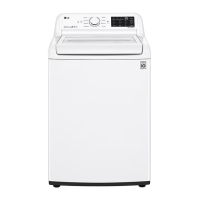
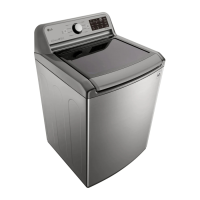
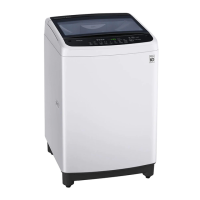
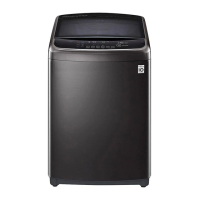
LG WT22BSS6H - User Manual

LG WT22BSS6H
92 pages
Print Icon
To Next Page IconTo Next Page
Loading...
www.lg.com
Copyright © 2019-2020 LG Electronics Inc. All Rights Reserved
MFL68267060
Rev.03_010720
OWNER’S MANUAL
WASHING
MACHINE
Before beginning installation, read these instructions carefully.
This will simplify installation and ensure that the product is
installed correctly and safely. Leave these instructions near the
product after installation for future reference.
WT22BSS6H WT22WS6H
WT22VSS6H
EN ENGLISH LS ESPAÑOL

Table of Contents

Questions and Answers

  • T
    Teresa WyattNov 20, 2025
    What to do if my LG Washer is leaking?
    • P
      pamela66Nov 20, 2025
      If your LG Washer is leaking water, check the following: * Ensure the supply hose connections are tight at both the tap and the washing machine. Inspect the hoses for leaks, cracks, or splits, and tighten the connections. * Check for clogged house drain pipes. Since the washer pumps out water rapidly, look for water backing up during the drain cycle. If you see water coming out of the drain, verify the drain hose installation and check for drain restrictions. Contact a plumber if needed. * Make sure the drain hose is properly inserted into the drain and secured to prevent it from coming out during the drain cycle. For smaller drain pipes, insert the drain hose to the flange. For larger pipes, insert it 2.5 - 5 cm past the flange. * Ensure that large items, like pillows or blankets...
  • S
    Shaun MorganNov 27, 2025
    Why my LG WT22BSS6H and smartphone is not connected to the Wi-Fi network?
    • C
      Cheyenne RobertsNov 27, 2025
      If your home appliance and smartphone is not connected to the Wi-Fi network: * Find the Wi-Fi network connected to your smartphone and remove it, then register your appliance on LG ThinQ if the password for the Wi-Fi that you are trying to connect to is incorrect. * Turn off the Mobile data of your smartphone and register the appliance using the Wi-Fi network if mobile data for your smartphone is turned on. * The wireless network name (SSID) should be a combination of English letters and numbers. (Do not use special characters.) if the wireless network name (SSID) is set incorrectly. * Only a 2.4 GHz router frequency is supported. Set the wireless router to 2.4 GHz and connect the appliance to the wireless router. To check the router frequency, check with your Internet service pro...
  • M
    Mark ThomasDec 1, 2025
    What to do for error messages on my LG Washer?
    • A
      Anne RosalesDec 1, 2025
      To solve error messages on your LG Washer: * Close the door completely. If the error code is not released, call for service if the door is not closed properly. * Check nothing is caught under the door, including shipping materials or clothing. Close the door completely. If the error code is not released, call for service if there is a door lock switch error. * Fully open tap if water supply taps are not fully open. * Straighten the hose(s) if water line hoses are kinked, pinched, or crushed. * Clean the inlet filters if water inlet filters are clogged. * Contact a plumber to have the water lines repaired if water supply pressure to tap or house is too low. * Do not use leak limiting hoses if water supply connected with leaklimiting hoses. * Turn off the washing machine and...

LG WT22BSS6H Specifications

General IconGeneral
BrandLG
ModelWT22BSS6H
CategoryWasher
LanguageEnglish

Related product manuals