EasyManua.ls Logo

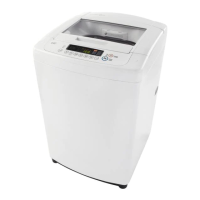
LG WT901CW - User Manual

LG WT901CW
76 pages
Print Icon
To Next Page IconTo Next Page
Loading...
OWNER’S MANUAL
WASHING MACHINE
WT901CW
MFL68485601_06
www.lg.com
Please read this owner's manual thoroughly before operating and keep it handy
for reference at all times.
ENGLISH
ESPAÑOL

Table of Contents

Other manuals for LG WT901CW

Questions and Answers

  • D
    davidgarciaAug 6, 2025
    Why my LG WT901CW will not turn on?
    • J
      Joshua McdonaldAug 6, 2025
      If your LG Washer won't turn on, first ensure the power cord is properly plugged into a grounded, 3-prong outlet. Check your house fuse or circuit breaker and reset it or replace the fuse if necessary. If a circuit overload is the issue, have it corrected by a qualified electrician.
  • K
    Kenneth BakerAug 10, 2025
    Why is my LG WT901CW filling with water slowly?
    • A
      Adam JonesAug 11, 2025
      If your LG Washer is filling slowly or not at all, ensure the water supply faucets are fully open and the water line hoses aren't kinked, pinched, or crushed. Clean the inlet filters, as described in the Care and Cleaning section. Check your household water pressure by testing another faucet. If the pressure is low, contact a plumber to repair the water lines. Also, avoid using leak-limiting hoses, as they can falsely trip and prevent filling.
  • C
    cheryl90Aug 14, 2025
    How to fix an LG WT901CW that will not turn on?
    • Z
      zmartinezAug 14, 2025
      If your LG Washer won't turn on, verify that the power cord is securely plugged into a grounded, 3-prong, 120-VAC, 60-Hz outlet. Also, check your house fuse or circuit breaker and reset or replace it if necessary. If a circuit overload is the issue, have it corrected by a qualified electrician.
  • M
    Mrs. Ashley Edwards MDAug 19, 2025
    What to do if my LG WT901CW fills slowly?
    • J
      Jasmine HinesSep 12, 2025
      If your LG Washer is filling slowly or not at all, ensure the water supply faucets are fully open and the water line hoses are not kinked, pinched, or crushed. Clean the inlet filters, and check household water pressure. Disconnecting the inlet hose from the washer and running a few gallons of water through the hose can help flush the water supply lines. Note that leak-limiting hoses are not recommended as they can falsely trip and prevent the washer from filling.
  • D
    Daniel JonesAug 23, 2025
    How to fix slow draining in my LG Washer?
    • B
      Brandi PalmerAug 25, 2025
      If your LG Washer drains slowly or not at all, make sure the drain hose is free of clogs, kinks, etc., and is not pinched. Adjust or repair the drain hose if needed. The maximum drain height should be 96 inches (8 ft.).
  • C
    Caleb PopeAug 27, 2025
    What to do if my LG WT901CW shows an error after an unsuccessful rebalance attempt?
    • K
      kimdianaAug 28, 2025
      If your LG Washer displays an error after an unsuccessful rebalance attempt, it means the automatic attempt to rebalance the load was not successful and the cycle has been paused to allow the load to be manually adjusted. Small loads may need additional items to be added to allow the washer to balance the loads. The load may have heavy items loaded with lighter items. Always try to wash articles of somewhat similar weight to allow the washer to evenly distribute the weight of the load for spinning. Manually redistribute the load if articles have become tangled preventing the automatic distribution from working properly.
  • F
    fitzpatricksusanSep 1, 2025
    What to do if my LG WT901CW displays an error because the lid is not closed properly?
    • K
      Kristie HowardSep 1, 2025
      If your LG Washer displays an error because the lid is not closed properly, make sure that the lid is closed properly and press the START/PAUSE button. After starting a cycle, it may take a few moments before the tub begins to turn or spin. The washer will not spin unless the lid is closed. Make sure the fold-down lid is in the extended position so the door sensor will operate properly. If the lid is closed and the error message is displayed, call for service.

Summary

Important Safety Instructions

Basic Safety Precautions

Essential safety rules for general use and operation to prevent hazards.

Grounding Instructions

Guidelines for proper electrical grounding of the appliance to prevent shock.

Safety Instructions for Installation

Crucial safety measures to follow during the installation process.

Safety Instructions for Use, Care, Cleaning, and Disposal

Safety guidelines for operating, maintaining, and disposing of the washer.

Product Features Overview

Smart Diagnosis System

Explains the diagnostic feature for remote technical issue analysis.

Installation Instructions

Installation Overview

A step-by-step visual guide to the entire installation process.

Choose the Proper Location

Guidance on selecting a suitable and stable installation site.

Power Outlet Requirements

Requirements and considerations for the electrical power outlet.

Flooring Recommendations

Recommendations for floor type and stability to minimize vibration.

Unpack and Remove Shipping Material

Instructions for safely removing packaging and shipping restraints.

Connect the Water Lines

Steps for connecting hot and cold water supply hoses to the washer.

Connect the Drain Hose

Instructions for correctly attaching and securing the drain hose.

Level the Washer

Procedures for adjusting leveling feet to ensure stability and proper operation.

Connect to the Power Supply

Guidance on plugging the washer into a suitable electrical outlet.

Test the Washer

Steps to perform a test run after installation to verify functionality.

Using Your Washing Machine

Cycle Guide

A chart detailing cycles, fabric types, and available options.

Maintenance and Care

Troubleshooting Guide

Checking Error Messages

How to interpret and resolve error codes displayed on the washer.

Before Calling for Service

Steps to take before contacting customer support to resolve common issues.

Specifications and Smart Diagnosis

Using the Smart Diagnosis System

Instructions on how to use the remote diagnostic feature for troubleshooting.

LG WT901CW Specifications

General IconGeneral
Styletop load
Colorwhite, smooth white
Washer Capacity3.3 cubic feet
Max Spin Speed700 revolutions per minute
Spin Speeds3
Number of Cycles8
Cycle Selectionsrinse + spin, spin only, cotton/normal, tub clean, bulky/bedding, heavy duty, speed wash, delicates
Optionsextra rinse, fabric softener, delay wash, child lock, signal, water plus
Temperature Settings3
Temperature Selectionshot, warm, cold
Soil Levelslight, normal, heavy
Control Panelelectronic
Delay Start / Endyes
Child Lockyes
Cycle Signalyes
Annual Energy Consumption80 kilowatt hours
Voltage120 volts
Current5 amperes
Weight and Dimensions IconWeight and Dimensions
Depth26.4 inches

Related product manuals