EasyManua.ls Logo

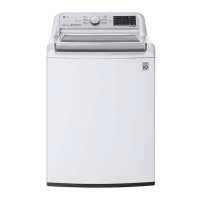
LG WT7800C Series - User Manual

LG WT7800C Series
176 pages
Print Icon
To Next Page IconTo Next Page
Loading...
OWNER'S MANUAL
WASHING MACHINE
Read this owner's manual thoroughly before operating the
appliance and keep it handy for reference at all times.
ENGLISH
WT7800C*
MFL68267050
Rev.02_102120
www.lg.com
Copyright © 2020 LG Electronics Inc. All Rights Reserved.

Table of Contents

Other manuals for LG WT7800C Series

Questions and Answers

  • D
    dannydavisAug 8, 2025
    What to do if my LG WT7800C displays a UE Unbalance Error?
    • G
      garnerdanielAug 8, 2025
      If your LG Washer is showing a UE Unbalance Error, it could be due to several reasons: * The load might be too small. Add additional items to help balance the load. * Heavy articles might be mixed with lighter items. Always wash articles of similar weight to allow the washer to evenly distribute the load for spinning. * The load could be out of balance. Manually redistribute the load if articles have become tangled, preventing automatic rebalancing.
  • T
    ttaylorAug 17, 2025
    How to fix OE Water Outlet Error on my LG Washer?
    • C
      Chris PriceAug 17, 2025
      The OE Water Outlet Error on your LG Washer can be resolved by checking the following: * Ensure the drain hose is free of clogs or kinks and is not pinched behind or under the washer. * Make sure the end of the drain hose is not more than 96 inches (2.4 m) above the bottom of the washer. If it is, reposition the end of the drain hose lower.
  • L
    Lisa Meyers MDOct 27, 2025
    Why does my LG Washer show IE Inlet Error?
    • G
      Gavin ManningOct 27, 2025
      The IE Inlet Error on your LG Washer can occur for several reasons: * The water supply faucets might not be fully open, so ensure they are. * The water inlet hoses could be kinked, pinched, or crushed. Check the hoses behind or under the washer. * The water inlet filters may be clogged. In this case you should clean the inlet filters. * The water supply pressure to the faucet or house might be too low. Check another faucet in the house to ensure adequate water pressure. Disconnect the water inlet hoses from the washer and run a few gallons of water through the hoses to flush out any dirt. If the flow is still too low, contact a plumber to repair the water supply lines. * The water supply is connected with leak-limiting hoses. The use of these hoses is not recommended, as they ca...

Summary

Important Safety Instructions

Warning Statements

General warnings for safe operation and installation of the appliance.

Caution Statements

Precautions to reduce minor injury, malfunction, or product damage.

Installation

Before Installing

Important warnings and considerations before installing the appliance.

Leveling the Washer

Procedures for ensuring the washer is level to minimize vibration.

Operation

Before Use

Essential safety warnings and overview of the operation process.

Operation Overview

Step-by-step guide for starting and operating the washing machine.

Sorting Laundry

Guidelines for sorting clothes by color, soil level, and fabric type for optimal washing.

Loading the Washer

Tips for properly loading the washer for best results and preventing damage.

Adding Cleaning Products

Instructions on using HE detergents, bleach, and fabric softener.

Wash Cycles

Explanation of available wash cycles and their default settings.

Smart Functions

LG ThinQ Application

Guide to connecting the washer to a smartphone via the LG ThinQ app.

Troubleshooting

Before Calling for Service

Initial checks and error message explanations before contacting support.

LG WT7800C Series Specifications

General IconGeneral
BrandLG
ModelWT7800C Series
CategoryWasher
LanguageEnglish

Related product manuals