ENGLISH
Connecting and Using
the Speaker
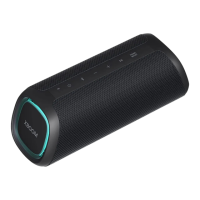
a Charge the speaker before using
it by opening the rear cover and
connect the speaker to an AC
adapter (not supplied).
b Charging a smartphone
A Press the Power button on the
speaker to turn it on.
You can only charge your smartphone in
Bluetooth mode.
B Open the back cover of the speaker
and connect the smartphone to the
(5 V 0 2 A) terminal via the
USB cable. The smartphone starts to
be charged.
c Connecting to an External Device
A Press the Power button on the
speaker to turn it on.
B Open the back cover of the speaker and
connect the external device to the AUX
terminal via a 3.5 mm stereo cable.
C Turn the external device on and start
playing.


 To Next Page
 Loading...