13
FACTORY RESET
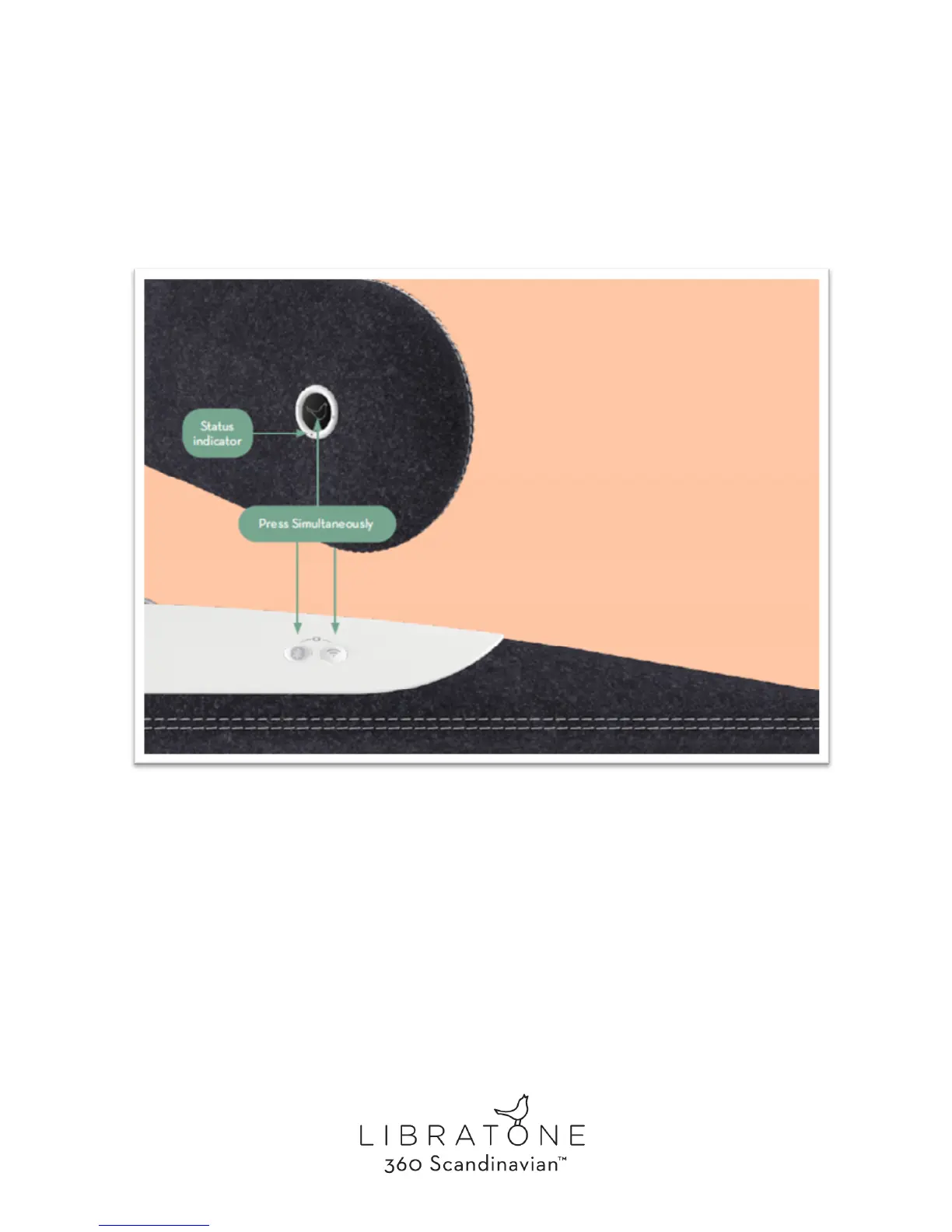
To clear all speaker settings on your Libratone Diva you need to perform a factory reset.
• Press and hold the “Bluetooth Button”, the “AirPlay Button” and the “Logo Button”
simultaneously until the “Status Indicator” starts blinking WHITE or BLUE, then release
the buttons.
• When the “Status Indicator” shows a WHITE or BLUE sequence after approx. 20 seconds,
your speaker has been factory reset and is ready for setup.



 To Next Page