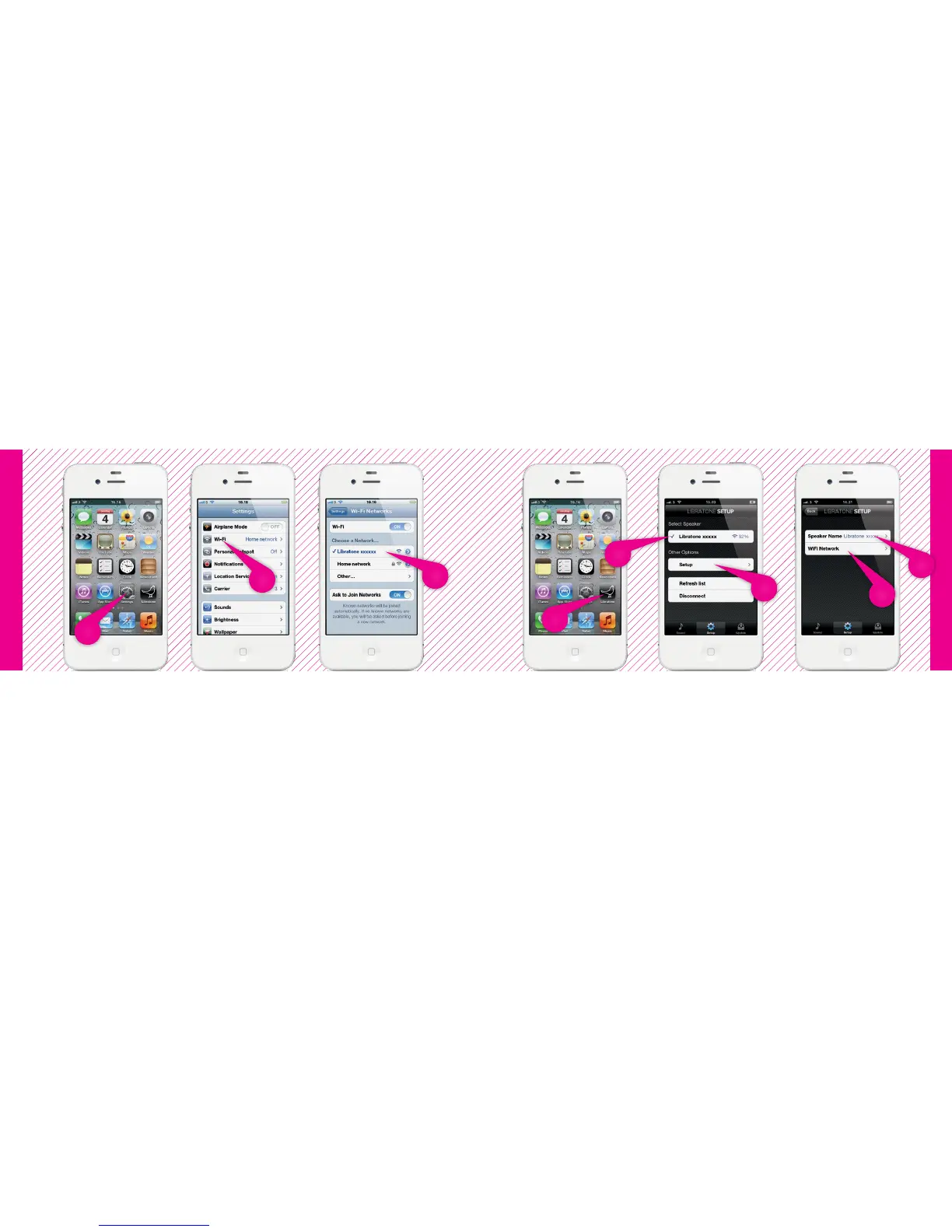
iPhone, iPad or iPod touch - Wi-Fi
iPhone, iPad or iPod touch - Wi-Fi
FIND YOUR SPEAKER
• Open “Settings” and press “Wi-Fi” connections on your iPhone.
• Choose the “Libratone” network.
SETUP YOUR LIBRATONE LIVE OR LOUNGE
• Open “Libratone” app, “Select Speaker” and press “Setup”.
• Type in: Speaker name.
• Press “Wi-Fi Network”, select your home Home Wi-Fi network and enter Password (if needed).
• Click “Apply”.
2
1
3
1
3
2
5
4
12 13



 To Next Page