Short press to adjust CityMix® noise cancelling level
Double press to activate Ambient Monitoring to lower the music and hear the world - double
press again to go back
Long press for 1s to power on/off
When powered off, press and hold Function Button for more than 3s to enter Bluetooth pairing
mode
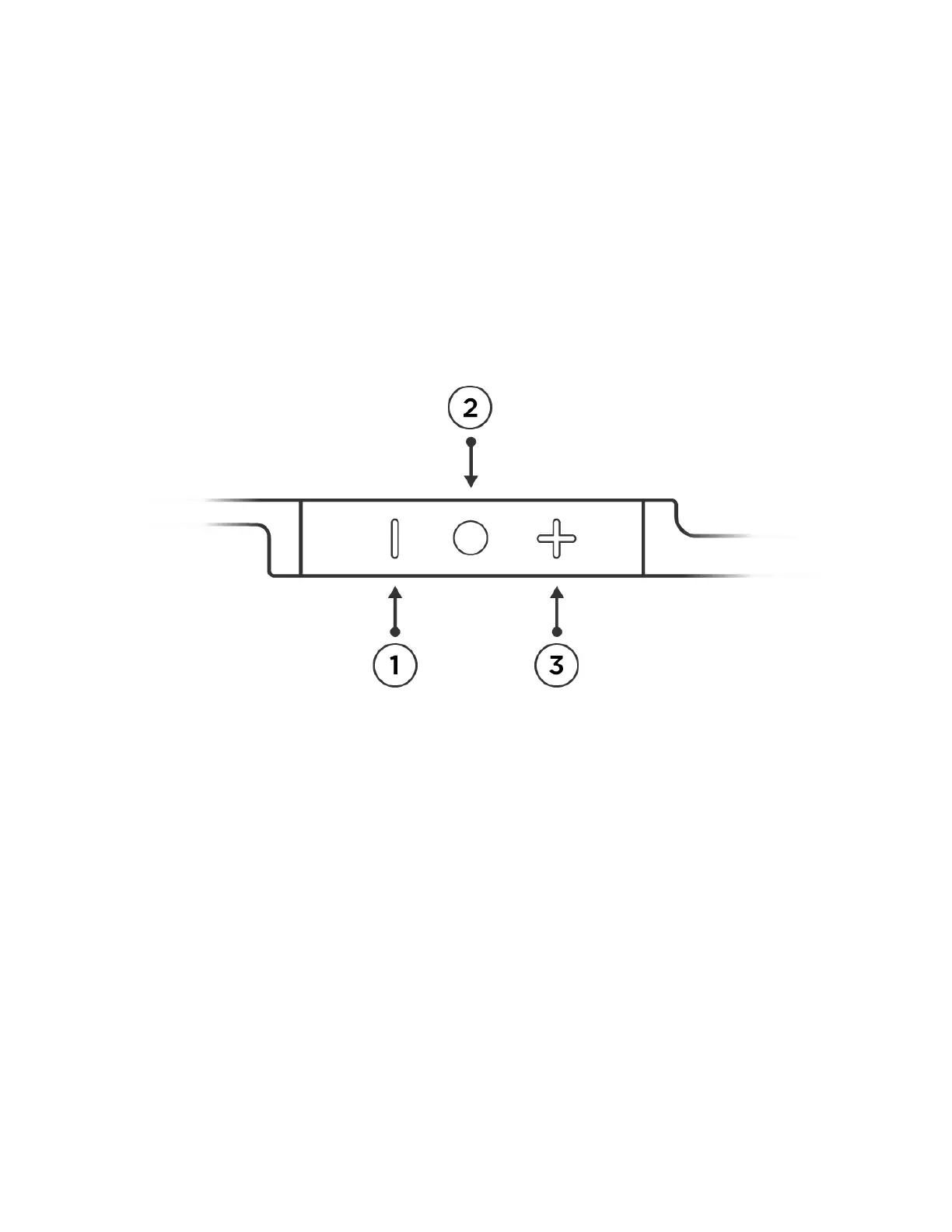
① Volume Down ② Play/Pause Button ③ Volume Up
Play/Pause Button
Short press to play & pause music / answer & end phone calls
Double click for next track
Triple click for previous track
Long press to enable voice assistant/reject call
(voice assistant is only available when your device supports it and is connected via Bluetooth)
Status Indication


 To Next Page