EasyManua.ls Logo

LIBRATONE Track+ - User Manual

LIBRATONE Track+
9 pages
Print Icon
To Next Page IconTo Next Page
Loading...
User Manual
App Download
Button And Interface Instruction
Bluetooth Connection
Basic Operation
Status Indication
CityMix® Smart
Plus 1
FAQ
Button And Interface Instruction
Function Button Volume Down Play/Pause Button Volume Up Charging Port
Indicator Light (LED)
Bluetooth Connection
1.Power On
Long press the Function Button for 1s until the LED is lit
Question and Answer IconNeed help?

Do you have a question about the LIBRATONE Track+ and is the answer not in the manual?

Summary

Button And Interface Instruction

Bluetooth Connection

Power On

Details the process of powering on the device by long-pressing the Function Button until the LED illuminates.

Enter Bluetooth Pairing Mode

Explains how the earphone enters pairing mode automatically or manually via the Function Button.

Select Product

Guides users to find and select 'Libratone TRACK+' from their phone's Bluetooth device list.

Connected

Confirms successful connection, indicated by the LED blinking twice.

Basic Operation

Button Functions

Covers functions of the Function Button, Volume Down, Play/Pause, and Volume Up buttons for music control and calls.

Status Indication

Indicator Light (LED)

Explains the meaning of different LED color patterns (blinking white, blinking red, solid white, off) during various operations.

CityMix Smart

CityMix Smart on;off

Describes how to enable/disable the CityMix® Smart feature via the App for automatic level adjustments.

Plus 1

Setup

Guides users to click the 'PLUS 1' icon in the App to complete the connection setup.

FAQ

Playback Interruption

Explains that playback may be interrupted if the distance exceeds 10m in a non-sheltered area.

Connection Issues

Troubleshooting connection problems, including re-pairing and connecting to multiple devices.

Automatic Power Off

Details automatic power-off after 30 minutes of inactivity, with the option to change this setting via the App.

Overview

This document outlines the user manual for a Libratone TRACK+ earphone, covering its functions, usage, and maintenance features. The manual begins with a table of contents, guiding users through various sections such as App Download, Button and Interface Instruction, Bluetooth Connection, Basic Operation, Status Indication, CityMix® Smart, Plus 1, and FAQ.

Button and Interface Instruction:

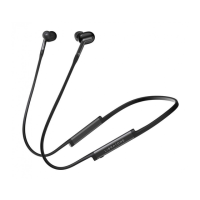
The earphone features a control panel with several buttons and an indicator light.

  1. Function Button (1): This button serves multiple purposes, including power on/off and Bluetooth pairing.
  2. Volume Down Button (2): Used to decrease the volume.
  3. Play/Pause Button (3): Controls music playback and call management.
  4. Volume Up Button (4): Used to increase the volume.
  5. Charging Port (5): The port for charging the earphone.
  6. Indicator Light (LED) (6): Provides visual feedback on the earphone's status.

Bluetooth Connection:

To connect the Libratone TRACK+ earphone via Bluetooth:

  1. Power On: Long press the Function Button (1) for 1 second until the LED lights up.
  2. Enter Bluetooth Pairing Mode:
    • During the first run, the earphone automatically enters Bluetooth pairing mode, indicated by a fast blink of the white LED.
    • If the earphone is powered off, press and hold the Function Button for more than 3 seconds to enter Bluetooth pairing mode.
  3. Select Product: On your phone, find and select "Libratone TRACK+" from the Bluetooth device list.
  4. Connected: Once connected, the LED will blink twice, indicating that the TRACK+ is ready to play.

Basic Operation:

The earphone offers a range of basic operations:

  • Function Button (1):
    • Short press: Adjusts the CityMix® noise cancelling level.
    • Double press: Activates Ambient Monitoring, which lowers music volume to allow you to hear your surroundings. Double press again to return to the previous state.
    • Long press (1s): Powers the earphone on or off.
    • Long press (3s, when powered off): Enters Bluetooth pairing mode.
  • Volume Down (2) / Volume Up (4): Adjusts the audio volume.
  • Play/Pause Button (3):
    • Short press: Plays or pauses music, and answers or ends phone calls.
    • Double click: Skips to the next track.
    • Triple click: Skips to the previous track.
    • Long press: Enables the voice assistant or rejects an incoming call. (Note: Voice assistant functionality is dependent on your device supporting it and being connected via Bluetooth.)

Status Indication (LED):

The Indicator Light (LED) provides important status information:

  • White LED blinking: Bluetooth pairing mode is active.
  • Red LED blinking: Firmware update is in progress.
  • Triple blink of red LED: Indicates an error or something is wrong.
  • White LED solid on: The earphone is charging.
  • Red LED (when low battery): The LED turns red when the battery is low.
  • LED off: The earphone is fully charged.

CityMix® Smart:

  • CityMix® Smart on/off: This feature can be enabled or disabled within the Libratone App.
  • Automatic Adjustment: When CityMix® Smart is enabled, the earphone automatically adjusts its noise cancelling levels based on the user's surroundings and motion, providing an optimized listening experience.

Plus 1 (Setup):

The "Plus 1" feature allows for connecting multiple Libratone earphones.

  • Setup: To set up Plus 1, open the Libratone App, navigate to the earphone page, and click the 'PLUS 1' icon at the bottom. Follow the on-screen instructions to complete the connection.

Enjoy (Synchronous Playback):

  • Once multiple earphones are connected via Plus 1, you can play music synchronously across all connected earphones, enhancing the shared listening experience.

FAQ (Frequently Asked Questions):

  • Playback is interrupted?
    • The typical working distance for the earphone is 10 meters in an open, non-sheltered area. If the distance to the playing device exceeds 10 meters, music playback may be interrupted.
  • The earphone cannot connect to the phone paired before.
    • If you encounter connection issues, delete the earphone from your phone's Bluetooth device list. Then, press the Function button for 2 seconds to enter Bluetooth pairing mode and re-pair with your phone.
  • I have two phones, and want to connect both to Track+.
    • If the earphone has been previously paired with both phones, simply select the earphone from the Bluetooth device list on the phone you wish to connect.
  • The earphone will automatically power off if no operation/playback is detected.
    • By default, the earphone will automatically power off after 30 minutes of inactivity (no operation or playback) to conserve battery. This auto-power-off duration can be customized via the Libratone App.

General Note:

This user manual uses a phone as an example for operation instructions, but the procedures are applicable to any Bluetooth-enabled device, including tablets and computers.

LIBRATONE Track+ Specifications

General IconGeneral
Headset typeBinaural
Product typeHeadphones
Product colorBlack
Wearing styleIn-ear, Neck-band
Recommended usageCalls/Music
Protection featuresSplash proof, Sweat resistant
International Protection (IP) codeIPX4
USB connectorMicro-USB
3.5 mm connectorNo
USB connectivityYes
Bluetooth version4.1
Connectivity technologyWireless
Microphone typeIn-line
Cables includedUSB
Battery recharge time1 h
Continuous audio playback time8 h
Weight and Dimensions IconWeight and Dimensions
Depth3.3 mm
Width794 mm
Weight28 g

Related product manuals