Page 5 / 18 Ausgabe SIEMENS-E mHT 03 11 16
03_03_1_Microface_E_Betriebshandbuch_mHT_eng_031116.doc
2.4 LCD Display Module
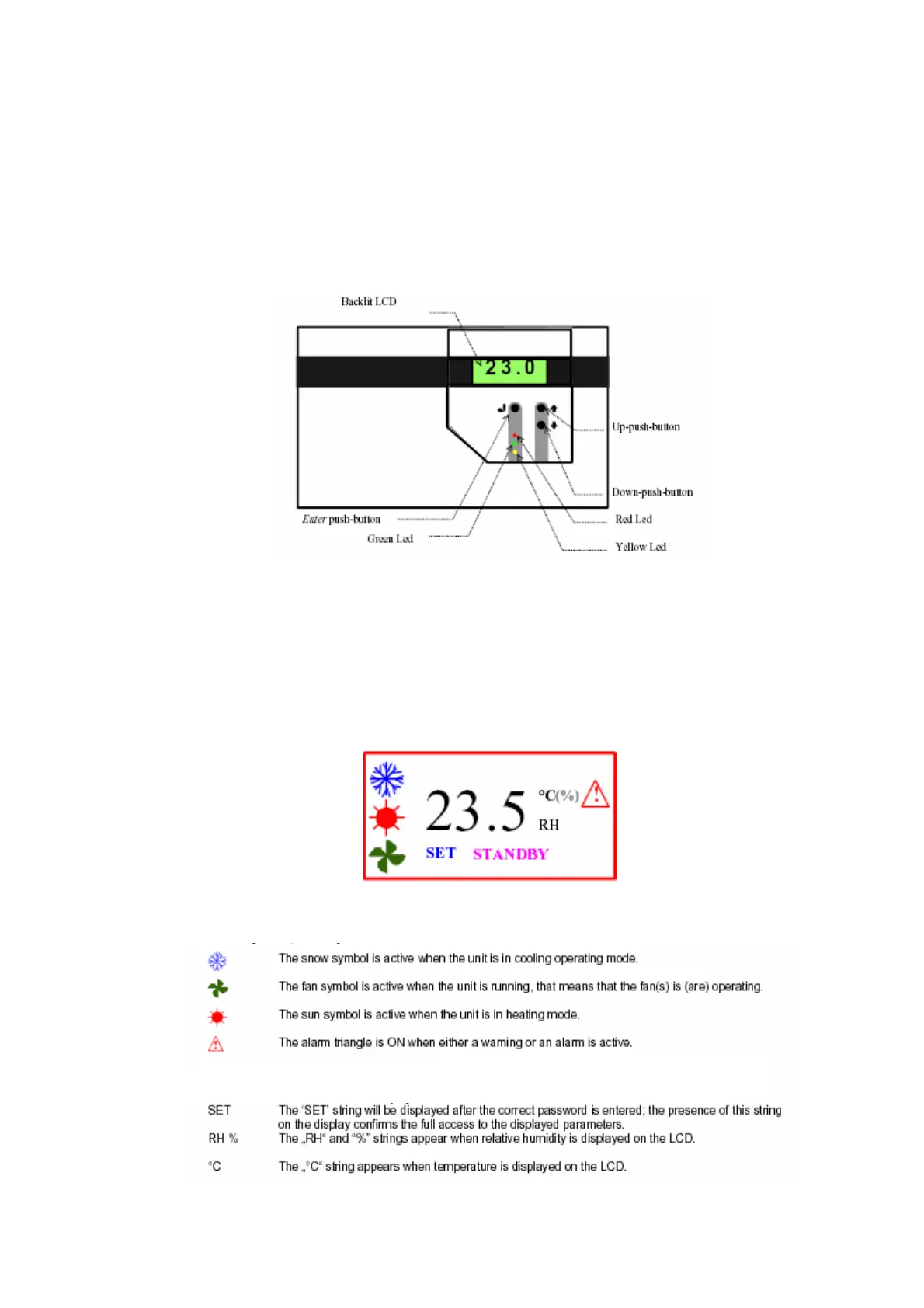
The interface module consists of a backlit LCD and of three push buttons that
permit an easy access to the unit parameters. Writing access is protected by a
password.
Fig. 2-4-1 LCD Display and Buttons
There are three LED’s: the yellow Led to indicate the unit is power supplied,
the green one lights up when the unit is in operation and the red one signals
either an alarm or a warning condition.
On the LCD the following symbols will be displayed:
Fig. 2-4-2 LCD Display



 To Next Page