Quick Guide for App Using
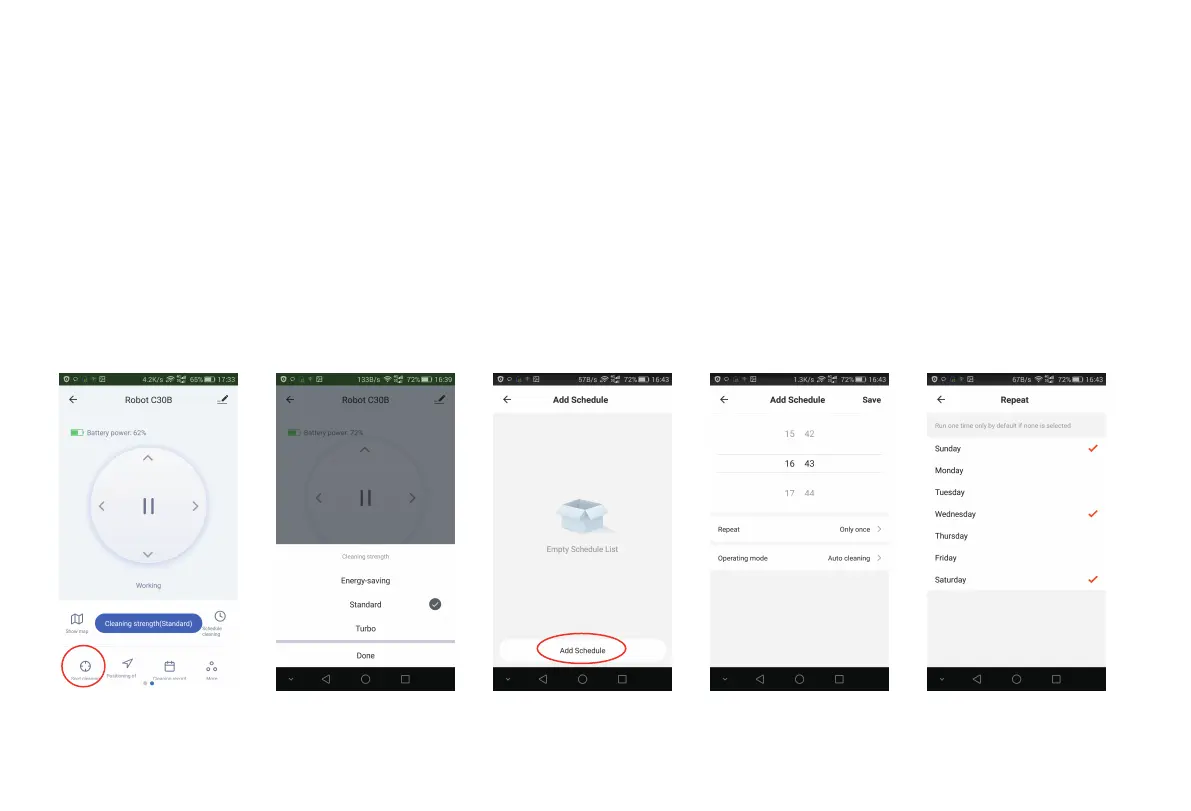
3. Scheduling
For Wifi-version C30B only
Choose Schedule cleaning to enter scheduling interface and Choose “Add Schedule” [Fig 18]; choose the proper working time [Fig
19] and day (multiple Mon-Sun) [Fig 20].
2. APP Operation
You may click "Auto cleaning", "Recharge mode", "Room cleaning", "Edge cleaning", "Spot cleaning" as you want to start certain
cleaning mode [Fig 15] [Fig 16]; Choose Cleaning strength to enter suction power setting interface [Fig 17];
Fig 16 Fig 17 Fig 18 Fig 19 Fig 20
5



 To Next Page