Quick Guide for App Using
5. Working Map and Cleaning Record
For Wifi-version C30B only
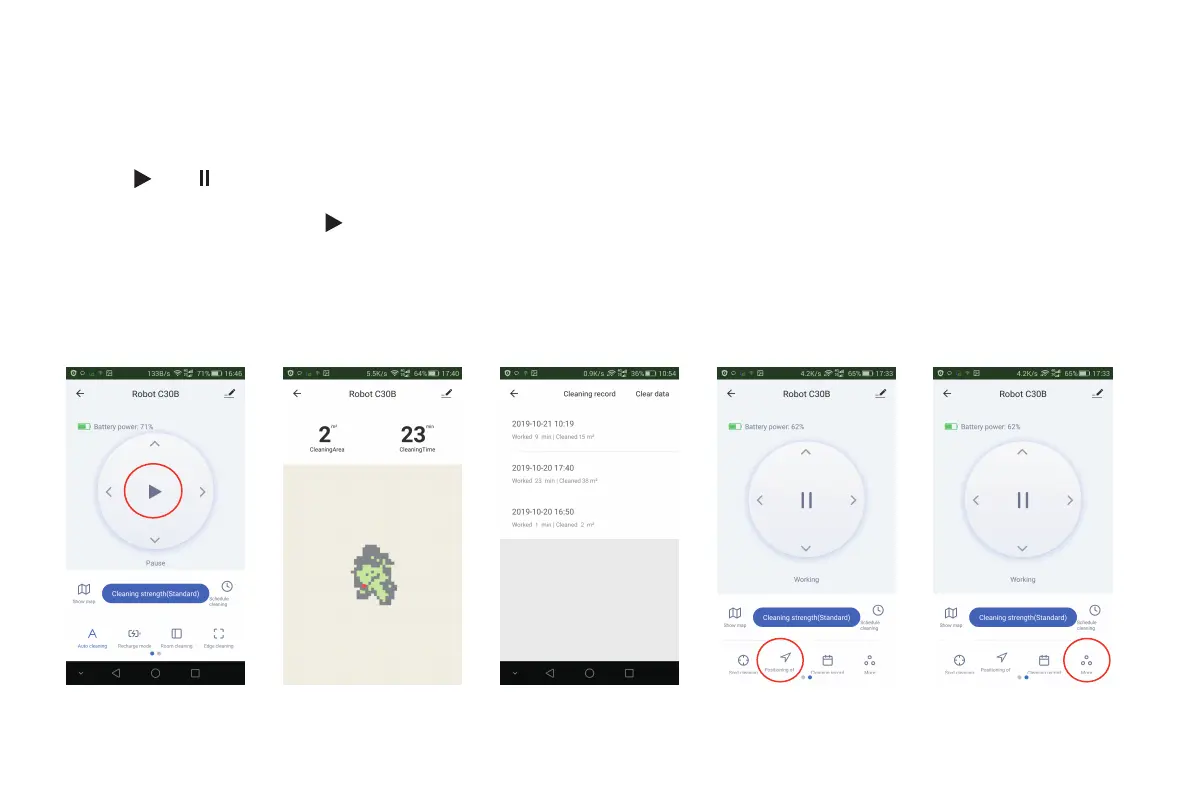
The App will show the map of working cleaning path of the robot [Fig 22]; But it may not update in real time;
Tap "Cleaning record", it will show the cleaning records of working time and cleaned area, also you can clear the data[Fig 23].
4. Start / Pause / Standby / Sleeping mode
Press “ ” / “ ” to start / pause the robot [Fig 21];
Note: When the robot pauses over 10 minutes, it will enter sleeping mode;
If it is in sleeping mode, press “ ” , the robot will be waken up to standby mode; Press the cleaning mode as you want to start
working.
Fig 21 Fig 22 Fig 23 Fig 24 Fig 25
6



 To Next Page