Quick Guide for App Using
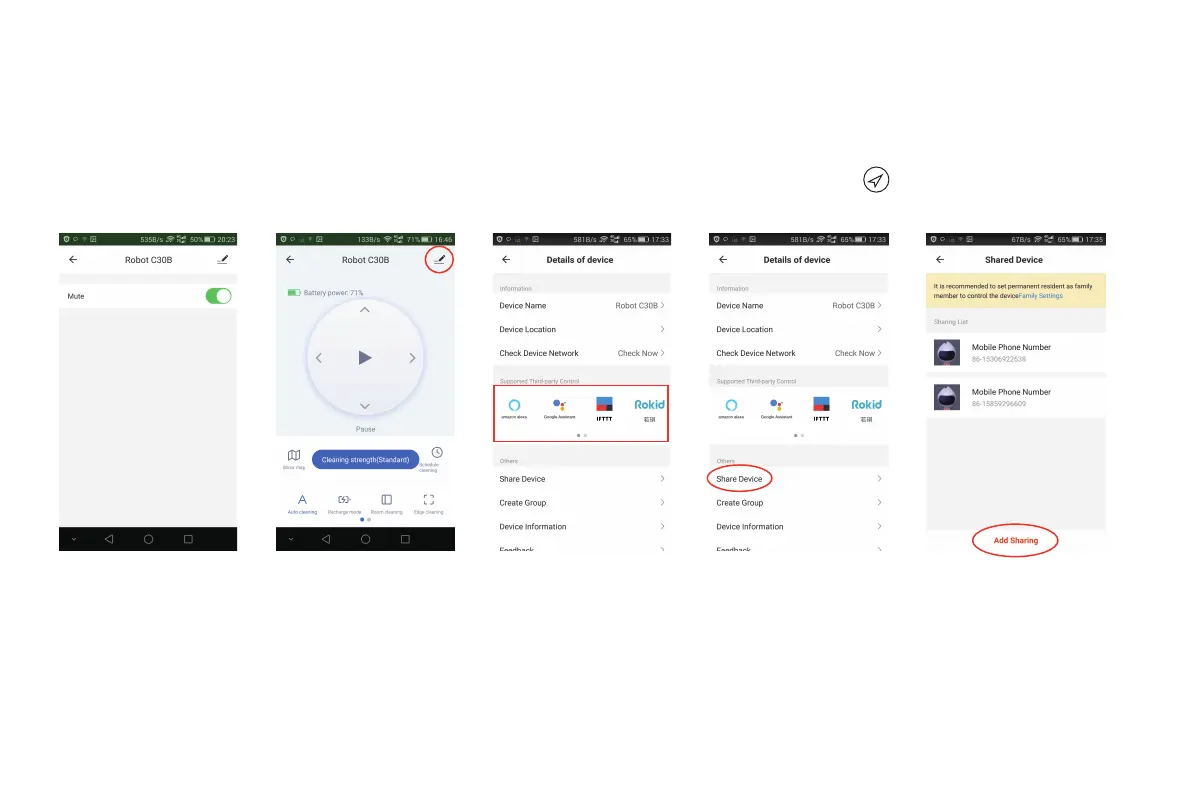
7. Mute
For Wifi-version C30B only
Tap "More" to enter mute function setting interface [Fig 25]; If mute function is active, the robot will cancel voice prompt, so it will not
bother you [Fig 26].
6. Find robot
You may not know where the robot is when it finishes cleaning and stops. Then press “Positioning of ” [Fig 24]; then there is
“Ding Dong” sound prompt for you to find the robot.
Fig 26 Fig 27 Fig 28 Fig 29 Fig 30
7



 To Next Page