2
3
1
DO NOT PRESS CANCEL BEFORE TALKING TO THE OPERATOR OR
YOUR CALL WILL NOT BE SUCCESSFULLY PLACED.
4
User Instructions
The user can adjust the speaker volume. The speaker volume
can ONLY be adjusted during a help call. It does not affect
the voice prompt volume.
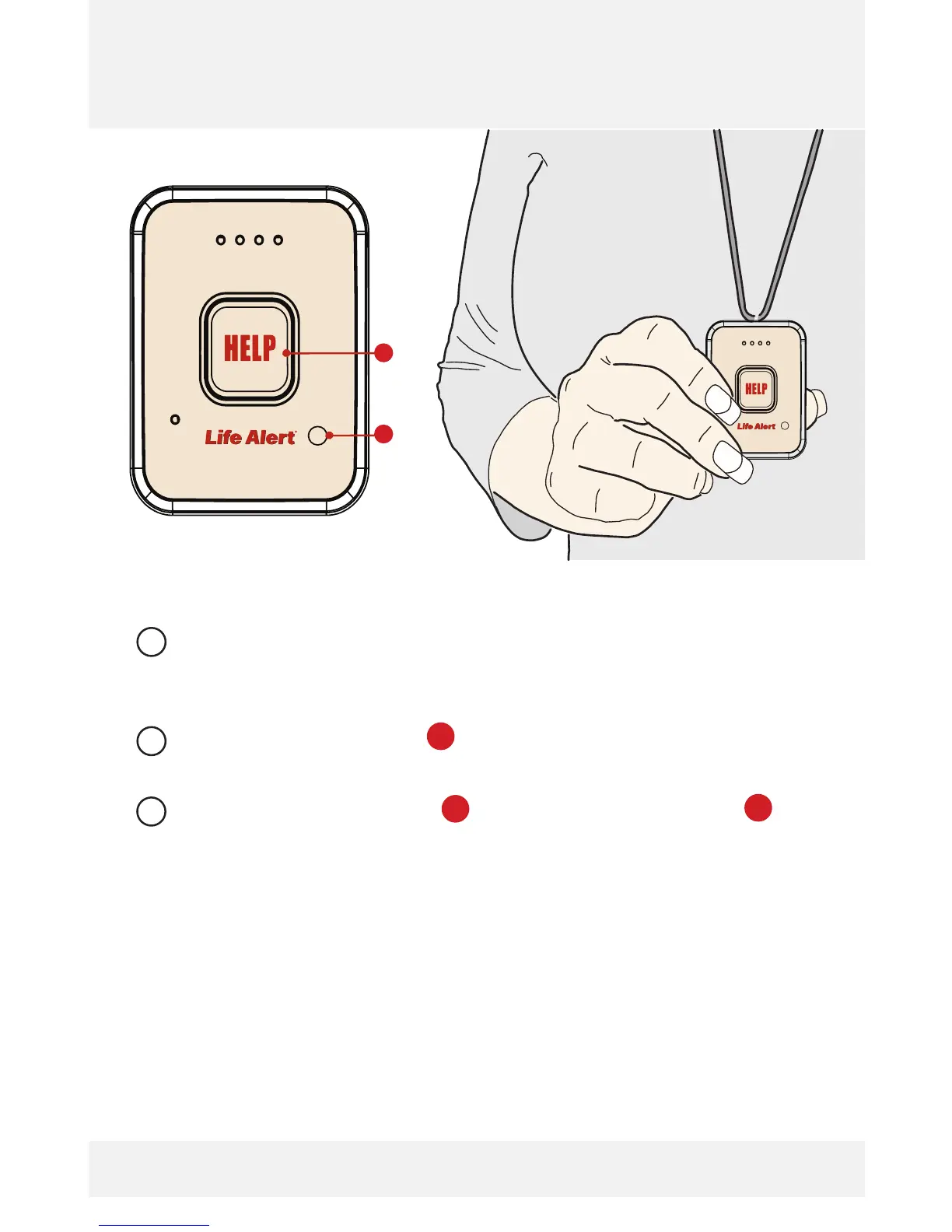
Use the HELP button during a call to send current or
refreshed GPS location data.
Press both HELP button and Battery Check button for
three (3) seconds to cancel the present call.
[Once the call has connected with the Life Alert Dispatch Center,]
the call can only be ended by the Life Alert Dispatch center
operator.
During the HELP Call
Ending the HELP Call
1
2
1
1
2
Life Alert HELP Pendant_V2.indd 4 8/29/14 11:59 AM



 To Next Page