EasyManua.ls Logo

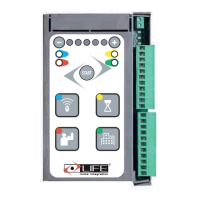
LIFE home integration RG1R UNI DL - User Manual

LIFE home integration RG1R UNI DL
16 pages
Print Icon
To Next Page IconTo Next Page
Loading...
VERSIONE 1DP093 - 12/2008
RG1R UNI DL
RG1R DL
CONTROL UNIT FOR AUTOMATIONS FITTED WITH 230 V MOTORS
INSTRUCTIONS AND WARNINGS FOR INSTALLATION, USE AND MAINTENANCE.

Questions and Answers

LIFE home integration RG1R UNI DL Specifications

General IconGeneral
CategoryControl Unit
Frequency50/60 Hz
Power Consumption5 W
Humidity5% to 95% non-condensing
Protection ClassIP20
Communication ProtocolZigbee

Summary

Standard Installation

Components and Devices of a Typical Automation

Identifies the main components and devices used in a standard gate automation setup.

Programming the Control Unit

Phase 1: Powering Up

Details the initial powering up procedure for the control unit, including button presses.

Phase 2: Programming Travel

Explains the steps to program the gate's travel limits and movement sequence.

Wiring and Connections

Control Unit Connections

Details the specific terminal connections for the control unit, including inputs and outputs.

Control Unit Wiring Diagram

Provides a detailed wiring diagram for the lower part of the control unit and its terminals.

Indicator LEDs

Explains the function and meaning of the LEDs on the control unit board.

List of Electric Cables

Setting up Electric System and Mains Supply

Guidelines for preparing and connecting the electric system and the main power supply.

Deleting Radio Control Transmitters

Deleting a Single Radio Transmitter

Step-by-step guide to remove a single transmitter from the control unit's memory.

Deleting All Radio Transmitters

Instructions for erasing all programmed radio transmitters from the control unit.

Photocell Functions

Photo Input Functionality

Describes the behavior of the photocell inputs during opening and closing cycles.

Automatic Reclosure

Setting Pause Time for Reclosure

How to configure the pause time that precedes automatic reclosure of the gate.

Option Menu 1

Configuring Option Menu 1

Guide to accessing and setting functions within Option Menu 1.

Option Menu 2

Configuring Option Menu 2

Guide to accessing and setting functions within Option Menu 2.

Functions

Courtesy Light Function

Explains how the courtesy light operates during automation movements.

Deceleration in Opening and Closure

Details the automation's deceleration feature during the final stages of movement.

Force Adjustment

Obstacle Detection Settings

How to adjust and configure the obstacle detection sensitivity.

Troubleshooting

Malfunctions Indicated on Control Unit

Explains how control unit LEDs indicate malfunctions and potential solutions.

General Information

Manufacturer Information

Details about the manufacturer, LIFE home integration.

Intended Use

Specifies the approved usage for the control unit and prohibits other uses.

Safety Instructions and Warnings

General Safety Instructions

Essential safety guidelines for installation and use of the control unit.

Storage Instructions

Guidelines for proper storage of the control unit to prevent damage.

Installation

Installation Instructions and Warnings

Crucial instructions and warnings to follow during the installation process.

Testing and Trial Run

First Usage Procedures

Steps to follow for the initial operation and testing of the automation.

Safety Instructions for Use

Critical safety warnings and precautions for operating the automation.

Maintenance

Maintenance Instructions and Warnings

Guidelines and warnings regarding the upkeep of the control unit.

Routine Maintenance Schedule

Recommended periodic maintenance tasks for the automation system.

Demolition and Disposal

Disposal Procedures

Instructions for the proper disposal of the control unit and its components.

Declaration of Conformity

CE Conformity Details

Provides details on the product's conformity with relevant European directives and standards.

Related product manuals