EasyManua.ls Logo

LifeFitness E1 - User Manual

LifeFitness E1
32 pages
Print Icon
To Next Page IconTo Next Page
Loading...
1
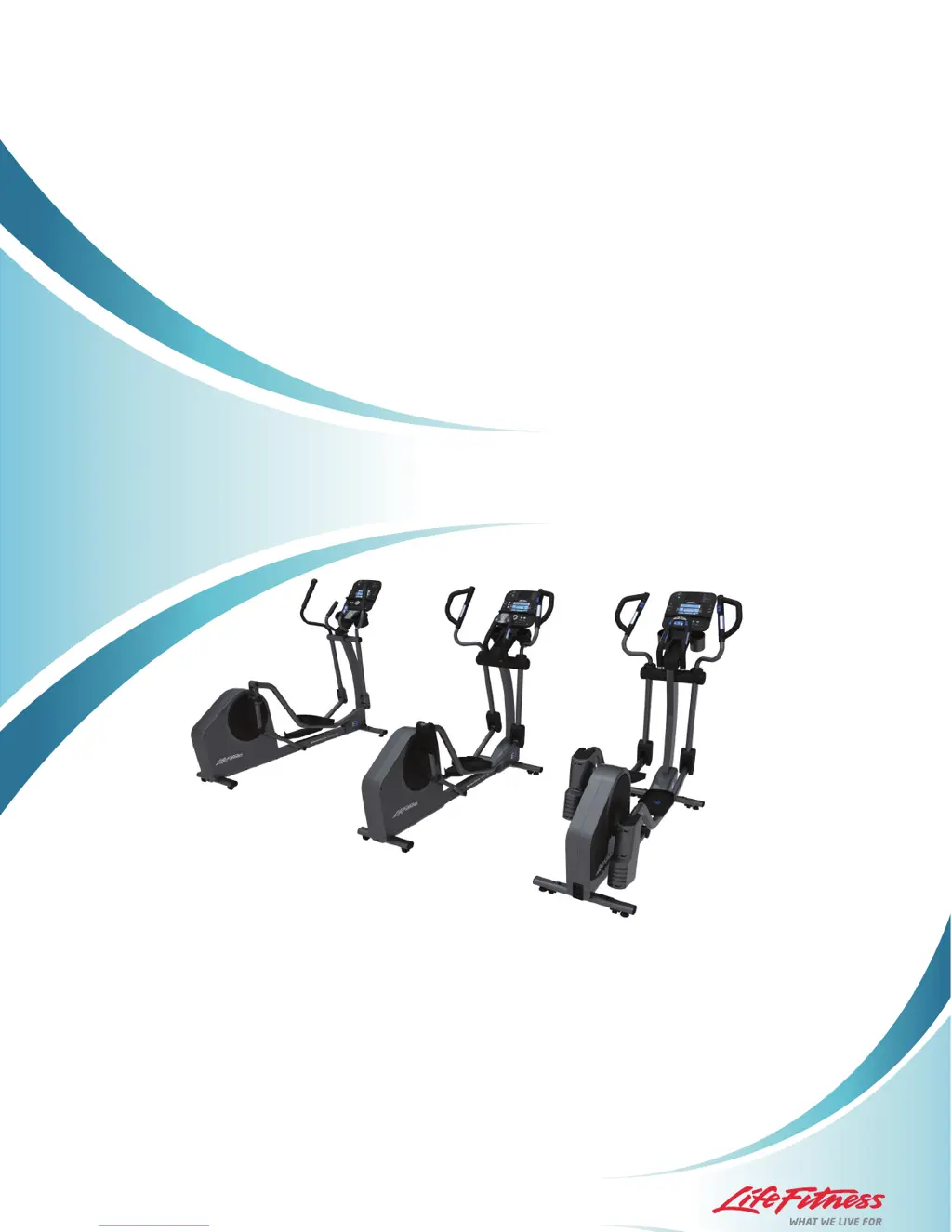
E1, E3, E5 TOTAL-BODY ELLIPTICAL CROSS-TRAINER
OWNER’S MANUAL
M051-00K102-0000 REV A

Other manuals for LifeFitness E1

Questions and Answers

  • M
    markfloresAug 17, 2025
    Why is the wireless heart rate not working on my LifeFitness E1 Elliptical Trainer?
    • A
      Austin MartinezAug 17, 2025
      There are several reasons why the wireless heart rate might not be working on your LifeFitness Elliptical Trainer: * The wireless heart rate may be turned OFF in the Settings Menu. To resolve this, enter the Settings Menu and verify that WIRELESS HR is turned ON. * There may be poor contact between the telemetry heart rate strap and your skin. Ensure good contact. * Electrical interference from appliances or fluorescent lights can interfere with the telemetry heart rate strap. Try moving the Elliptical Trainer to a different location or moving electrical appliances away from it. * The battery in the Heart Rate Telemetry Strap may need to be replaced. The battery is a CR2032 (3V).
  • S
    Sierra StuartAug 20, 2025
    What to do if my LifeFitness E1 Elliptical Trainer has no power?
    • T
      Teresa ThomasAug 20, 2025
      If your LifeFitness Elliptical Trainer has no power, try the following: * Check that the power cord is fully plugged into both the back of the Elliptical Trainer and the wall. * Ensure the power cord is fully seated in the back of the trainer. * You may be in “Energy Saver Mode”. Press the “Energy Saver” button to see if the console turns on. * Verify that all customer assembly connections are working properly by unplugging and re-plugging each connection. Check for pinched cables.
  • M
    michaelmillerAug 22, 2025
    What to do if “OFF” is displayed in the LEVEL window on my LifeFitness Elliptical Trainer console?
    • D
      Deborah HernandezAug 22, 2025
      If “OFF” is displayed in the LEVEL window on your LifeFitness Elliptical Trainer console: * First, turn the unit off and then on again. * If power cycling the product does not work, there is a problem with the resistance system.
  • T
    Theresa BurkeAug 26, 2025
    How to fix loose total body arms on LifeFitness E1 Elliptical Trainer?
    • L
      Larry HoffmanAug 26, 2025
      If the Total Body Arms on your LifeFitness Elliptical Trainer feel loose: * Remove the moving arm pivot covers and check that the bolt holding the total body arm in place is fully tightened. * If the arms still feel loose, disassemble them and ensure all the correct hardware from the assembly instructions was used.
  • V
    Victor SwansonAug 27, 2025
    What to do if errors are displayed in the Activity Zone on my LifeFitness Elliptical Trainer? (E5)
    • L
      leeolsonAug 27, 2025
      If errors are displayed in the Activity Zone on your LifeFitness Elliptical Trainer, turn the unit off and then back on again to reset the Activity Zone.
  • D
    Daniel CombsAug 30, 2025
    Why does the Activity Zone display strange information on my LifeFitness E1? (E5)
    • J
      Jamie JamesAug 30, 2025
      The Activity Zone on your LifeFitness Elliptical Trainer may display strange information because you have accessed the Settings Menu or Diagnostics Menu. Press the Leg Sculptor key continuously until the menu is exited.
  • J
    John NicholsSep 2, 2025
    What does it mean when “STRIDE” is blinking on my LifeFitness E1 Elliptical Trainer? (E5)
    • T
      Terry RichardsonSep 2, 2025
      When “STRIDE” is blinking on your LifeFitness Elliptical Trainer, it means your Duty Cycle is on, which prevents Over Actuation.
  • C
    currymasonSep 5, 2025
    What to do if Activity Zone display settings won’t work on LifeFitness Elliptical Trainer? (E5)
    • W
      Wanda BeanSep 5, 2025
      If the Activity Zone display settings won’t work on your LifeFitness Elliptical Trainer, it means you have accessed the Settings Menu. To exit the Settings Menu, press the Leg Sculptor key until you have exited.
  • B
    Billy BlankenshipSep 7, 2025
    Why can't I save my workout on the USB stick on my LifeFitness E1 Elliptical Trainer? (Track+ Console)
    • J
      Jessica WilliamsSep 7, 2025
      If you receive the message “UN-ABLE TO SAVE SEE MANUAL” when trying to save a workout on the USB stick on your LifeFitness Elliptical Trainer (Track+ Console): * The console may not have recognized the USB stick. Try unplugging the USB stick and plugging it back in. * The USB stick may be full. * The USB stick may not be compatible with the product. Try using a different USB stick.
  • J
    Julian ColeSep 10, 2025
    Why is my iPod not charging in Energy Saver mode on my LifeFitness Elliptical Trainer? (Track+ Console)
    • F
      Frank HoltSep 10, 2025
      Your iPod will not charge if your LifeFitness Elliptical Trainer (Track+ Console) enters Energy Saver mode. This is normal.

Summary

Important Safety Instructions

General Warnings and Precautions

Covers all cautions, warnings, and general usage guidelines for safe operation.

Electrical and Environmental Safety

Details essential electrical safety measures including proper grounding and cord handling.

Safe Operation and Equipment Handling

Covers safe operation, mounting, dismounting, and handling damaged equipment.

Initial Setup

Grounding, Electrical, and Placement

Details grounding requirements, electrical power needs, and recommended placement for the cross-trainer.

Main Features

CoachZone (E3 Only)

Activity Zone (E5 Only)

Activity Zone Settings Menu (E5 Only)

Service and Product Maintenance

Troubleshooting Common Issues

Provides solutions for common issues like power, noise, resistance, and connectivity problems.

Obtaining Product Service

Guides users on how to contact Life Fitness customer support for service and repairs.

LifeFitness E1 Specifications

General IconGeneral
Stride Length20 inches
Resistance Levels20
DisplayLCD
ConsoleLCD
Heart Rate MonitoringContact
Weight Capacity350 lbs
Power RequirementsAC power supply

Related product manuals