15
BLOOD GLUCOSE TESTING
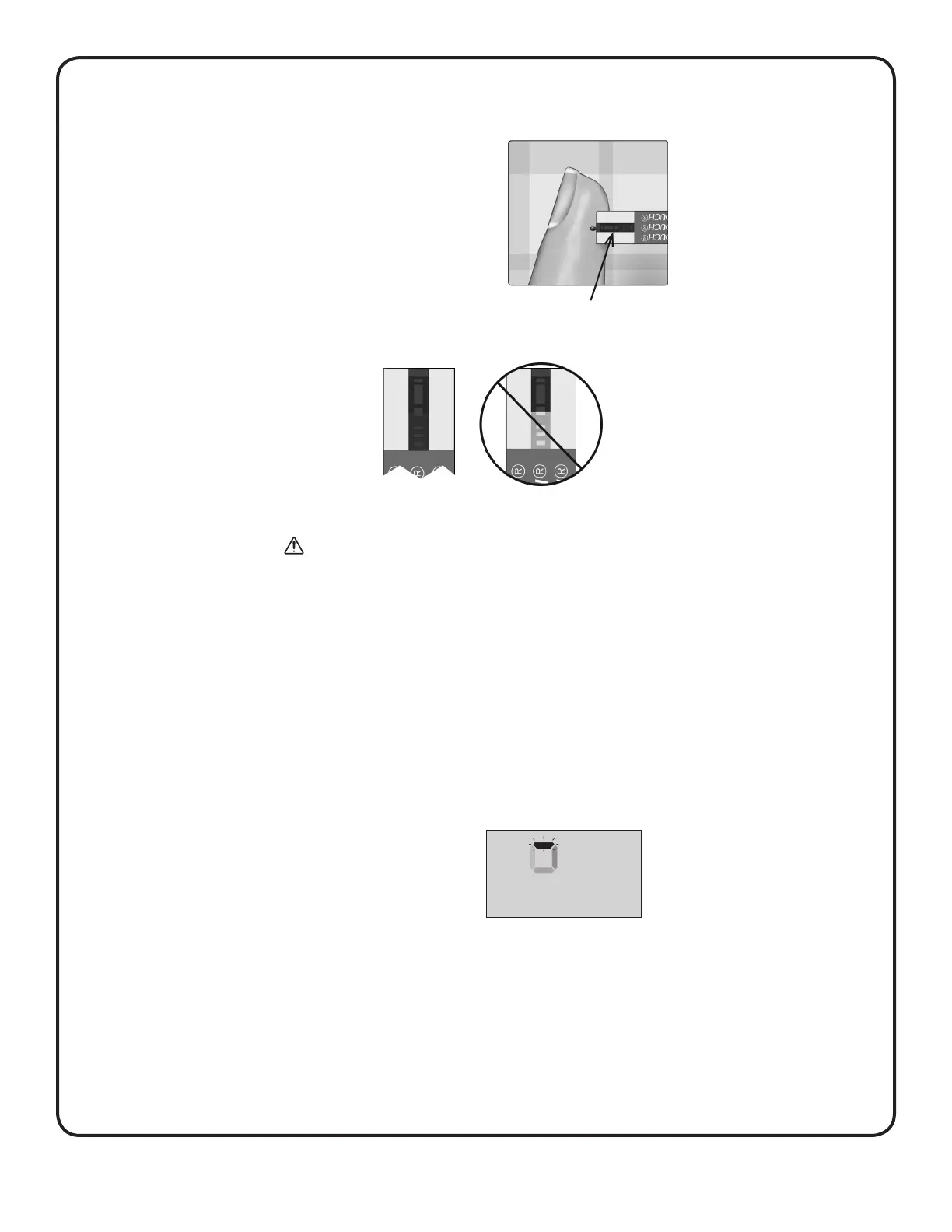
Wait for the confirmation window
to fill completely.
The blood drop will be drawn into
the channel and the confirmation
window should fill completely.
Confirmation window full
Full Not full
CAUTION:
You may get an error message or an inaccurate result if
the blood sample does not fill the confirmation window
completely. Discard the used strip and re-start the test
process with a new test strip.
• Do Not smear or scrape the drop of blood with the
test strip.
• Do Not apply more blood to the test strip after you have
moved the drop of blood away.
• Do Not move the test strip in the meter during a test or
you may get an error message or the meter may turn off.
• Do Not remove the test strip until the result is displayed
or the meter will turn off.
When the confirmation
window is full, this means you
have applied enough blood.
The Countdown screen will
appear. Now you can move the
test strip away from the drop of
blood and wait for the meter to
count down (about 5 seconds).
Countdown screen



 To Next Page