7
Applying blood and reading results
(continued)
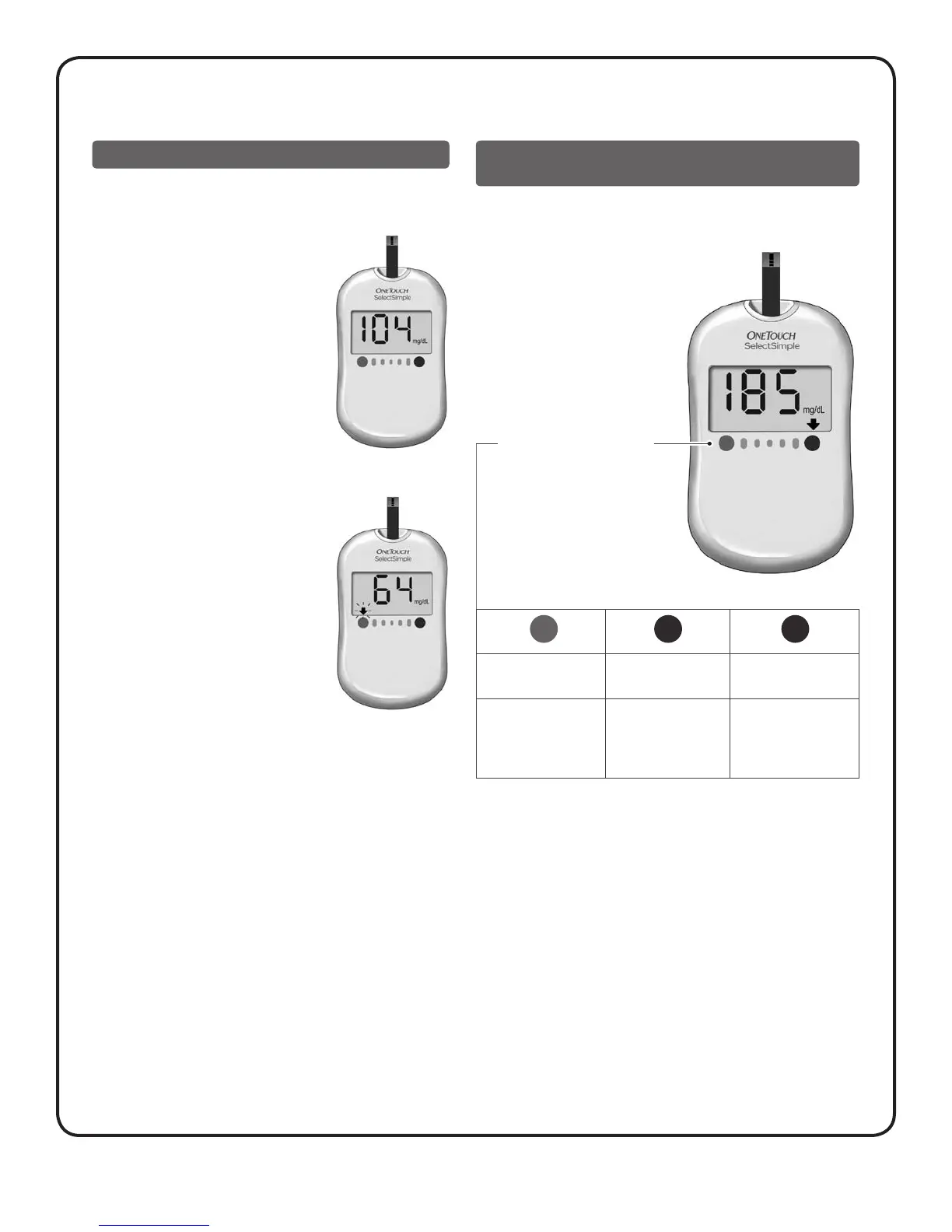
4. Read your result on the meter
After the meter counts down,
your blood glucose level appears
on the display along with the unit
of measure.
In this example, the test result is
104 mg/dL. The meter will beep
once but no arrow will appear below
your result.
If your test result is “LOW”, “HIGH”, or
“VERY HIGH”, an arrow will appear below
your result and point to one of two colour
dots. The meter will also beep.
In this example, the test result is
64 mg/dL. A blinking arrow will point
to the BLUE DOT on your meter, and
the meter will beep twice each time the
arrow blinks. This represents a “LOW”
result, below 70 mg/dL.
See the next section for more
information on “LOW”, “HIGH”,
and “VERY HIGH” results.
Example 1
Knowing when your test result is “LOW”,
“HIGH”, or “VERY HIGH”
Your meter has two colour dots below the display. Each dot
corresponds to a pre-set “LOW”, “HIGH”, and “VERY HIGH”
glucose range.
The combination of an arrow
(blinking/not blinking) pointing
to one of the two colour dots and
the meter beeping, will tell you if
your result is “LOW”, “HIGH”, or
“VERY HIGH”.
In this example, the test result
is 185 mg/dL. An arrow will
point to the RED DOT and the
meter will beep once. This
represents a “HIGH” result,
above 180 mg/dL.
Glucose Range Dots
20 to 69 mg/dL
LOW
180 to 239 mg/dL
HIGH
240 to 600 mg/dL
VERY HIGH
Arrow blinks for
15 seconds. Meter
beeps twice each time
the arrow blinks.
Arrow appears but
does not blink.
Meter beeps once.
Arrow blinks for
15 seconds. Meter
beeps once every other
time the arrow blinks.
BLUE DOT RED DOT RED DOT
Example 2



 To Next Page