17
Add Water & Temperature cont. (if included)
14
17
*NOTE: WHEREVER MASTER CODE IS SHOWN P
LEASE USE YOUR UNIQUE MASTER CODE FOUND IN THE FRONT COVER OF THIS BOOK
F
Following the instructions displayed on the Handset (or Console), wait 5 seconds, then press and
release the red tamper switch button on the wireless transmitter (see Figure A).
ADD THE SENSOR TO THE LIFESHIELD SYSTEM CONTINUED
Use the Edit feature to rename the device (optional). NOTE: Press DELETE to erase text and use
the keypad keys to type in a new name. Once you are satisfied with the entered name, press OK.
Scroll down to select the type of condition to which this Sensor will be associated (Flood, Cold,
Warm or Hot) and press SELECT.
Press OK to return to the Main Menu.
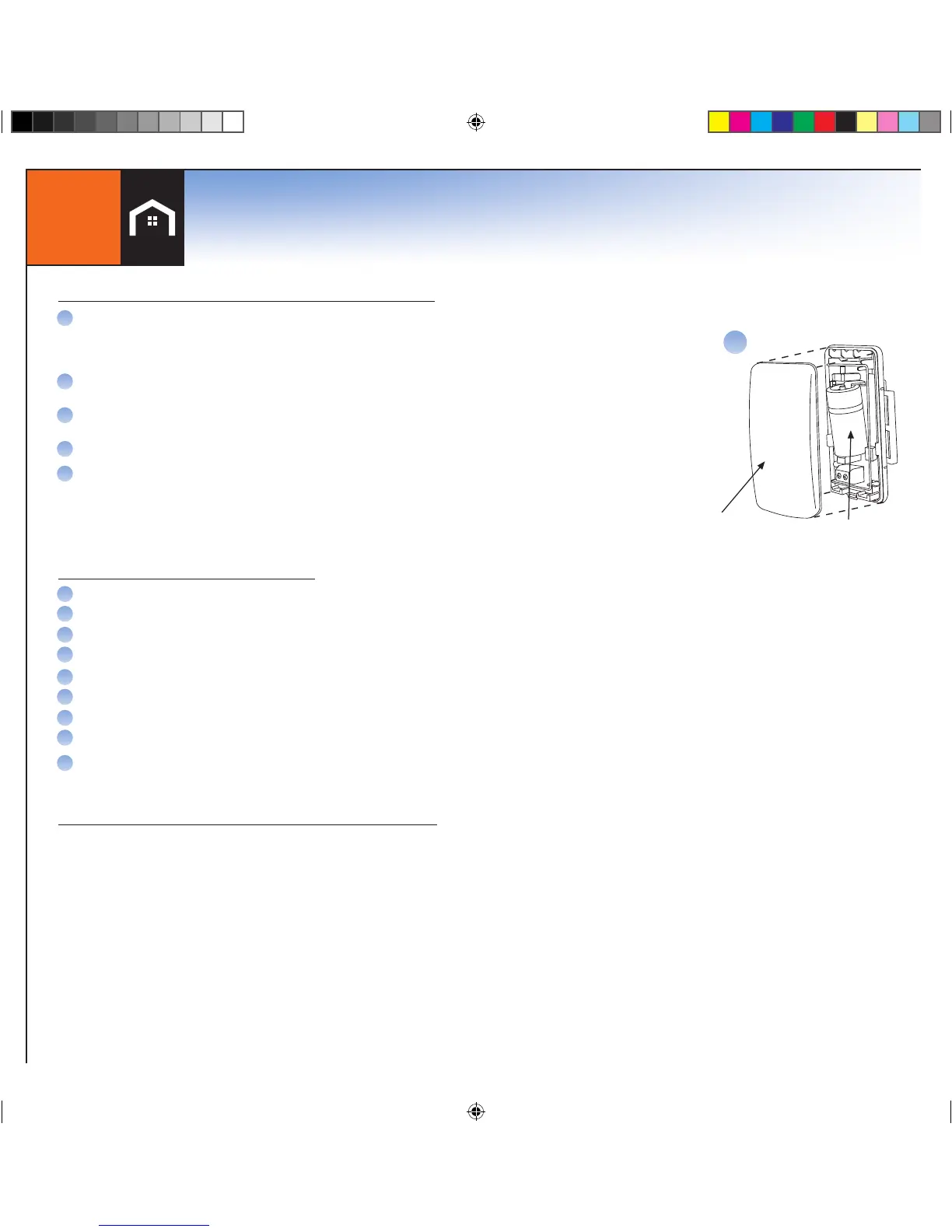
Position the top cover in place over the wireless transmitter and snap it into place, being
careful not to pinch or cut the wires leading to the Water Probe (if the Sensor is set up for
Flood detection).
G
H
Once the Sensor has been added to the LifeShield system:
I
J
If the Sensor test is successful, the LCD screen will display “Sensor xxx Passed”. If
these words do not appear, return to “Add the Sensor to the LifeShield System”.
On the Handset (or Console), Press MENU
Scroll to Utilities, press SELECT.
Scroll to Test, press SELECT
Enter your Master Code
Select System Test
Press the SKIP soft key to skip the Siren Test
Press the OK soft key on next screen for Starting Comm Test
Scroll to the name of the Sensor that you would like to test, and press SELECT
Place the Water Probe directly into water (or alternately place a piece of wet cloth between the
probe legs) and wait at least three (3) minutes.
TESTING AS A FLOOD (WATER) SENSOR
A
B
C
D
E
F
G
H
I
TESTING AS A TEMPERATURE (HOT, COLD, WARM) SENSOR
The temperature sensing aspects of the Honeywell Model 5821 can be tested in the
same manner as above with the use of specialized equipment that is capable of
increasing or lowering the ambient temperature in the environment surrounding the
Sensor (as needed to result in activation).
Battery
Note: Do not re-attach
cover until you have
added this device to the
LifeShield System
J


 To Next Page