2
INCLUDED WITH BOTH KITS
HOME ESSENTIAL KIT AND HOME ESSENTIAL KIT –CELLULAR READY
CELLULAR GATEWAY
HOME ESSENTIAL KIT–
CELLULAR READY ONLY
The Cellular Gateway connects your
LifeShield system and the monitoring
center via cellular network.
Put the Cellular Gateway near an outside
wall outlet on a high fl oor in your home.
SYSTEM COMPONENTS
SENSOR/MAGNET
CONSOLE
KEYCHAIN REMOTE
IMPORTANT: FOLLOW STEPS IN EXACT ORDER. DON’T SKIP AHEAD.
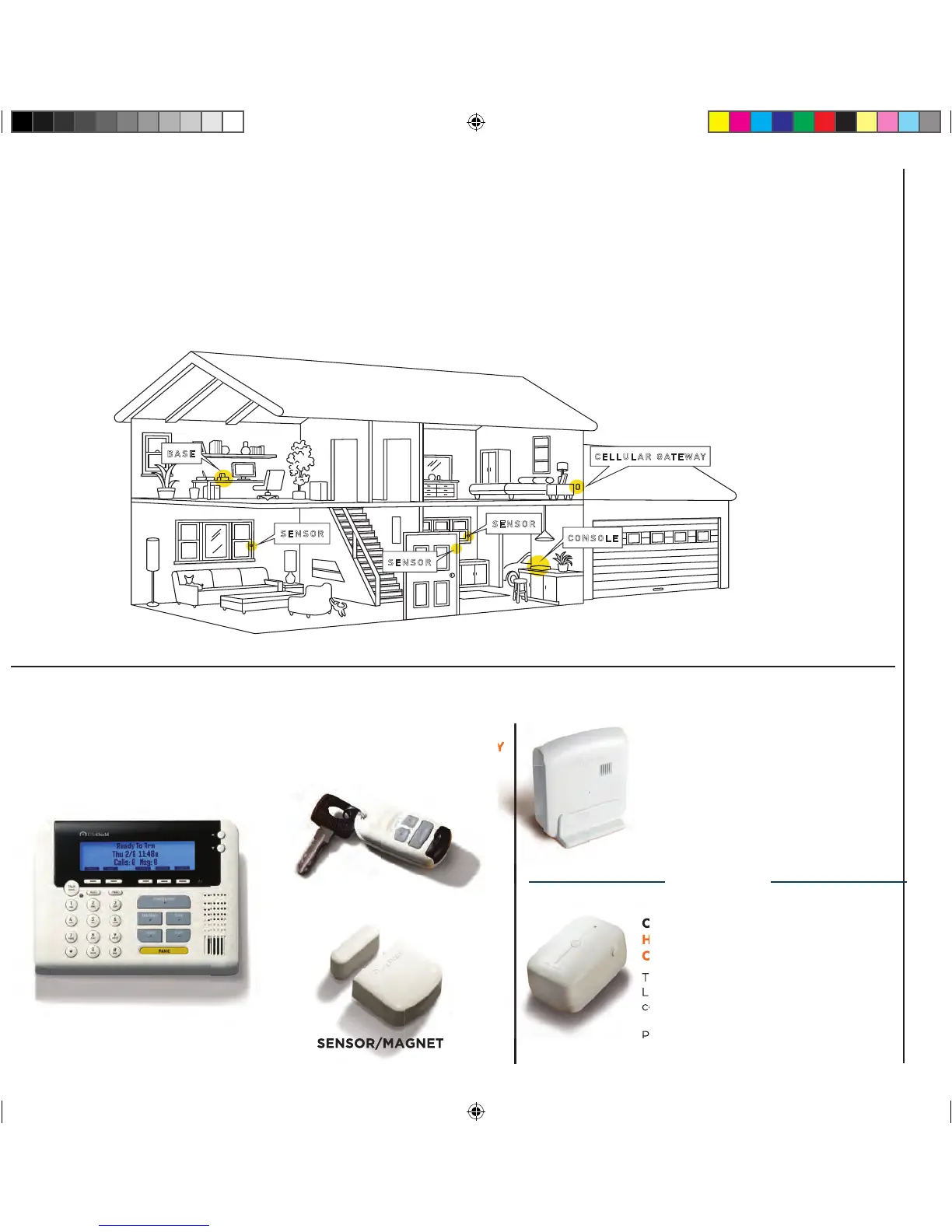
Component Placement Suggestions:
The LifeShield home security system you are about to set up is wireless. To maximize wireless coverage, plan to place the components
throughout your home. Ideally, these components will be in different rooms on interior walls. A key consideration is making sure that all
Sensors are within approximately 30 feet of one or more of the main components (base/cellular gateway, console).
NOW IS A GOOD TIME TO PLAN YOUR COMPONENT PLACEMENT
CELLULAR GATEWAY
SENSOR
CONSOLE
SENSOR
SENSOR
BASE
LifeShield system and the monitoring
center via cellular network.
HOME ESSENTIAL KIT AND HOME ESSENTIAL KIT –CELLULAR READY
BASE
HOME ESSENTIAL KIT ONLY
The Base connects your LifeShield system
and the monitoring center via the Internet.
Put the Base near your Internet modem/
router and near a wall outlet.
OR


 To Next Page