© 2018 Lifesize, Inc. All rights reserved. Confidential.
•
DO NOT escalate calls by adding callers from your existing Lifesize account.
•
In January we will begin migrating partner and customer accounts to the new service. Once your
account has been migrated to the new service, Lifesize Icon 700 will pair to that account along with
all of your existing Icon systems and users. At that point Lifesize Icon 700 will operate without the
restrictions highlighted above.
Demo highlights
1.
Rich picture quality:
Make a call from the customer location to your office.
2.
4K presentation clarity:
Add a static presentation to the call, such as the Lifesize website.
3.
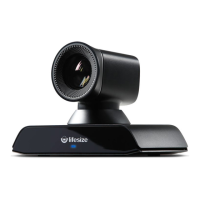
Powerful 20x zoom:
Set up something at the far end of the room that you can zoom into. Ideally
this is an image or object that has a lot of color and contrast. Also point out the smooth, responsive
handling of the camera controls: pan, tilt and zoom. Set some presets.
4.
4K presentation sharpness and detail:
It is important to have two displays in a demo so that you
can show the exceptional 4K quality of both the video and content sharing. We recommend a
colorful, high contrast, slow-motion presentation feed such as this YouTube video, Colorful Macaw
Parrots - Stunning Birds in 4K: https://youtu.be/7v6QXZWylpI


 To Previous Page