LifeSize Video Communications Systems User Guide 9
Using the Keypad
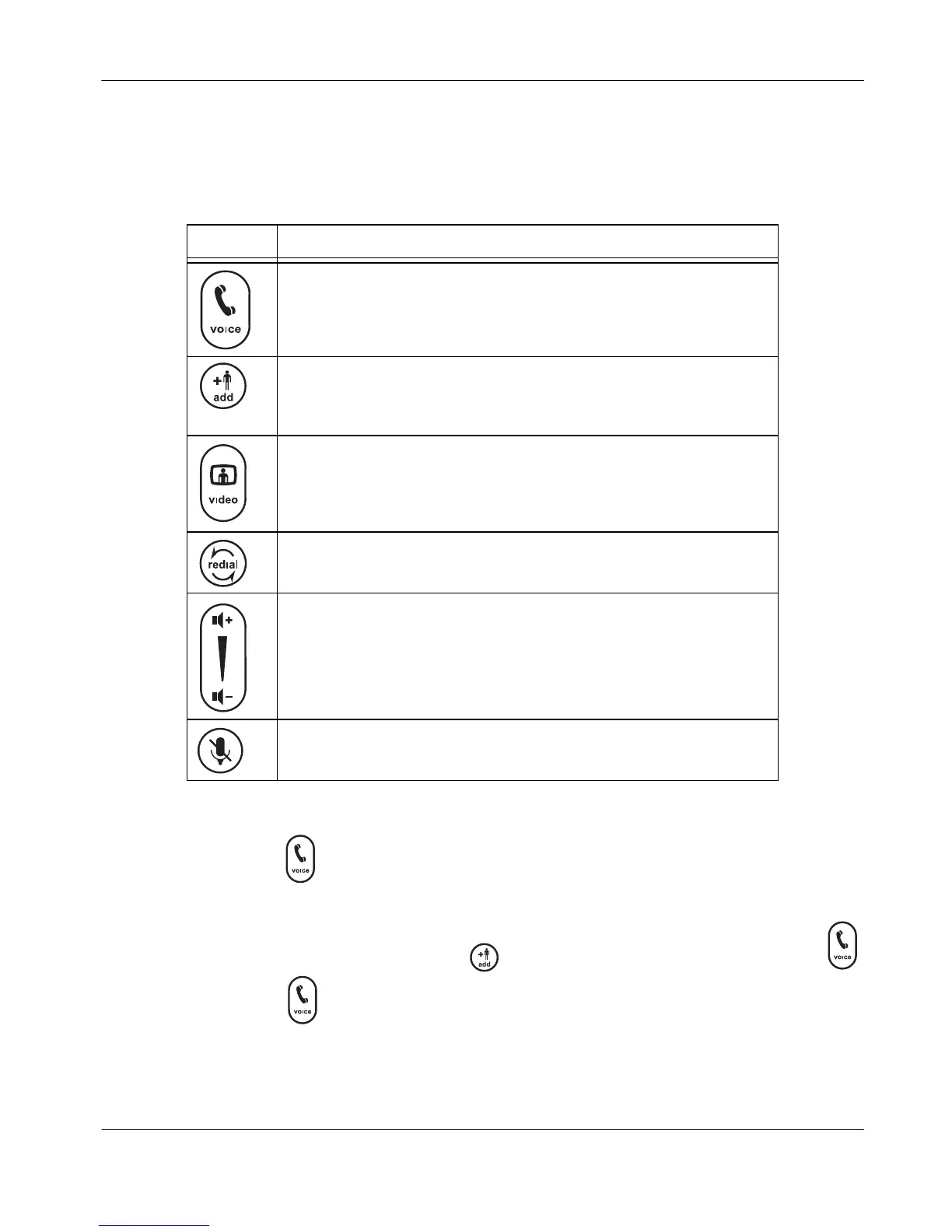
The following table describes the keys on the phone keypad; some of these keys have dual
functions depending on when you invoke them.
Note: Refer to the help on the phone display for information about using these keys.
Placing a Call
To place a call, press and then enter the number using the numeric keys.
Note: When voice dialing (Preferences : Communications : General) is set to VoIP,
you can dial IP addresses as well as phone numbers.
To add another participant to the call, press , enter the new number, and press the
key.
To end the call, press .
Key Description
Answers an incoming call, initiates a call, obtains a dial tone, or ends the
current call.
Calls or allows additional participants to join the current call.
Behaves as Cancel during configuration.
Initiates a video conference.
Note: The Video key behaves as the Voice key on standalone phones.
Dials the previously dialed number.
Also serves as Back or Backspace during configuration.
Increases or decreases the speaker and ringer volume.
Also serves as scroll up and down during configuration.
Volume
- changes text entry mode when editing a text field.
Enables or disables the mute feature.
Also toggles values or activates the cursor in fields during configuration.



 To Next Page