10
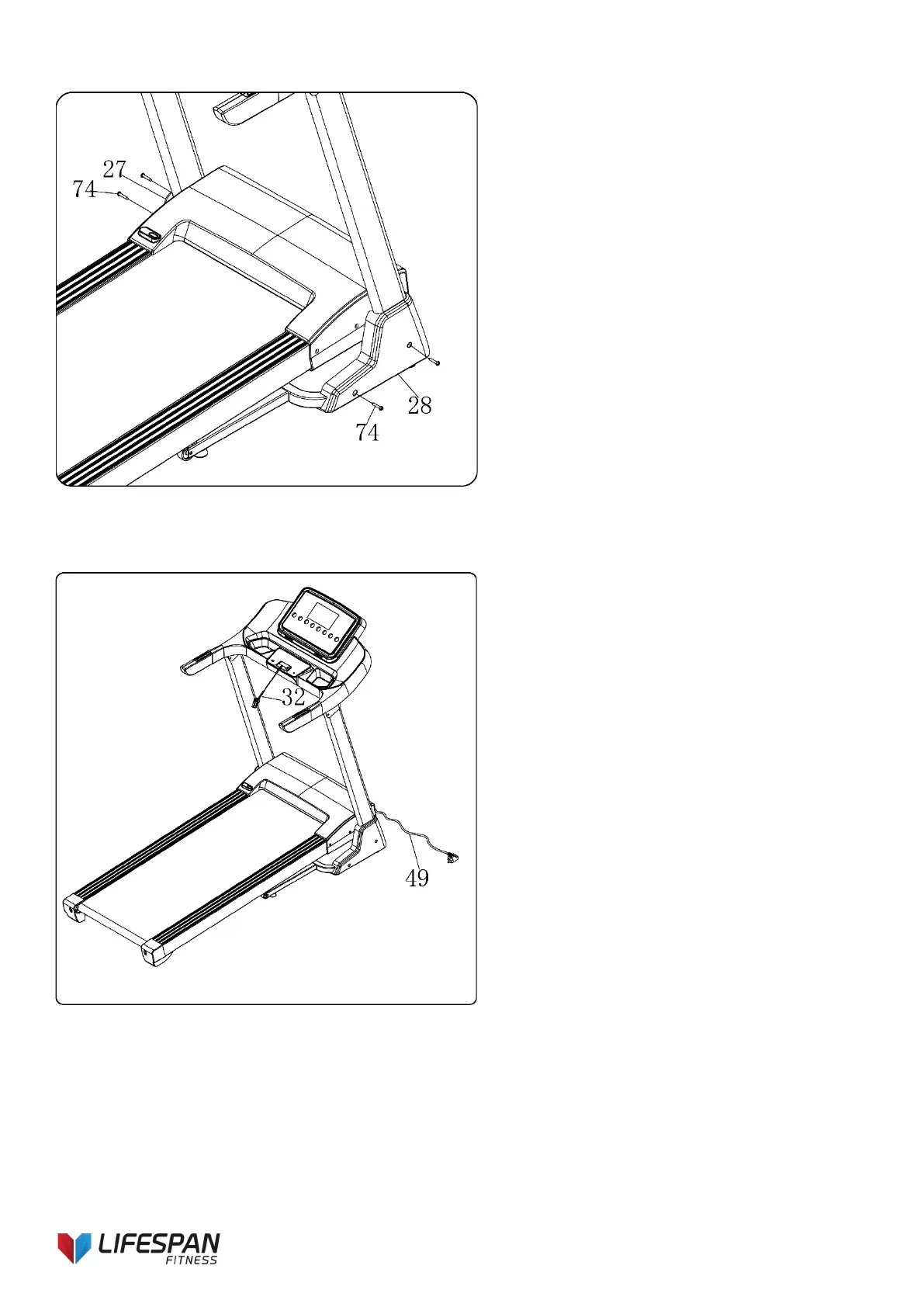
STEP 5:
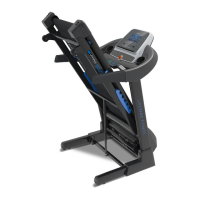
STEP 6:
1. Use wrench w/screwdriver (12) and
secure the right base cover (28) to the
right upright and base frame, using bolt
ST4.2*19 (74).
2. Repeat steps for left base cover (27) as
shown in image.
1. Place the safety key (32) on the
computer.
2. Insert the standard power wire (49) to
the power socket.
Note:
- Ensure all bolts are safely secured
before using the treadmill.
- Avoid using a power board with other
cords plugged in.



 To Next Page