EasyManua.ls Logo

LifeSpan BOOST - User Manual

LifeSpan BOOST
36 pages
Print Icon
To Next Page IconTo Next Page
Loading...
NOTE: This manual may be subject to updates or changes. Up to date manuals are available through our website at www.lifespanonline.com.au
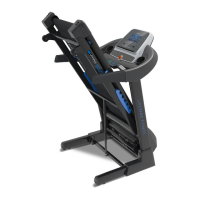
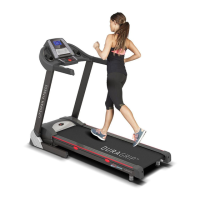
Product may vary slightly from the item pictured due to model upgrades
Read all instructions carefully before using this product. Retain this owners manual for
future reference.
BOOST OWNER’S MANUAL

Questions and Answers

  • C
    chavezbrandiJul 26, 2025
    What to do if my LifeSpan BOOST Treadmill shows error E05?
    • M
      Matthew NguyenJul 26, 2025
      If your LifeSpan Treadmill displays the E05 error, it indicates an overload. The system restarts to prevent damage. First, determine what is causing the overload, such as a lack of lubrication. Restart the machine after addressing the cause. Also check the motor for signs of being overworked or a burning smell, and replace it if necessary. Finally, inspect the control board for a burning smell and replace it if needed.
  • B
    Brenda WoodwardAug 3, 2025
    How to fix a LifeSpan BOOST computer that is not functioning after connecting power?
    • A
      Allen BlackAug 3, 2025
      If your LifeSpan Treadmill computer isn't working after connecting the power, first check the overload protection. If it has tripped, press it to continue operation. Next, ensure that the wires of the power switch, overload protection, control board, and transformer are correctly connected. Also, verify the wire from the computer to the control board is properly connected. Remove the upright tube and check the connection between each wire, ensuring each is completely plugged in; replace any damaged wires. Finally, check the transformer's condition and replace it if broken.
  • C
    codybaileyAug 10, 2025
    What to do if my LifeSpan BOOST Treadmill displays error E03?
    • Q
      qrowlandAug 10, 2025
      If your LifeSpan Treadmill displays error E03, it means the sensor signal wasn't detected within 10 seconds. Check the sensor plug connection. Also, see if the magnetic sensor is broken or damaged; reconnect the plug securely or replace the sensor.
  • A
    Anna BrownAug 17, 2025
    Why is the motor not functioning on my LifeSpan Treadmill after pressing the start button?
    • B
      Benjamin HarrisAug 17, 2025
      If the motor of your LifeSpan Treadmill isn't working after pressing the START button, it could be due to a broken motor wire or a broken/fallen-off safety pipe. Test these components and replace the relevant part. Another possibility is that the motor wire is not properly connected. Also, the IGBT on the bottom control board might be burnt out; test this and replace the part if needed.

Summary

Important Safety Instructions

Important Electrical Information

Important Operating Instructions

Assembly Instructions

Parts List

Comprehensive list of all treadmill components and their specifications.

Folding Instructions

Operation Guide

3. Button Functions

Explains the purpose and usage of each button on the treadmill console.

Exercise Guide

Maintenance Instructions

3. Belt;Deck;Roller Lubrication

Instructions and schedule for lubricating the treadmill's moving parts to prolong its life.

5. Adjusting the Running Belt

Detailed guide on how to adjust the treadmill belt's alignment and tension.

Trouble Shooting Guide

LifeSpan BOOST Specifications

General IconGeneral
BrandLifeSpan
ModelBOOST
CategoryTreadmill
LanguageEnglish

Related product manuals