8
STEP 1:
STEP 2:
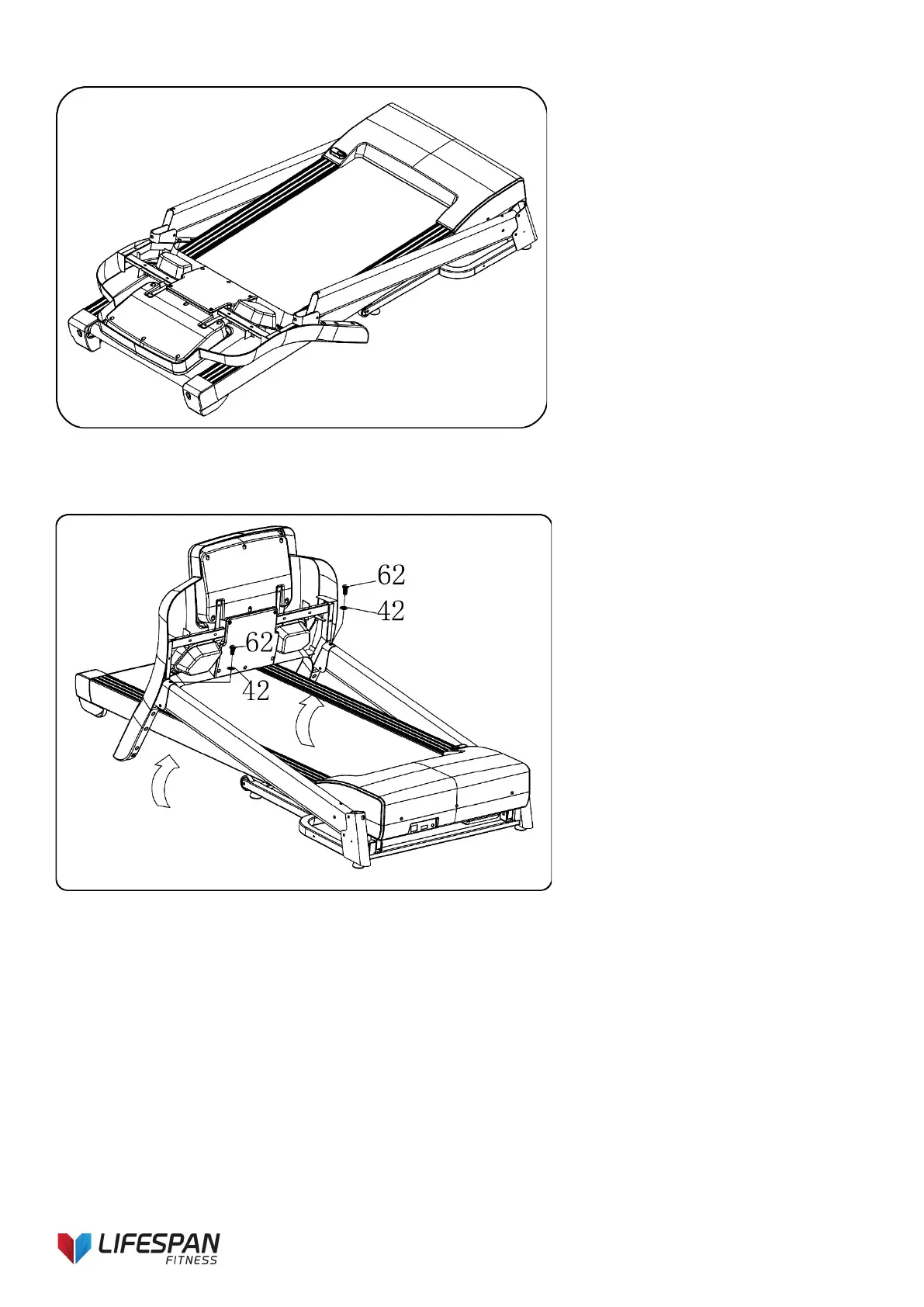
1. Open the carton and remove the
parts.
2. Place the treadmill on a flat surface.
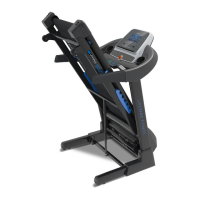
1. Hold the computer frame and use
the 5# Allen key (10), bolt (62) and
lock washer (42) to secure the
computer frame onto the right and
left upright. Refer to image.



 To Next Page